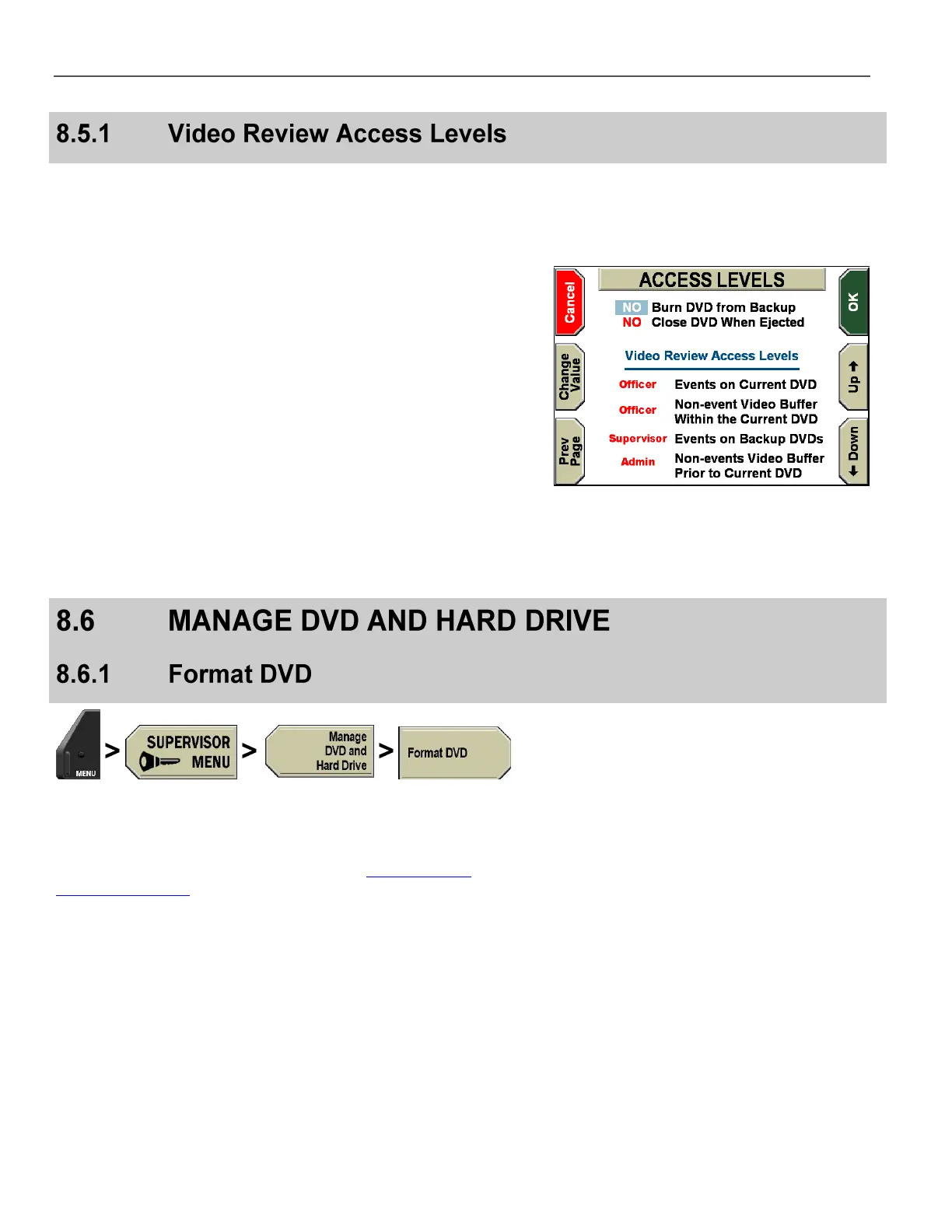
Video Review Access Levels restrict who can view videos stored
on a DVD. There are 4 zones where video is stored and may be
viewed at a later time, based on the assigned access level:
Event video on the current DVD
Non-event video on the current DVD
Event video on previous backup DVDs
Non-event video prior to the current DVD
Each zone can have one of three access levels:
Officer – Everyone can review this video zone
Supervisor – The user is prompted for a Supervisor login
whenever this zone is entered
Administrator – The user is prompted for an Administrator login
whenever this zone is entered
As the zone increases, the access level also increases (or at least
stays the same). As an example, if zone 1 is set to Admin, all of the
other zones are forced to Admin. However, using the example
shown on the right, if zones 1 and 2 are set to Officer, zone 3 could
be Supervisor, and zone 4 could be Admin.
Press MENU > SUPERVISOR MENU > Manage DVD and
Hard Drive > Format DVD.
If prompted to login, follow the steps listed in Supervisor and
Administrator Login on page 78.



 To Next Page