492599440000/00/04.2019
Loading Material
f Turn ring (2) clockwise, so that the arrow points to
the symbol ,andthusxthemarginstop(1)on
the roll retainer (3).
f Supply longer label strips:
ForPeel-OorRewindmode:approx.60cm
ForTear-Omode:approx.40cm
4.1.2 Inserting the Media into the Prin-
thead
1
3
2
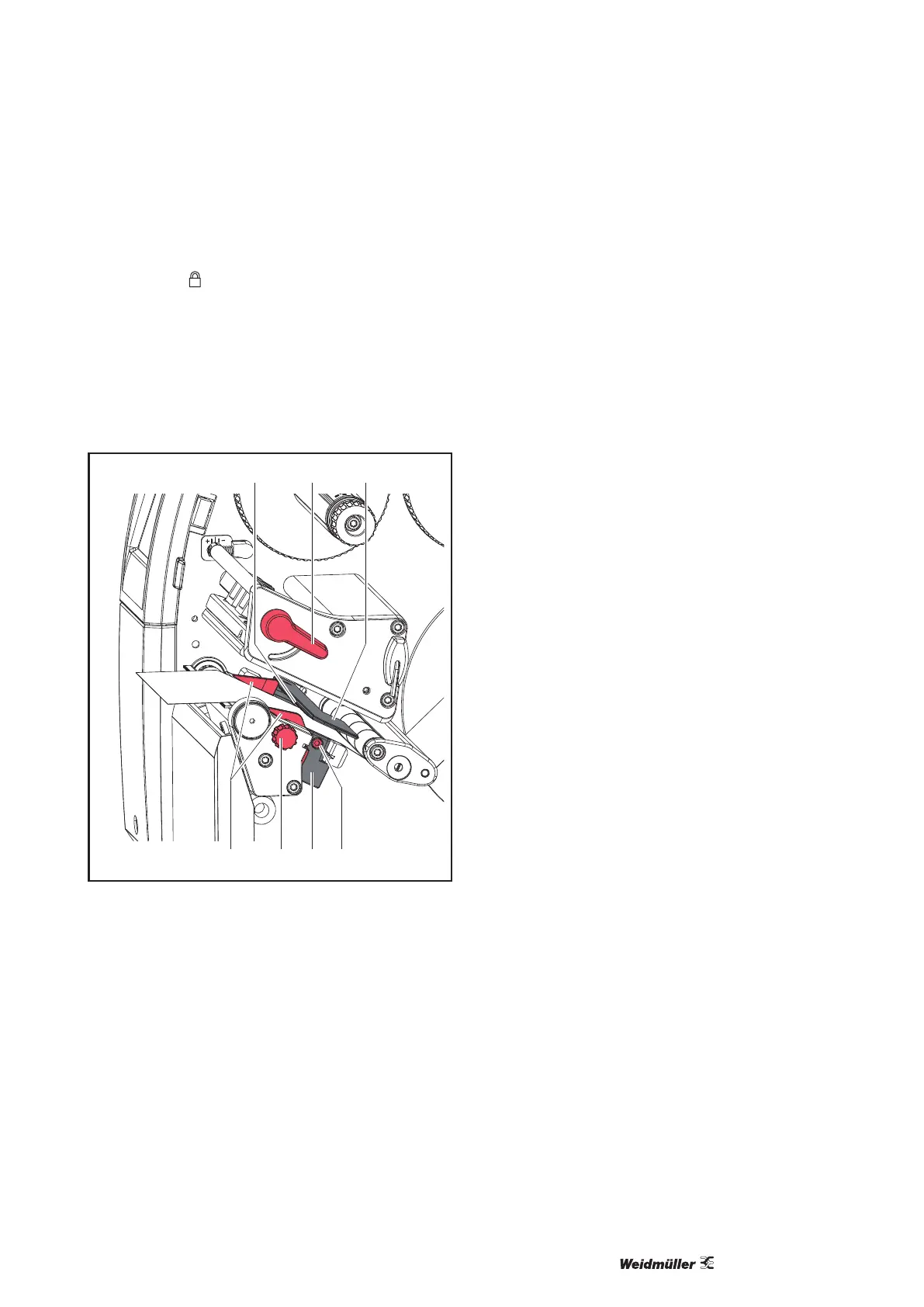
Figure 11 Inserting the media into the printhead
f Turn lever (2) counterclockwise to lift the print-
head.
f Position guides (7) by turning the knob (6) so that
they are several millimeters wider than the mate-
rial.
f Guide label strip over the internal rewinder to the
print unit.
f Guide label strip through the label sensor (3) in
such a way that it exits the print unit between the
printhead and the print roller.
f Move guide(s) (7) against the edge(s) of the ma-
terial by turning the knob (7).
4.1.3 Setting the Label Sensor
The label sensor can be shifted perpendicular to the
directionofpaperowforadaptationtothemedia.
The sensor unit (1) of the label sensor is visible from
the front through the print unit and is marked with an
indentation in the label sensor retainer. When the
printer is switched on, a yellow LED illuminates the
sensor position.
f Loosen screw (4).
f Position label sensor with tab (5) in such a way
that the sensor (1) can detect the label gap or a
reexorperforationmark.
- or, if the labels deviate from a rectangular shape, -
f Align label sensor using the tab (5) with the front
edgeofthelabelinthedirectionofpaperow.
f Tighten screw (4).
For use in tear-omodeonly:
f Turn lever (2) clockwise to lock the printhead.
f Thelabelsareloadedforuseintear-omode.


 To Next Page
 Loading...







