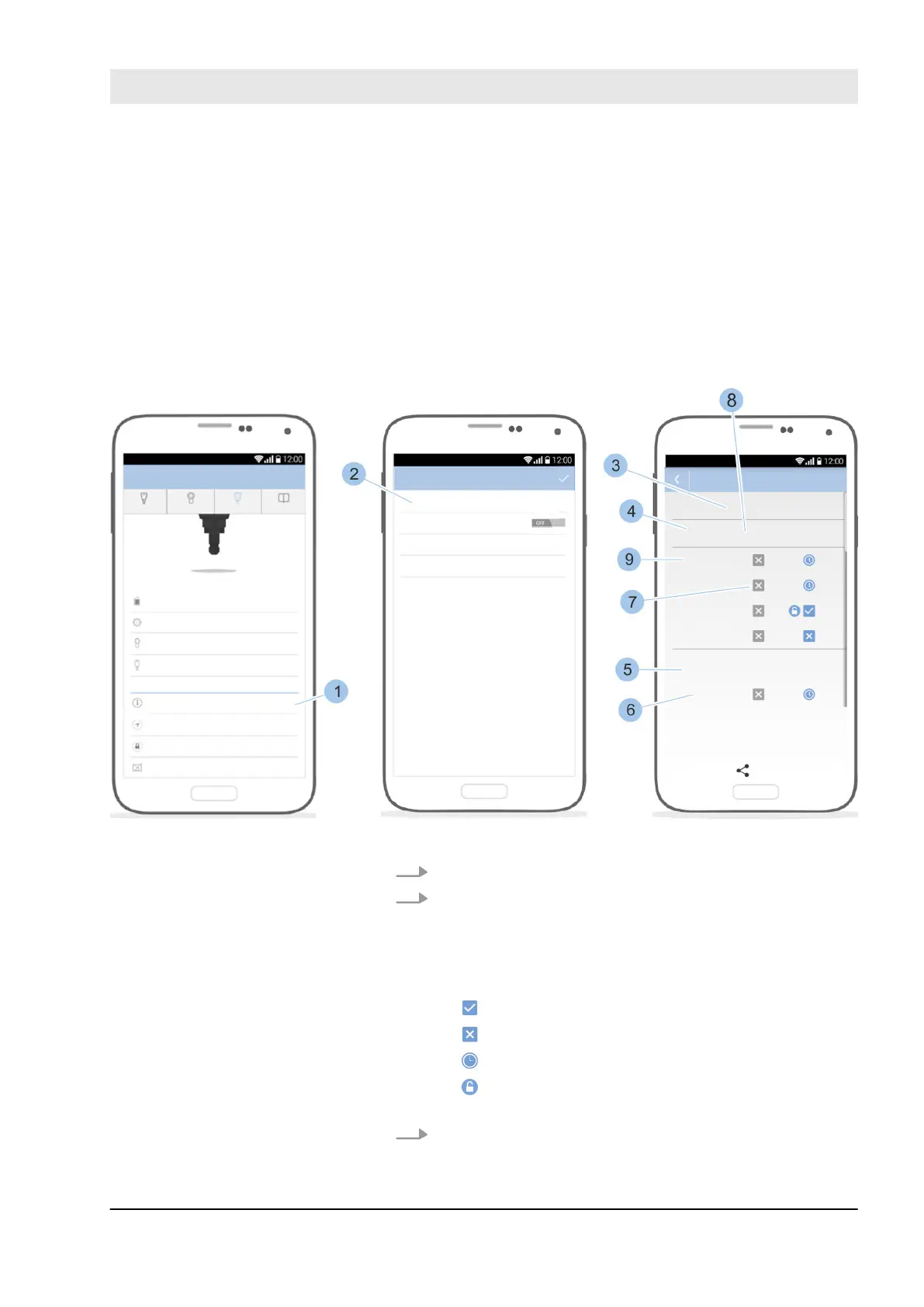
7.8 Open and forward locking plan
The locking plan shows the overview of the locking authori-
sations, including key group, the key, the cylinder group
and the cylinder.
Prerequisites:
n Masterkey has been linked to the app.
–
Ä
Chapter 7.2 “Register” on page 79
n User is in the Master key menu.
Fig. 101: Locking plan
1. Touch Locking plan (1).
2. Touch View locking plan (2).
ð
The overview of the locking authorisations is
shown with the key group (3), the key (4), the cyl-
inder group (5) and the cylinder (6).
The relevant authorisation symbols are still shown:
The key is authorised to lock.
The key is not authorised to lock.
The key is authorised to lock via a time profile.
The key is authorised to activate and deactivate
the permanent release on the reader.
3. The following information is also shown:
Open system overview
Manage locking system
23.03.2020 blueCompact electronic locking system 125



 To Next Page