4.6 Install cylinder type 01, type 02 and type 05
One side of the cylinder in type 05 features a
purely mechanical function. It features a red
mark underneath the keyway. This side must
be fitted towards the inside.
Prerequisites:
n Old cylinder has been removed.
–
Ä
Chapter 4.1 “Dismount old cylinder” on page 48
n New cylinder has been selected by type and dimensions.
–
Ä
Chapter 4.2 “Determine cylinder type” on page 49
–
Ä
Chapter 4.3 “Determine cylinder length” on page 50
n Face plate screw has been checked and also shortened if
necessary.
–
Ä
“Shorten face plate screw” on page 54
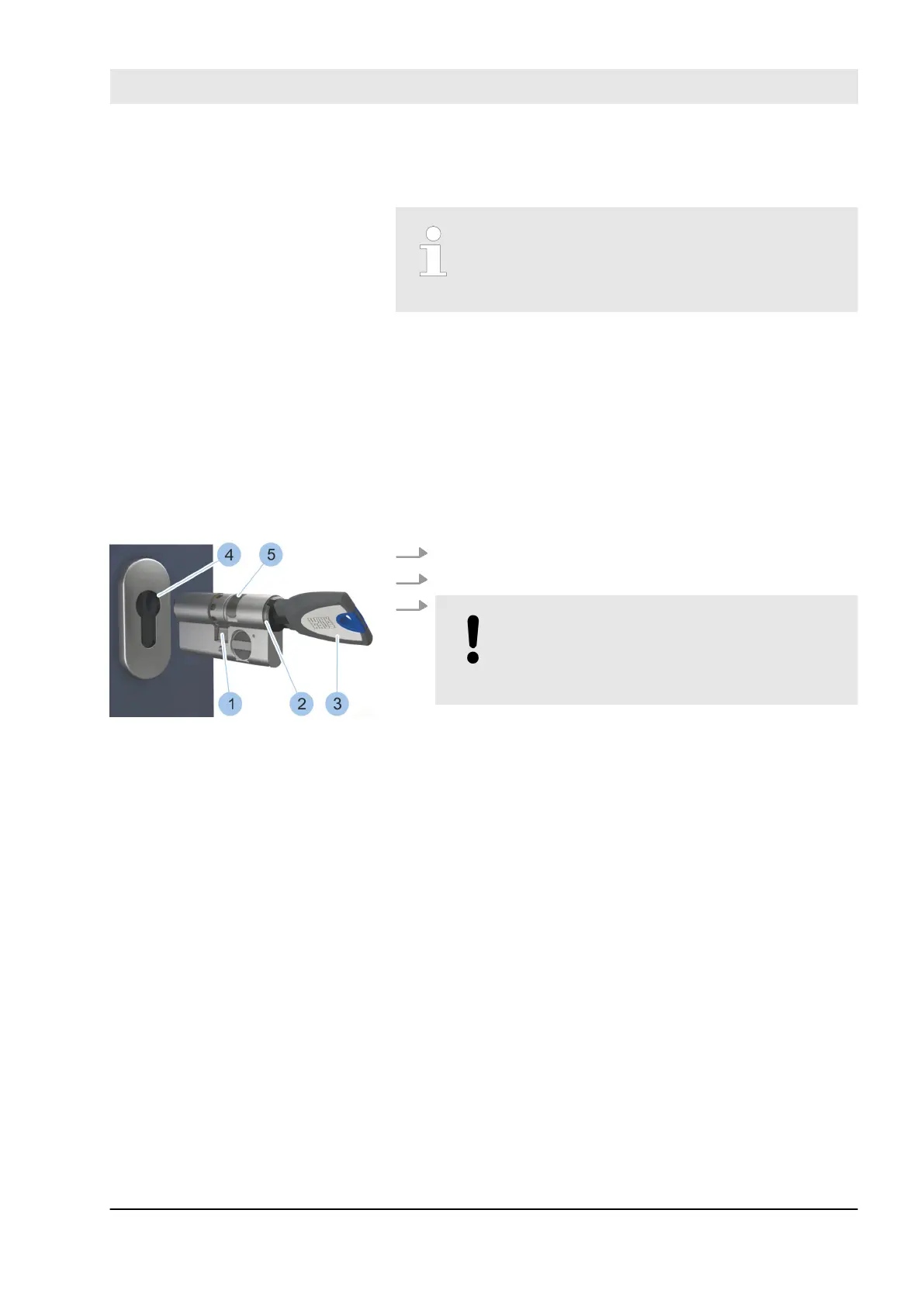
1. Insert key (3) into the keyway (2).
2. Turn the key (3) to place cam (1) in the zero position.
3.
NOTICE!
Material damage caused by using force
to fit cylinder and incorrect cylinder
installation!
Insert cylinder into the profile channel (4) with mag-
netic protection (5) facing the outer side. If the cyl-
inder is stuck, carefully jiggle with the key and push
cylinder in. Contact specialist company if you experi-
ence problems.
Install cylinder type 01
Insert cylinder
Fig. 35: Insert cylinder
Align cam
Select and install cylinder
23.03.2020 blueCompact electronic locking system 57



 To Next Page