3.
The symbol (2) is only shown if a finger-
print scanner is present and activated.
Place the finger on the fingerprint scanner (2) of the
smartphone. Alternatively, enter the password (3).
ð
The Masterkey is connected to the app and the Key
menu (4), Cylinder menu (5), Master key menu (6)
Instructions menu (7) can be opened in the menu
bar.
7.3 Add and manage key
7.3.1 Add key to locking system
Precondition:
n Masterkey has been linked to the app.
–
Ä
Chapter 7.2 “Register” on page 79
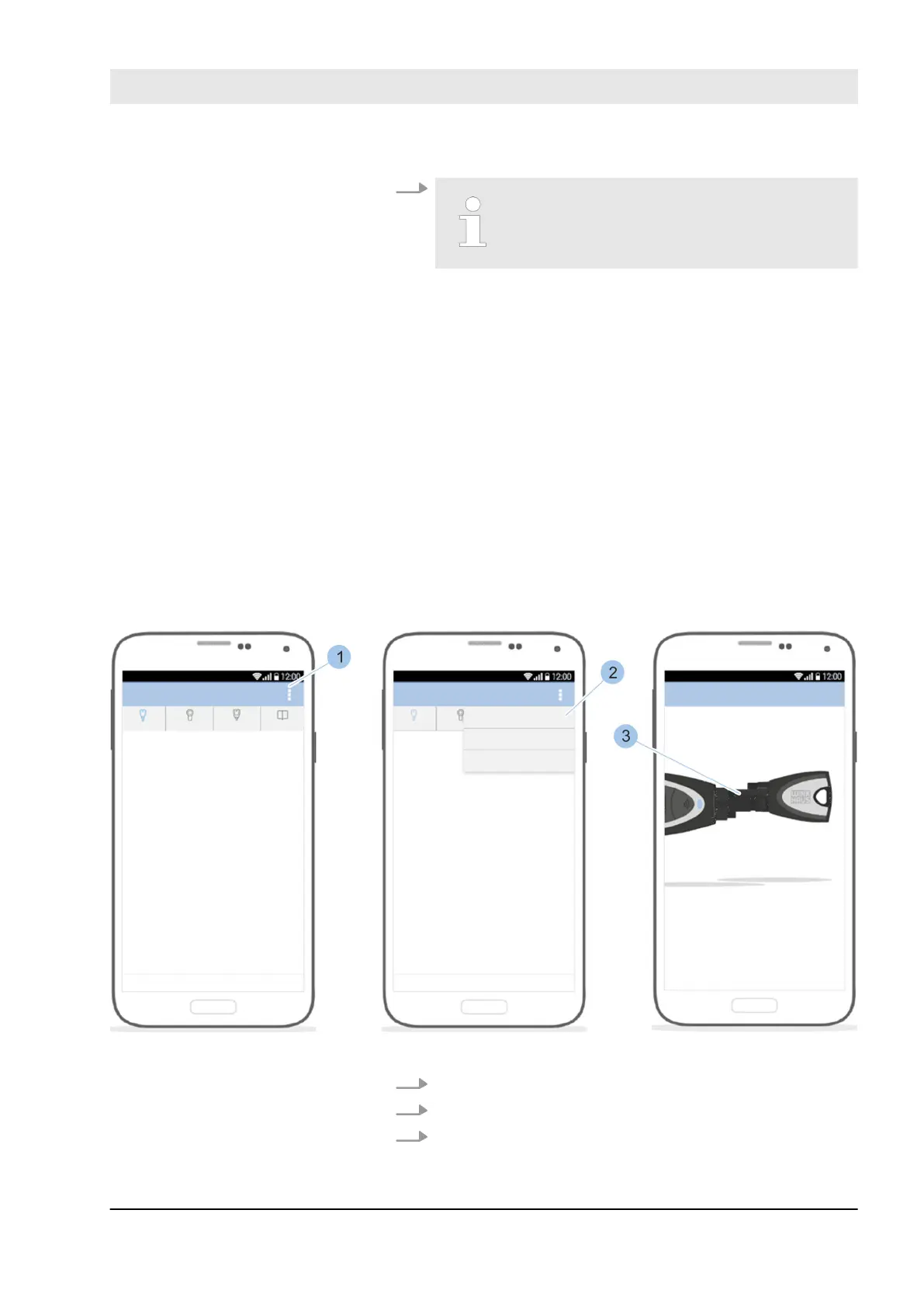
Fig. 57: Incorporate key
1. Call up the Key menu menu.
2. In the Key menu, touch the Options menu (1).
3. Touch Add key (2).
Incorporate key
Link key with Masterkey
Manage locking system
23.03.2020 blueCompact electronic locking system 81



 To Next Page