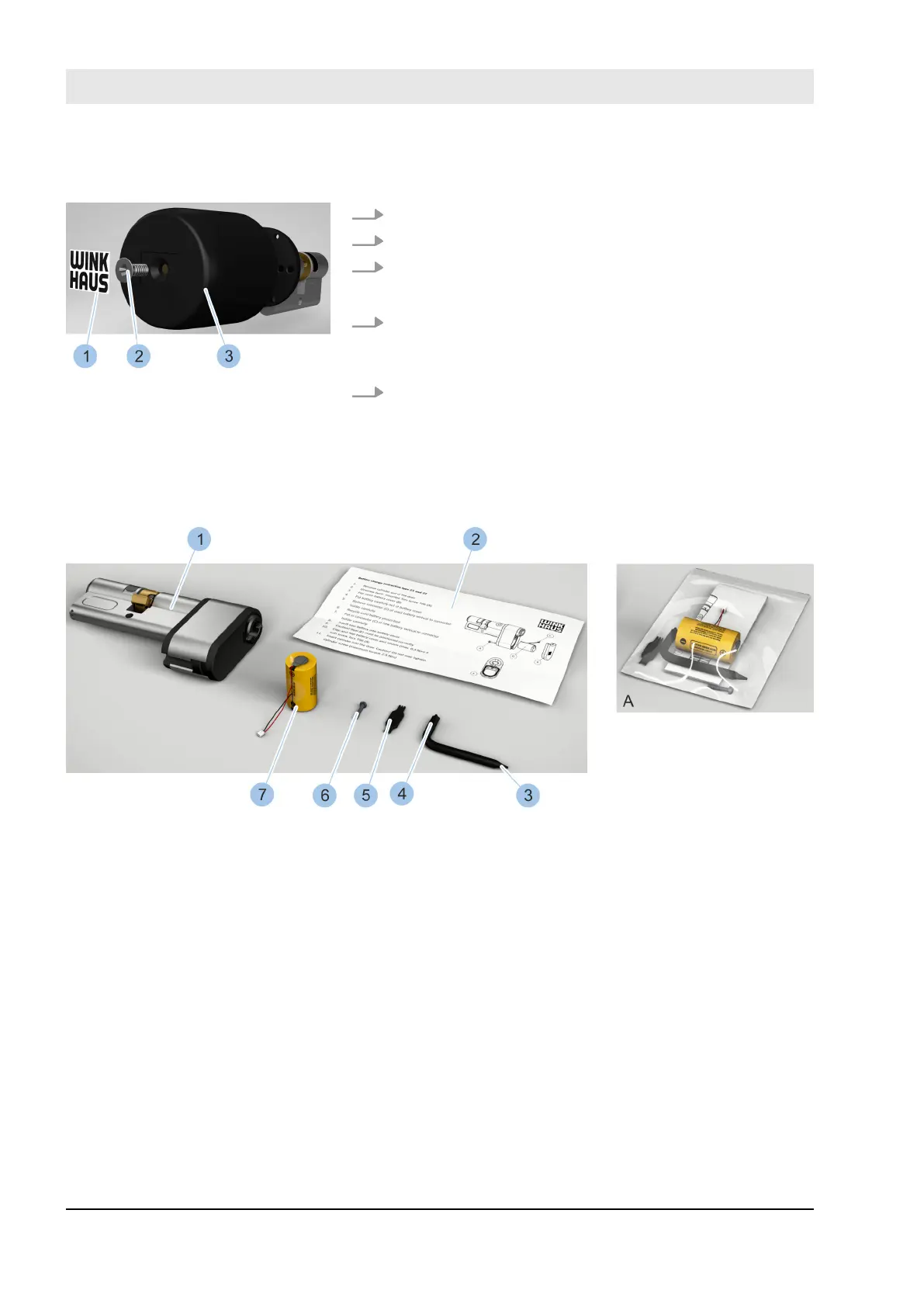
14. Attach knob (3).
15. Fasten screw (2) with enclosed screwdriver (TX20).
16. Ax new sticker (1).
ð
The battery has been changed.
17. Fit cylinder.
Ä
Chapter 4.7 “Install cylinder type 04 and type 04
MK” on page 60
18. Synchronise the time of the cylinder with the Mas-
terkey.
Ä
Chapter 7.4.3 “Identify cylinder” on page 89
10.3.5 Replacing the batteries in cylinder types 21 and 22
Fig. 139: Battery replacement set (type 21)
1 Cylinder (type 21) (not part of the battery
replacement set)
2 Replacement instructions
3 Screwdriver (T6)
4 Screwdriver (TX 20)
5 Battery plug replacement tool
6 Screw
7 Battery
A Battery replacement set in packaging
The battery replacement set is supplied in a package (A)
and contains the components in the photo (2 – 7).
Attach knob
Fig. 138: Attach knob
Cleaning and maintenance
23.03.2020blueCompact electronic locking system162



 To Next Page