10.3.6 Replacing batteries in padlock 85
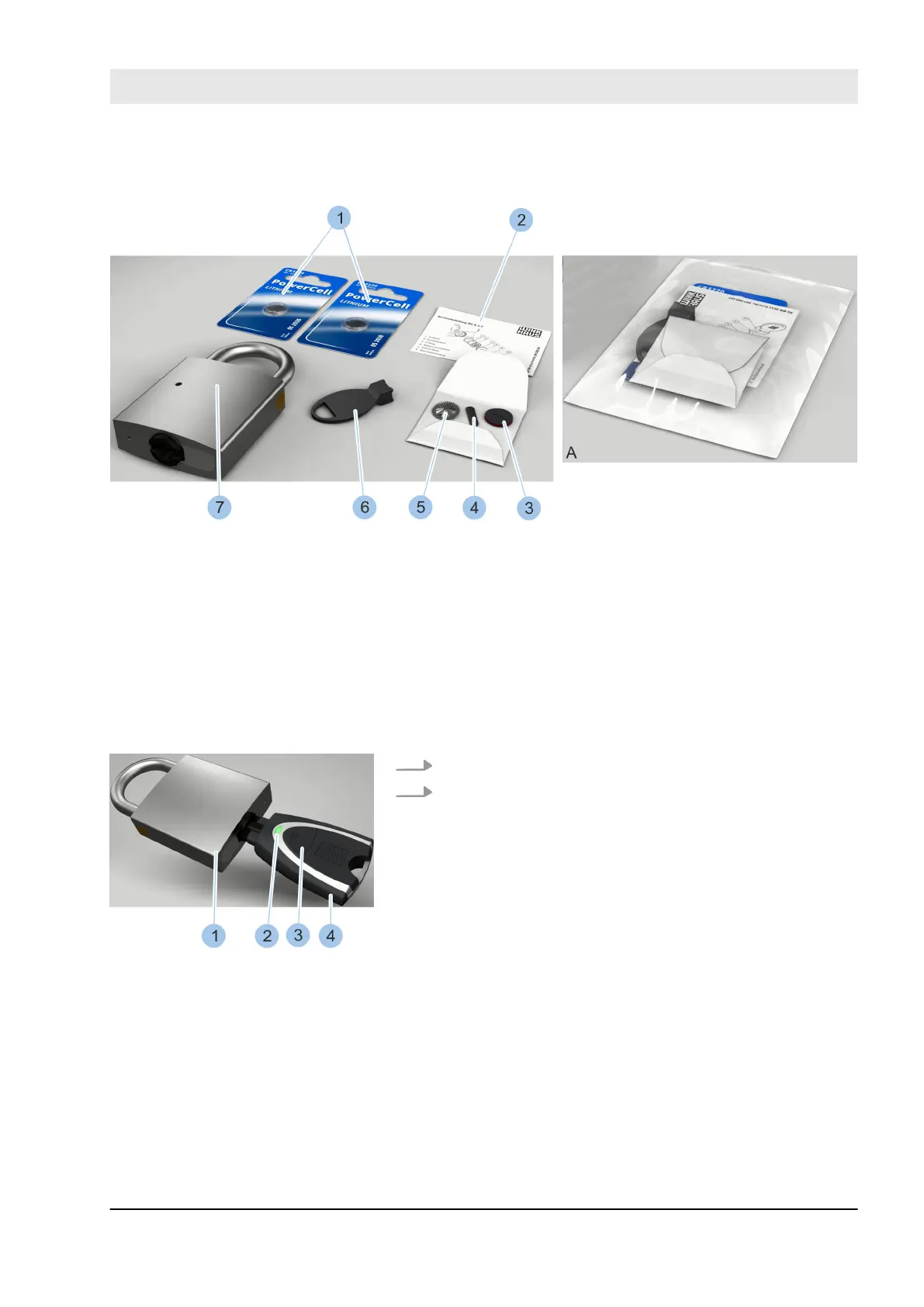
Fig. 144: Battery replacement set for type 85
1 Batteries
2 Replacement instructions
3 Battery compartment lid with O-ring
4 Retaining spring
5 Contact strip
6 Replacement tool
7 Padlock (not part of the battery replace-
ment set)
A Battery replacement set in packaging
The battery replacement set is supplied in a package (A)
and contains the components in the photo (1 – 6).
1. Insert active key (4) into the padlock (1) cylinder.
2. Activate active key (4) by pressing on the button (3).
ð
The LED display (2) on the active key lights up
green and the cylinder can be locked.
Activate key
Fig. 145: Activate key
Cleaning and maintenance
23.03.2020 blueCompact electronic locking system 165



 To Next Page