7.4 Add and manage cylinder
7.4.1 Add cylinder to locking system
Precondition:
n Masterkey has been linked to the app.
–
Ä
Chapter 7.2 “Register” on page 79
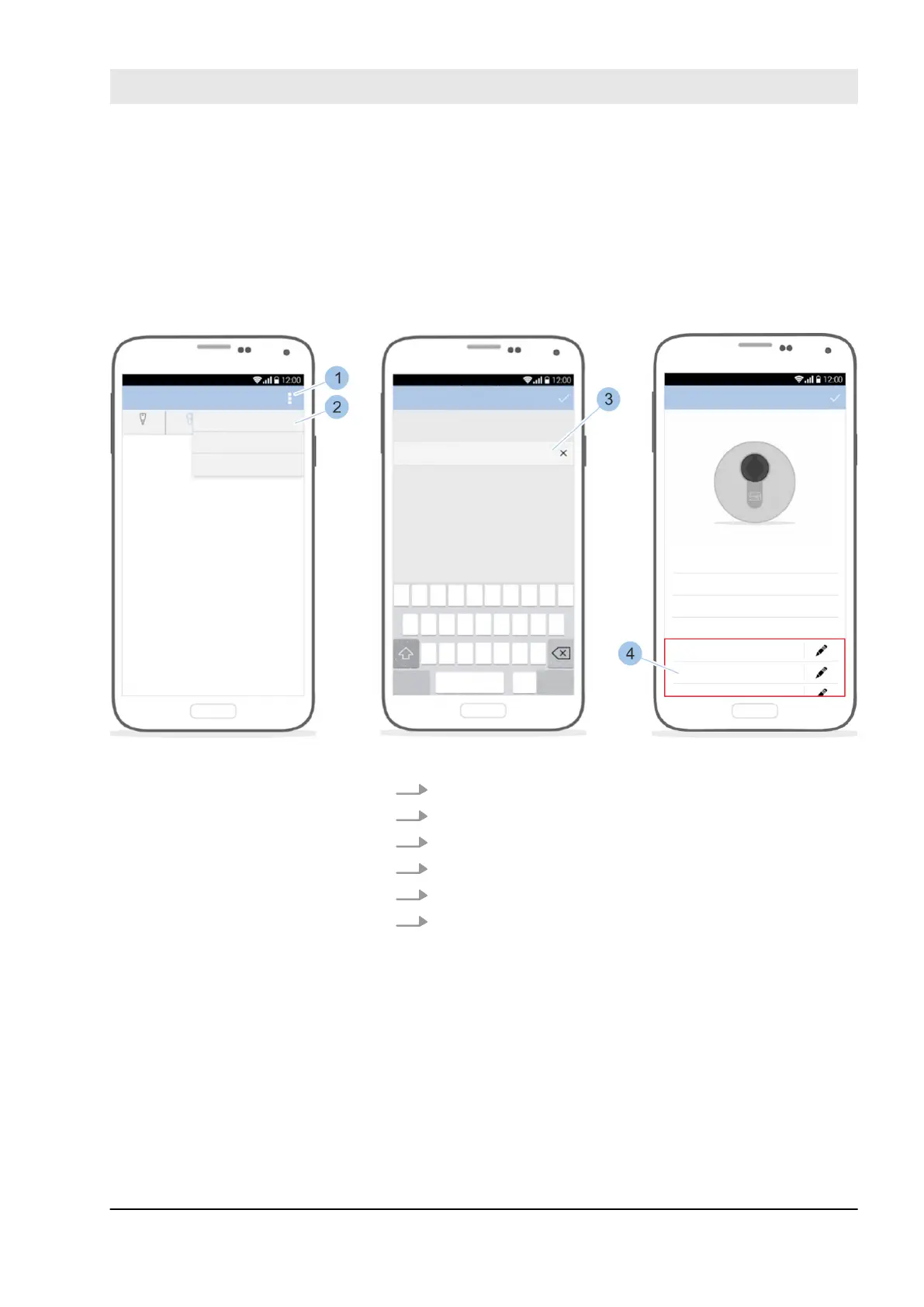
Fig. 63: Add cylinder
1. Call up the Cylinder menu.
2. In the Cylinder menu, touch the Options menu (1).
3. Insert Masterkey in the cylinder.
4. Touch Add cylinder (2).
5. Name cylinder (3).
6. Issue access authorisations (4).
Link cylinder with Masterkey
Enter cylinder specifications
Manage locking system
23.03.2020 blueCompact electronic locking system 87



 To Next Page