1.2.2 Masterkey
The Masterkey is always an active key which you can con-
figure as a Masterkey using the app.
The Masterkey features all the functions of an active key
and can also integrate active and passive keys and cylinders
into the locking system. It can also identify them, read
information and display the battery status of any battery.
The Masterkey holds all information about the locking
system in its memory. You can view this information in the
app.
You may only configure one Masterkey per locking system.
The Masterkey logs o automatically from the blueCompact
App after 4 minutes of inactivity.
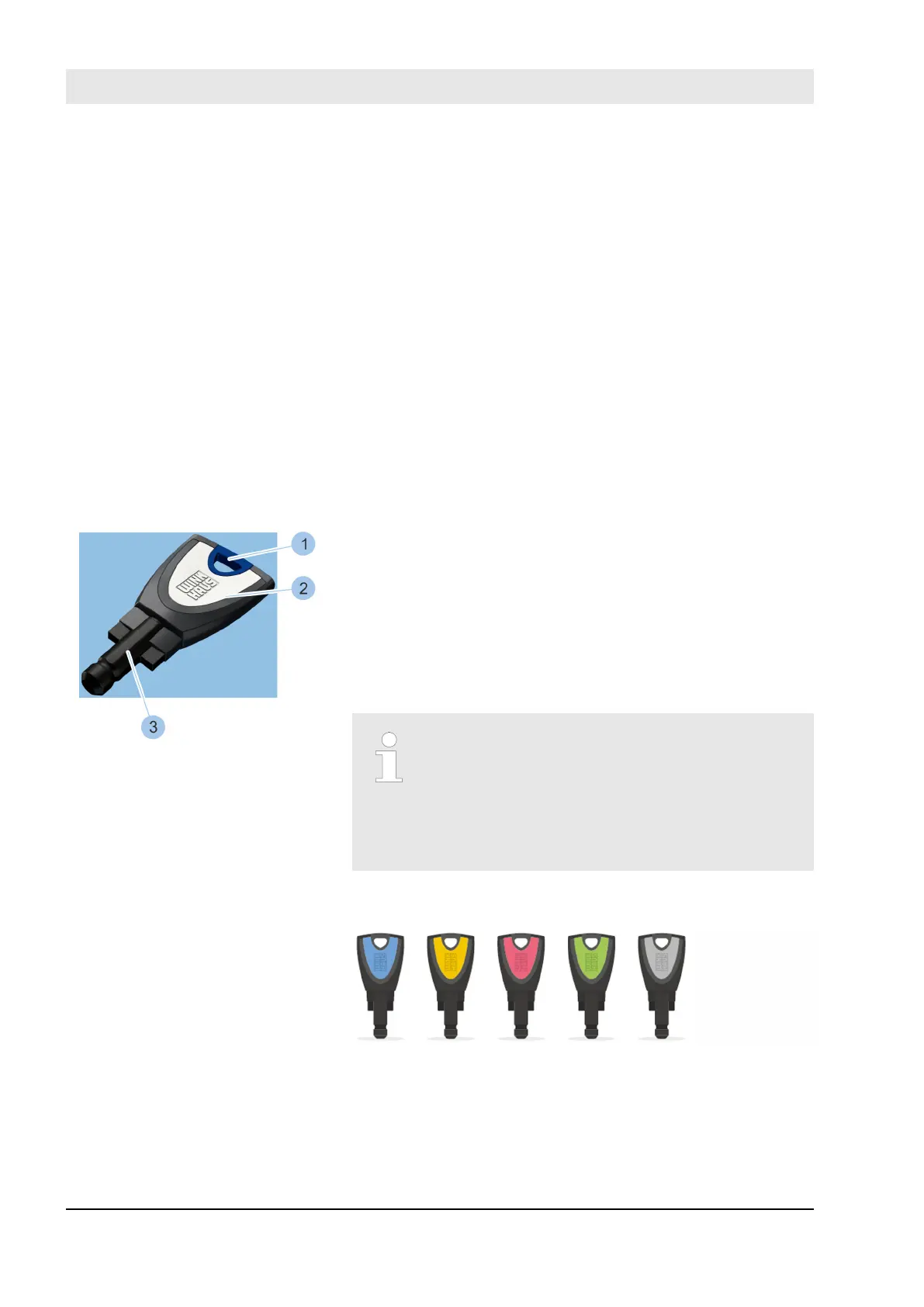
1.2.3 Passive keys
1 Ring hole
2 Key bow
3 Tip of key with transponder
You can use the Masterkey to import passive keys into the
system and then manage them in the app.
A transponder is integrated into the tip of the key (3). This
transponder holds the locking authorisations for specific
cylinders. You can only use passive keys to lock cylinders
for which they have locking authorisations.
For a clear allocation of the keys in the app, a
Winkhaus UID is engraved on the tip of the
key (3).
This Winkhaus UID consists of the logo
4HOME and a six-digit number.
Example: 4HOME112773
The key bows (1) in passive keys are colour-coded to make
it easier to manage the keys.
The keys are available in the following 5 colours:
n Blue
n Yellow
n Pink
Fig. 10: Passive key
Product overview
23.03.2020blueCompact electronic locking system22



 To Next Page