7 Manage locking system
7.1 Initialise Masterkey
The components in the locking system are managed with
the Masterkey. You need to establish/initialise an active key
as the Masterkey to do so.
WARNING!
Missing locking authorisation due to time
shift in dierent time zones!
During the initialisation of the Masterkey, the
time zone selected on the smartphone is
applied. Locking authorisations for a specific
period of time and specific days only apply
to the relevant time zone. Doors which do
not open may result in death in hazardous
situations.
– The locking system must only be managed
in one time zone.
Precondition:
n Smartphone Bluetooth link has been switched on.
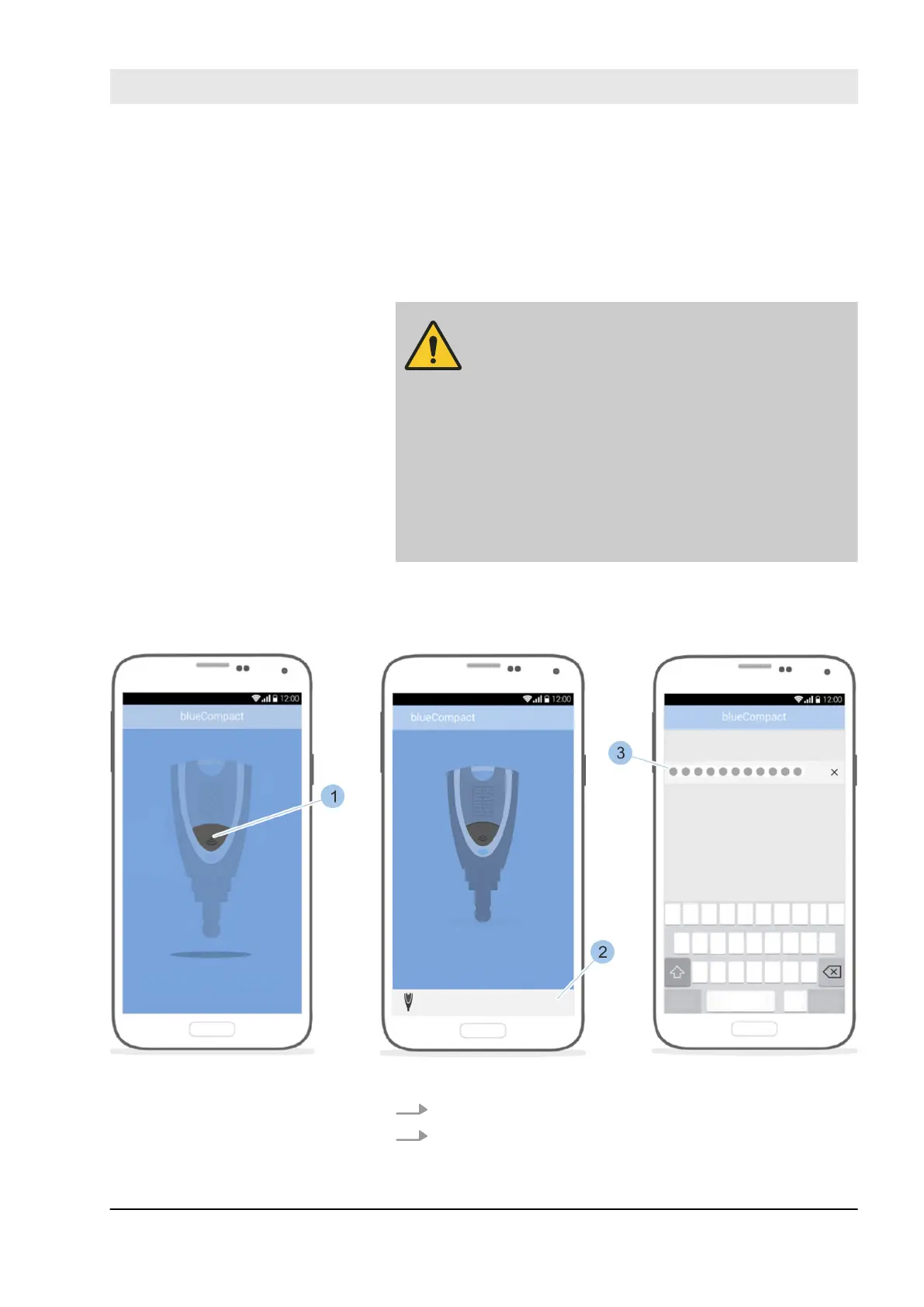
Fig. 54: Initialise Masterkey
1. Launch app.
2. Press the push button for the active key (1) to be used
as a Masterkey.
Select Masterkey
Manage locking system
23.03.2020 blueCompact electronic locking system 77



 To Next Page