7.10 Reset Masterkey
If the Masterkey is lost and found again or if a
Masterkey was initialised incorrectly, the Mas-
terkey can be reset to the factory settings.
Following the reset, the former Masterkey can
be added to the system as an active key.
Precondition:
n User is in the Master key menu.
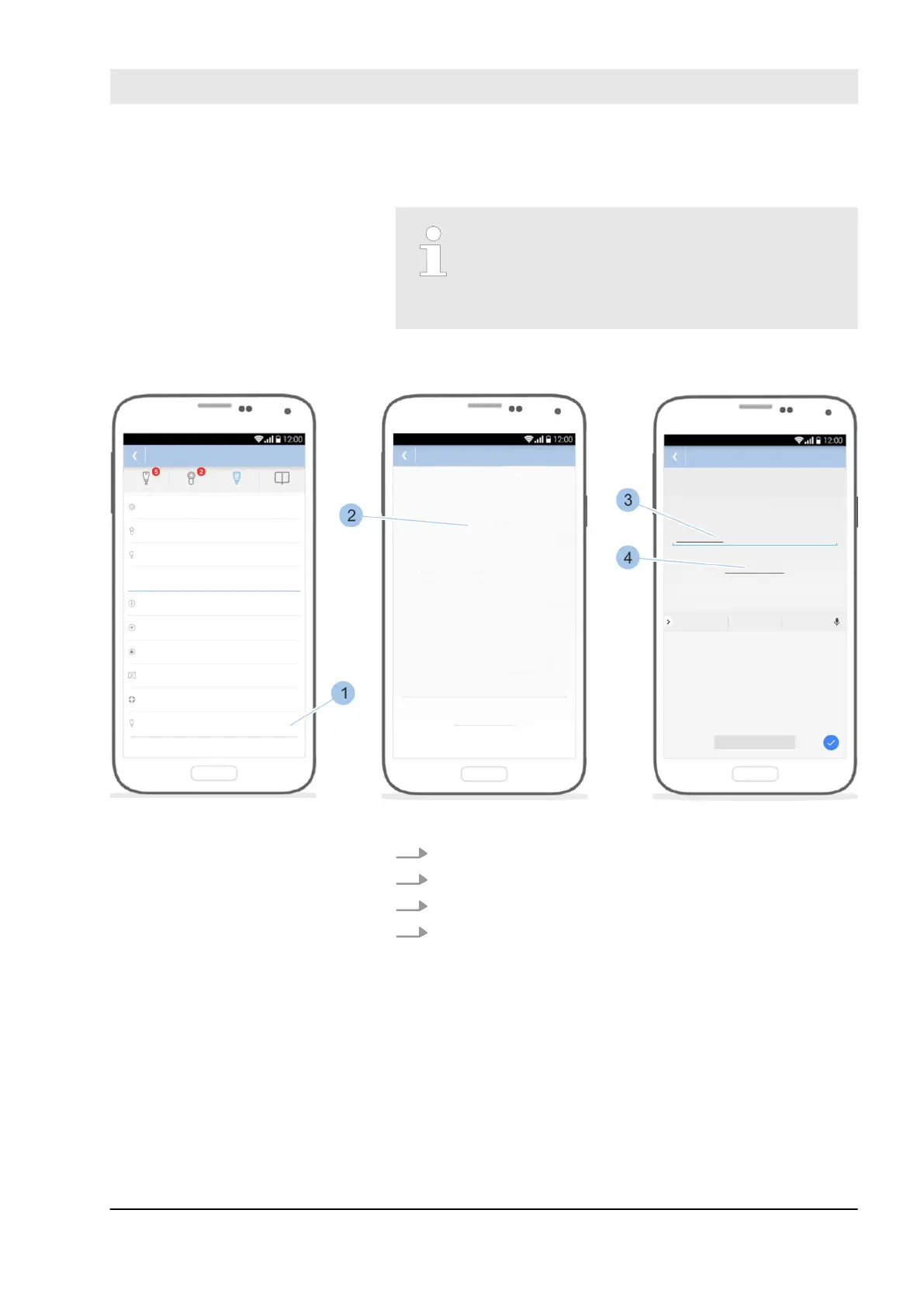
Fig. 111: Reset Masterkey
1. Touch Reset Masterkey (1).
2. Read the notes (2) and scroll down.
3. Enter Reset (3).
4. Touch Reset now (4).
ð
The Masterkey is reset and the Bluetooth connec-
tion is ended. The former Masterkey can now be
added to the system as an active key.
Manage locking system
23.03.2020 blueCompact electronic locking system 135



 To Next Page