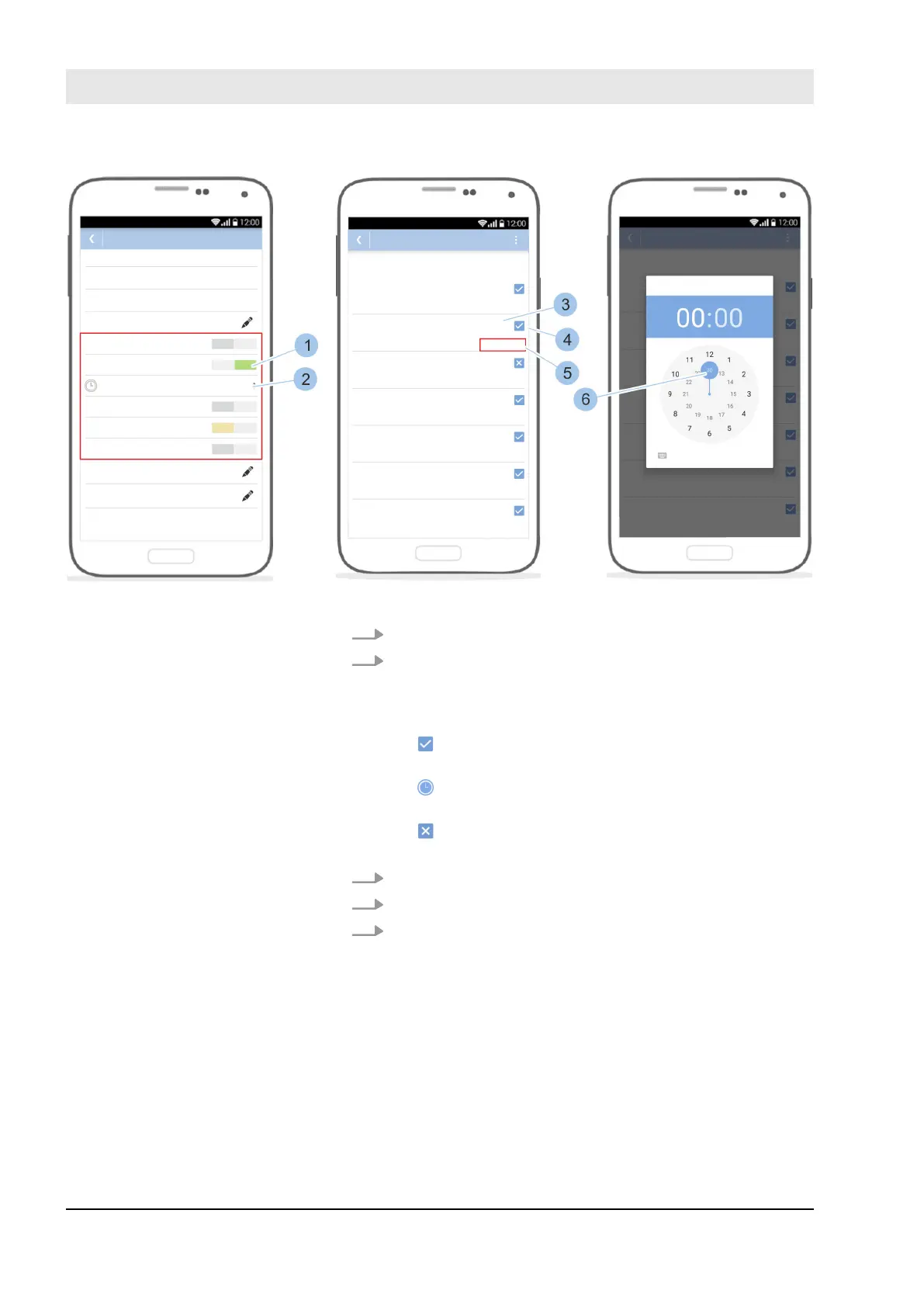
Fig. 70: Set time profiles
4. Issue locking authorisations for the key (1).
5. Touch the Time profiles (2) menu.
ð
The weekdays (3) are shown with the relevant
authorisation symbol (4) and the authorisation
status (5).
+ always: The key is always authorised to lock on
these days.
+ 08:00 – 18:00 h: The key is authorised to lock
for a specific period of time on this day.
+ not: The key is not authorised to lock on this
day.
6. Touch the authorisation status (5).
7. Set the period for the locking authorisation (6).
8. Touch the authorisation symbol (4) to switch between
always and not.
Manage locking system
23.03.2020blueCompact electronic locking system94



 To Next Page