R01.i RT System 2 v2.3 Deployment Guide 107
© 2010-2014 Wireless Seismic, Inc. All rights reserved.
5. Point-to-Multipoint Backhaul
Preparation
2 Configure the computer to be a private network with a static IP address of
192.168.1.100. See the Troubleshooting Guide, Additional Information chapter,
Setting a Static IP Address section if you need instructions on setting the IP address
(Control Panel
ĺ Network and Internet ĺ Network and Sharing ĺ Change
adapter settings
ĺ LAN ĺ Properties ĺ IPv4 ĺ Properties).
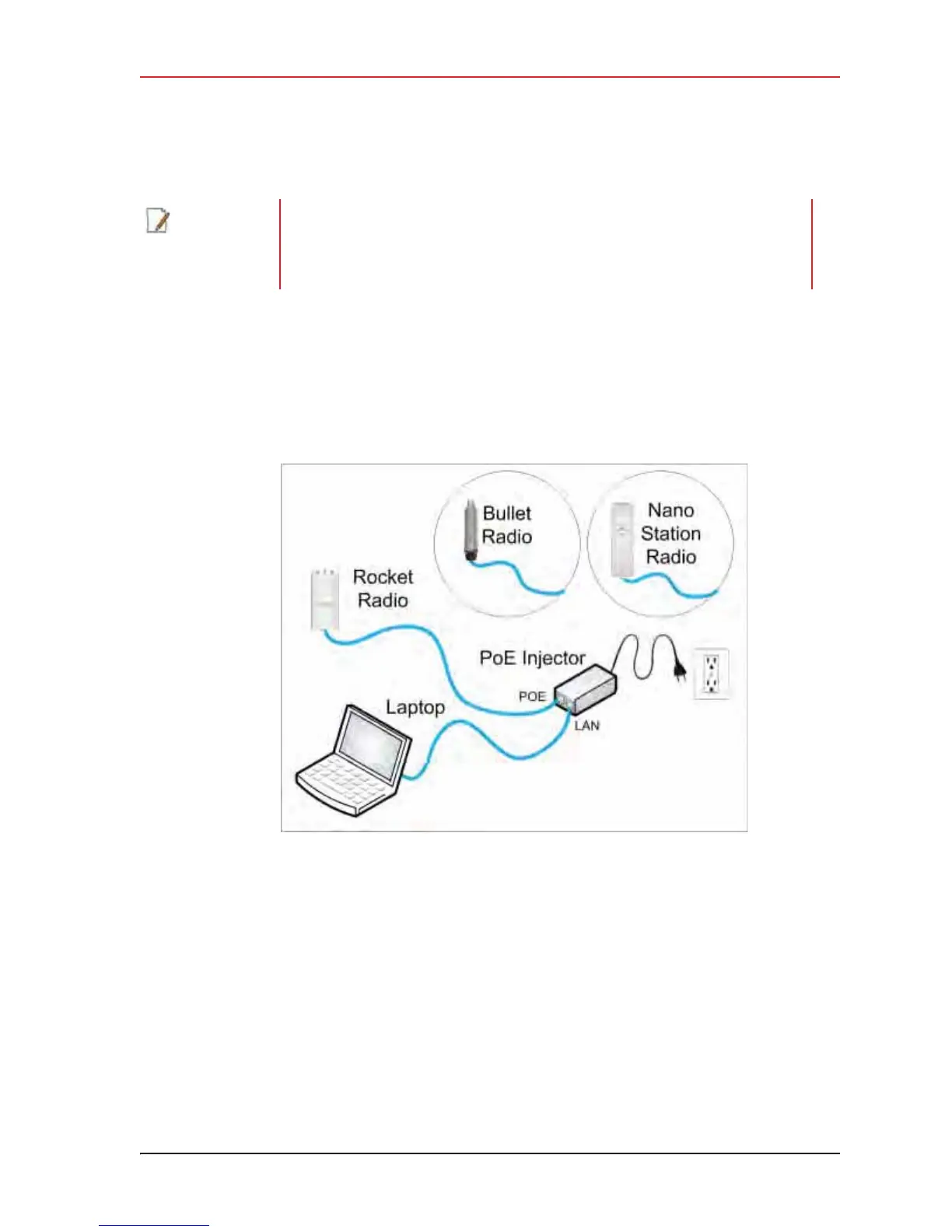
3 Connect a single radio to the computer.
4 Open the Ubiquiti Discovery Tool by double-clicking the shortcut on the desktop.
NOTE
When using a radio link (pendant) to the recording truck, the following
configuration files are also required:
• Recorder-AP.cfg
•Recorder-S.cfg
Figure 5–8 Ubiquiti Rocket/Bullet Private Network Connection



 To Next Page