78 RT System 2 v2.3 Deployment Guide R01.i
© 2010-2014 Wireless Seismic, Inc. All rights reserved.
4. Point-to-Point Backhaul
Install and Troubleshoot
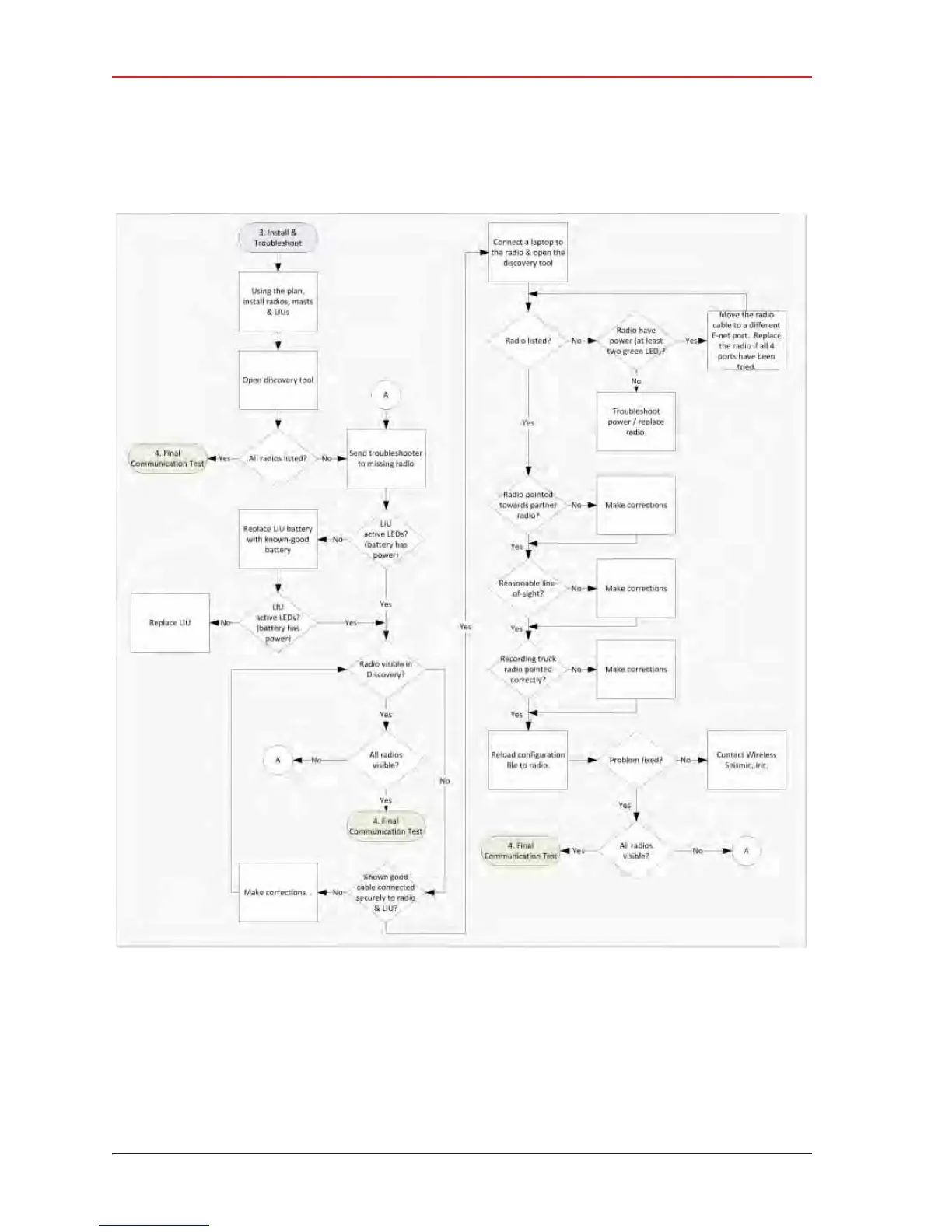
To install and troubleshoot the radios:
1 Using the plan created in section “Create Plan and Map” on page 76. install all of the
radios, masts, and LIUs. Keep the following in mind as you proceed through the
installation:
Figure 4–16 Install and Troubleshoot the Radios Flow



 To Next Page