50 RT System 2 v2.3 Deployment Guide R01.i
© 2010-2014 Wireless Seismic, Inc. All rights reserved.
3. Backhaul
Setting up the Backhaul
The Weighted Base (70-0070) is another option for use when staking is impractical (see “E.
Weighted Base” on page 182).
3.3 Setting up the Backhaul
This section provides instructions on how to assemble the backhaul components.
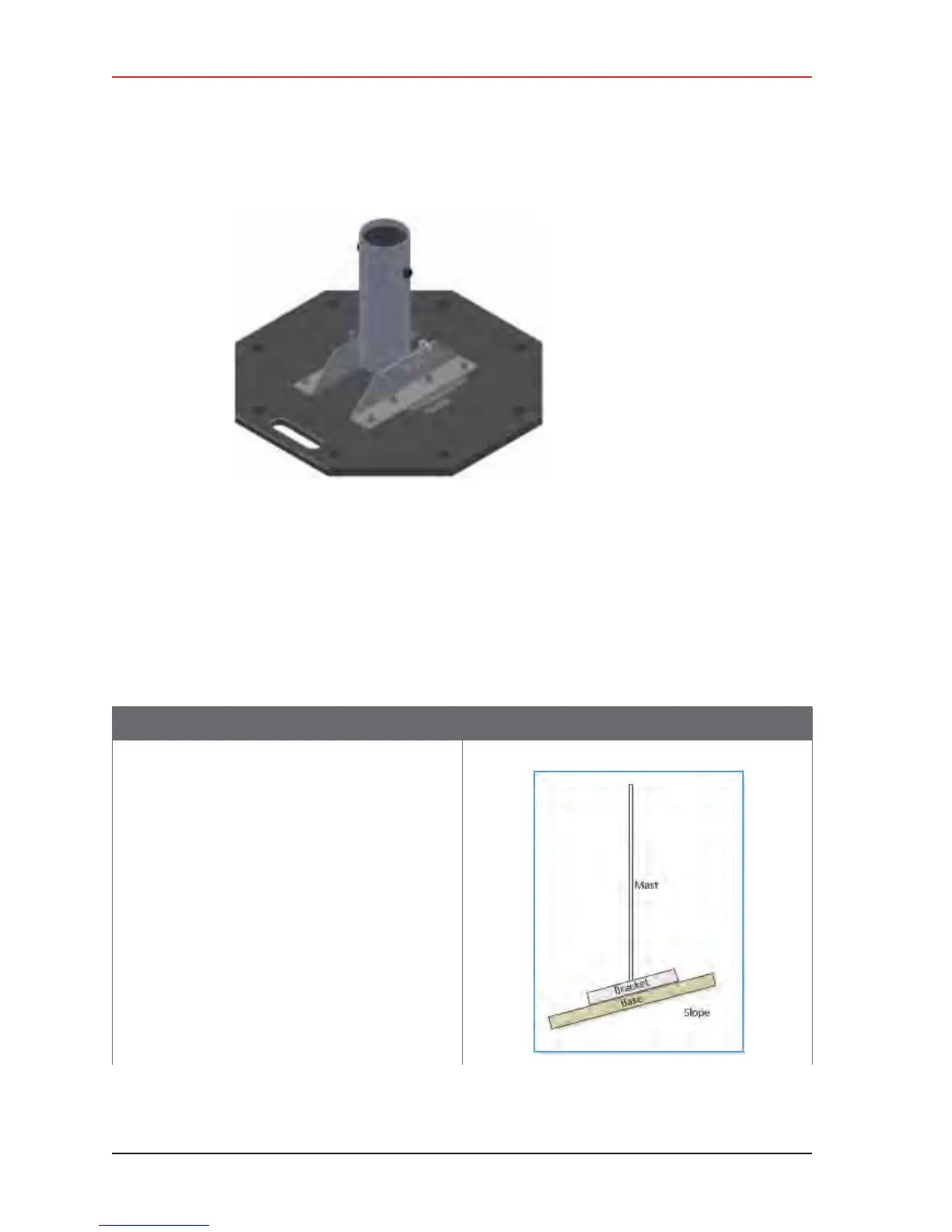
Figure 3–24 Base (55-0050)
Table 3–10 How to Set Up the Backhaul
Step Image
1 Gather all of the backhaul components.
2 Refer to the deployment instructions to
determine the location and compass heading to
the next back haul site closer to central.
3 Use the compass to determine and mark that
direction.
4 Use the following considerations while
positioning the base:
Ɣ Locate the base such that the guy lines and
the mast clear obstructions during erection
and while in operation.
Ɣ If the ground is sloped, position the base
such that when the base is flush to the
ground, the bracket orientation allows the
mast to remain perpendicular to the ground.



 To Next Page