R01.i RT System 2 v2.3 Deployment Guide 51
© 2010-2014 Wireless Seismic, Inc. All rights reserved.
3. Backhaul
Setting up the Backhaul
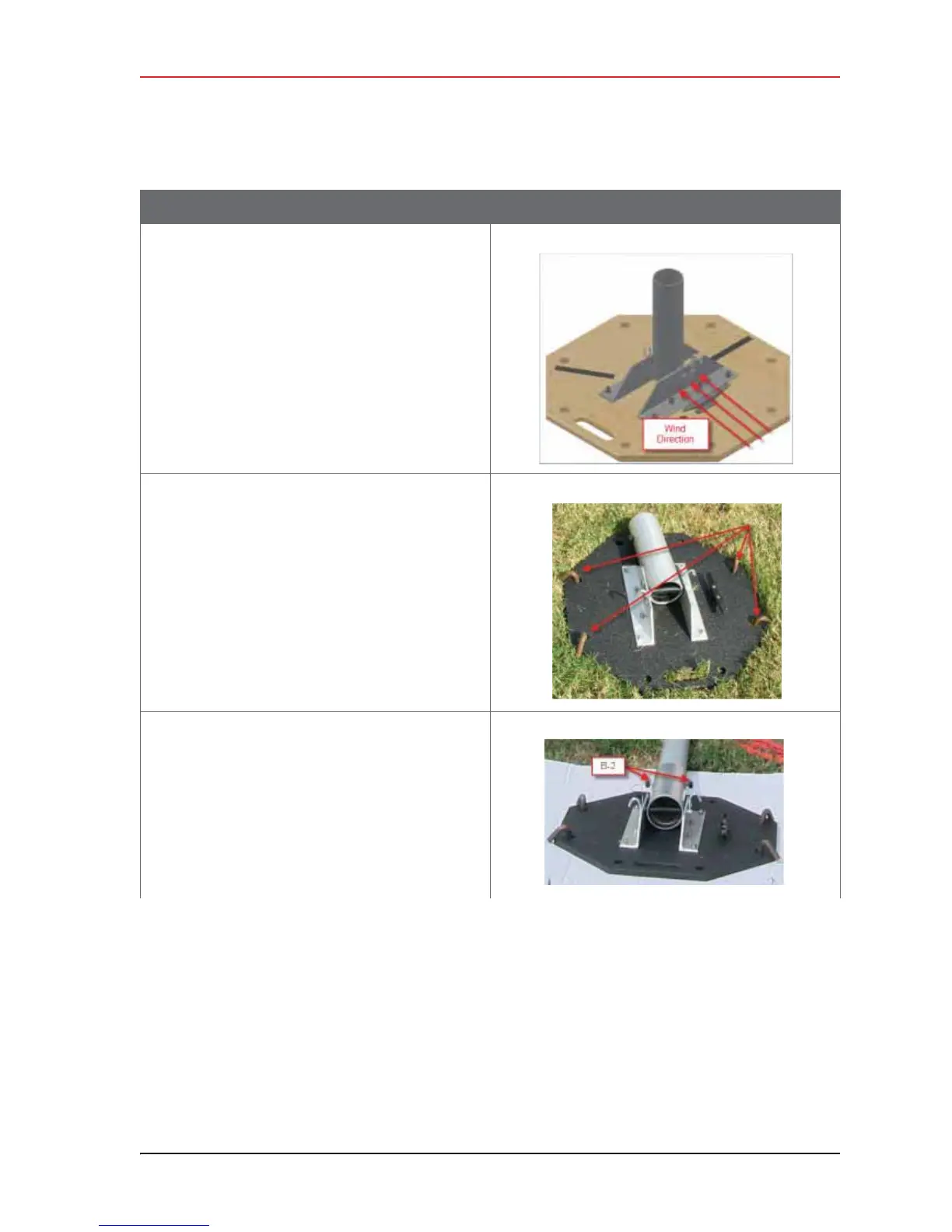
Ɣ If the wind is blowing, the mast is more
stable when the brackets are perpendicular
to the wind.
5 Secure the base [B-1] to the ground with stakes
[BK-4] or nails [BK-6].
6 Attach the mast [M-3] to the base [B-1].
Tighten both knobs [B-2].
Table 3–10 How to Set Up the Backhaul
Step Image



 To Next Page