52 RT System 2 v2.3 Deployment Guide R01.i
© 2010-2014 Wireless Seismic, Inc. All rights reserved.
3. Backhaul
Setting up the Backhaul
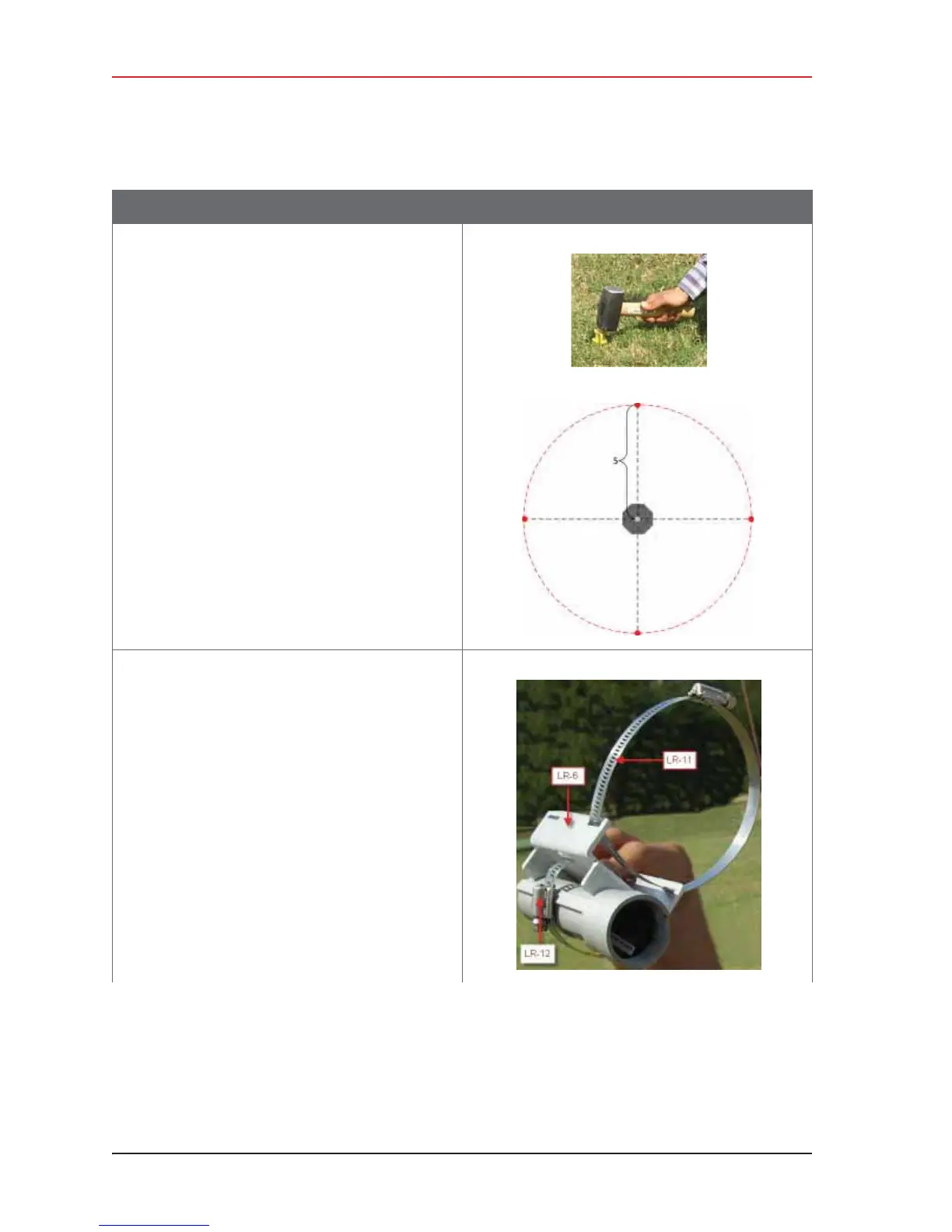
7 Position four stakes equal distances apart at
approximately 20 ft (6 m) from the base. Pound
them into the ground.
8 Assemble the radios and brackets:
Ɣ Bullet line radio installation – Assemble the
Bullet radios and brackets.
Ź Insert the 4 in hose clamp [LR-11] in the
side slots of the bracket [LR-6].
Ź Insert the 2 in hose clamp [LR-12] in the
center slots of the bracket [LR-6].
Ź Insert the line radio between the bracket
[LR-6] and the 2 in hose clamp [LR-12].
Ź Tighten the 2 in hose clamp
[LR-12]around the radio.
Line radio in bracket:
Table 3–10 How to Set Up the Backhaul
Step Image



 To Next Page