R01.i RT System 2 v2.3 Deployment Guide 109
© 2010-2014 Wireless Seismic, Inc. All rights reserved.
5. Point-to-Multipoint Backhaul
Preparation
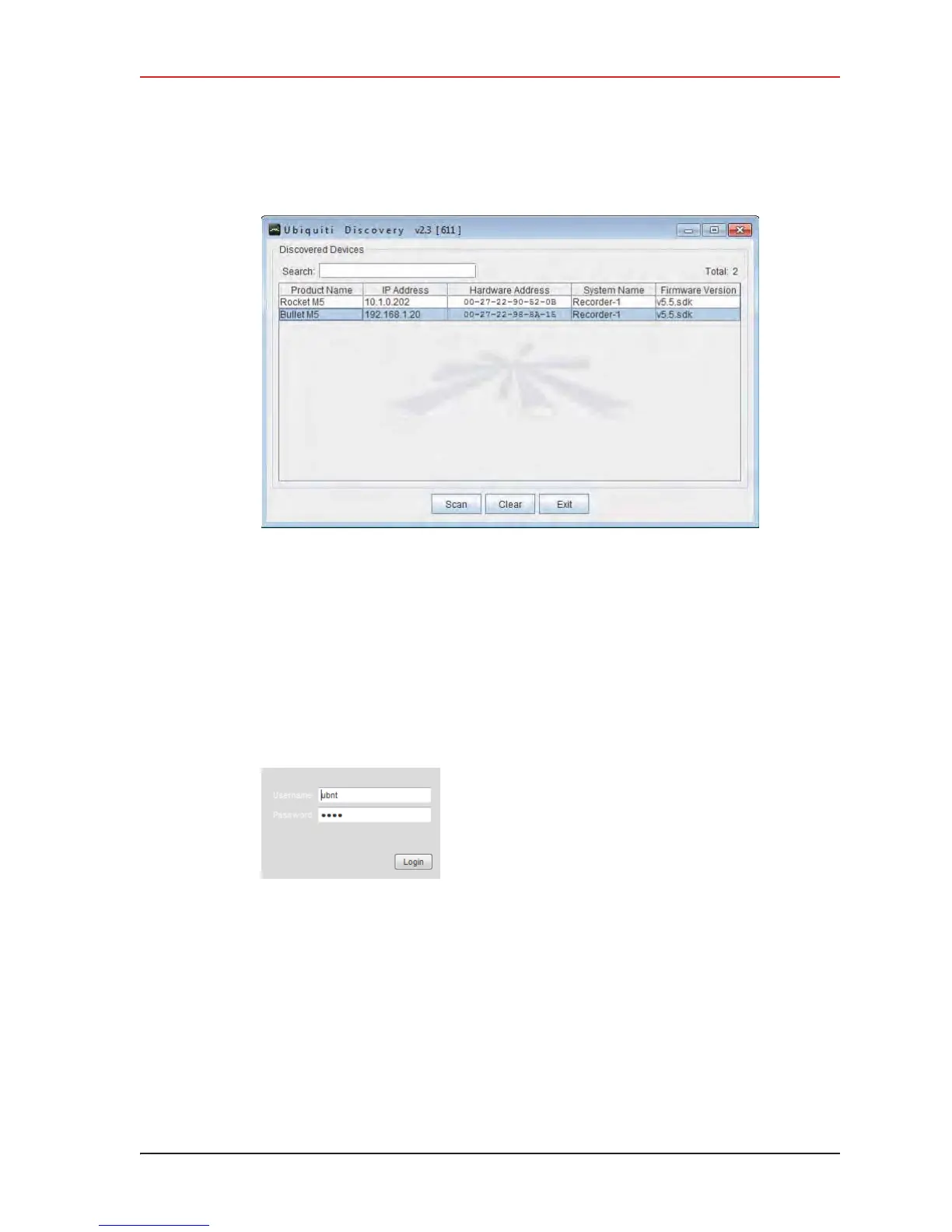
6 If the list does not look correct, click Scan.
7 Right-click one of the radios and then click Web UI. For example, right-click the
following row:
Bullet M5 | 192.168.1.20 | 00-27-22-98-8A-15 | Recorder-1
and then click Web UI. The airOS login window opens:
8 Type the following credentials and click Login:
Ɣ Username: ubnt
Ɣ
Password: ubnt
9 The radio configuration window opens. Click the System tab.
Figure 5–10 Ubiquiti Discovery Window
Figure 5–11 Ubiquiti Login
Window



 To Next Page