R01.i RT System 2 v2.3 Deployment Guide 77
© 2010-2014 Wireless Seismic, Inc. All rights reserved.
4. Point-to-Point Backhaul
Install and Troubleshoot
i Use a tool such as Google Earth or Global Mapper to create an Elevation Profile to assist
with determining the best locations for radio towers. See “Creating a Google Earth
Elevation Profile” on page 113 for an example.
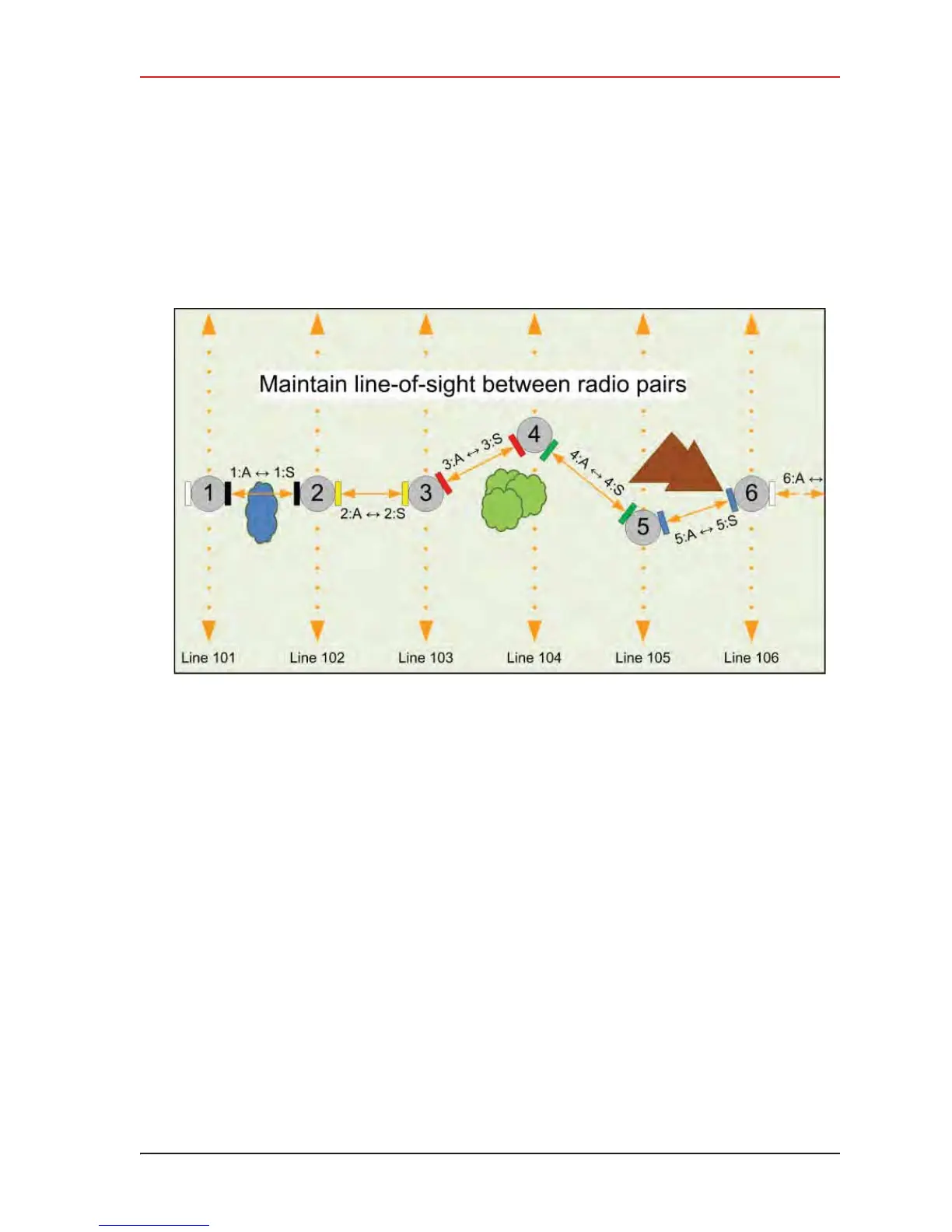
i An Access Point communicates only with a Station. An Access Point cannot communicate
with an Access Point, and a Station cannot communicate with a Station.
4.4 Install and Troubleshoot
This section describes how to install the radios and troubleshoot the radio communications.
Figure 4–15 Maintain Line-of-Sight



 To Next Page