114 RT System 2 v2.3 Deployment Guide R01.i
© 2010-2014 Wireless Seismic, Inc. All rights reserved.
5. Point-to-Multipoint Backhaul
Create Plan and Map
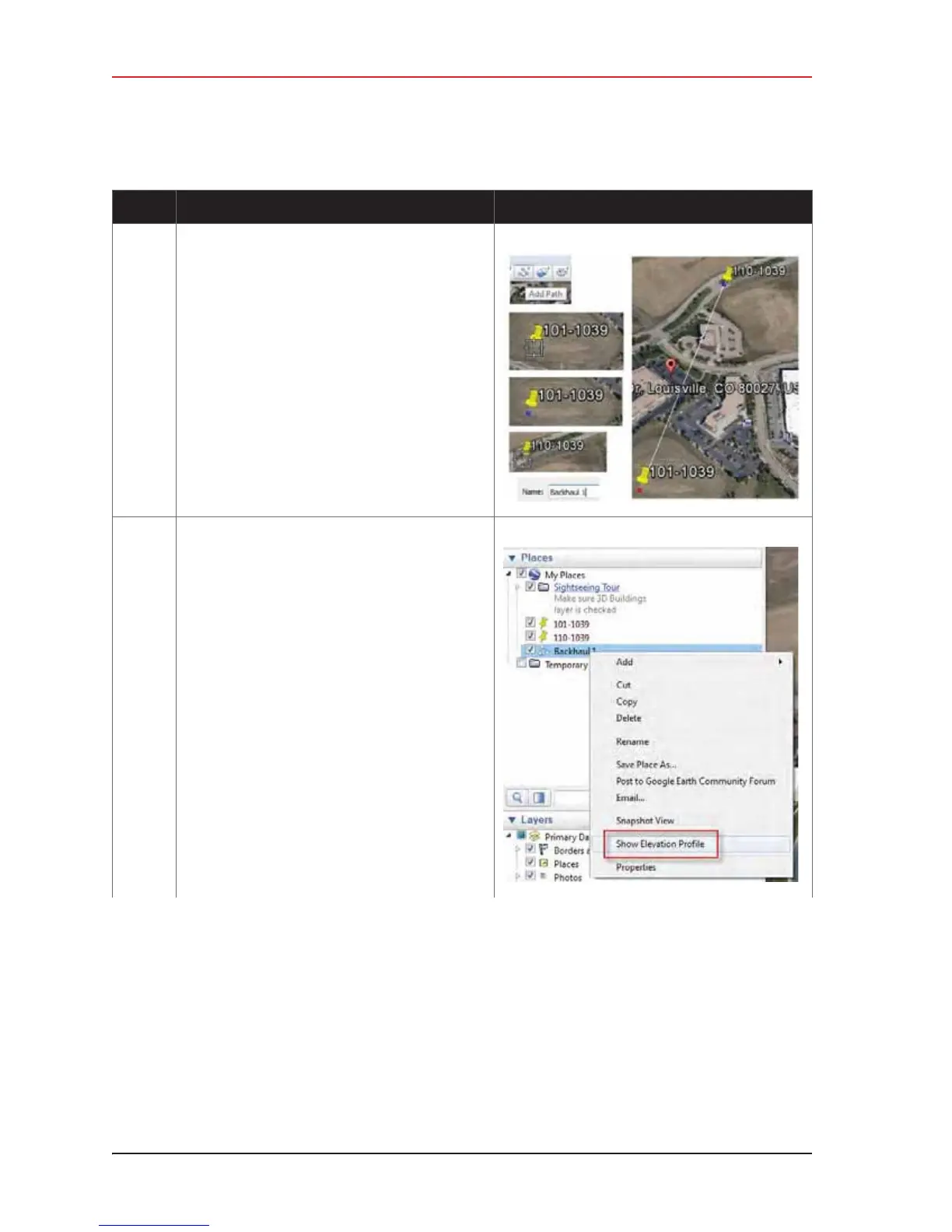
4 Add a path between the placemarks.
•Click Add Path
• Click the first placemark.
• Click the second placemark. A line is drawn
between the two placemarks.
•Type a Name and then click OK.
5 Right-click the saved path and then click Show
Elevation Profile.
Table 5–3 Creating a Google Earth Elevation Profile (cont.)
Step Instructions Example Image



 To Next Page