60 RT System 2 v2.3 Deployment Guide R01.i
© 2010-2014 Wireless Seismic, Inc. All rights reserved.
3. Backhaul
Setting up the Backhaul
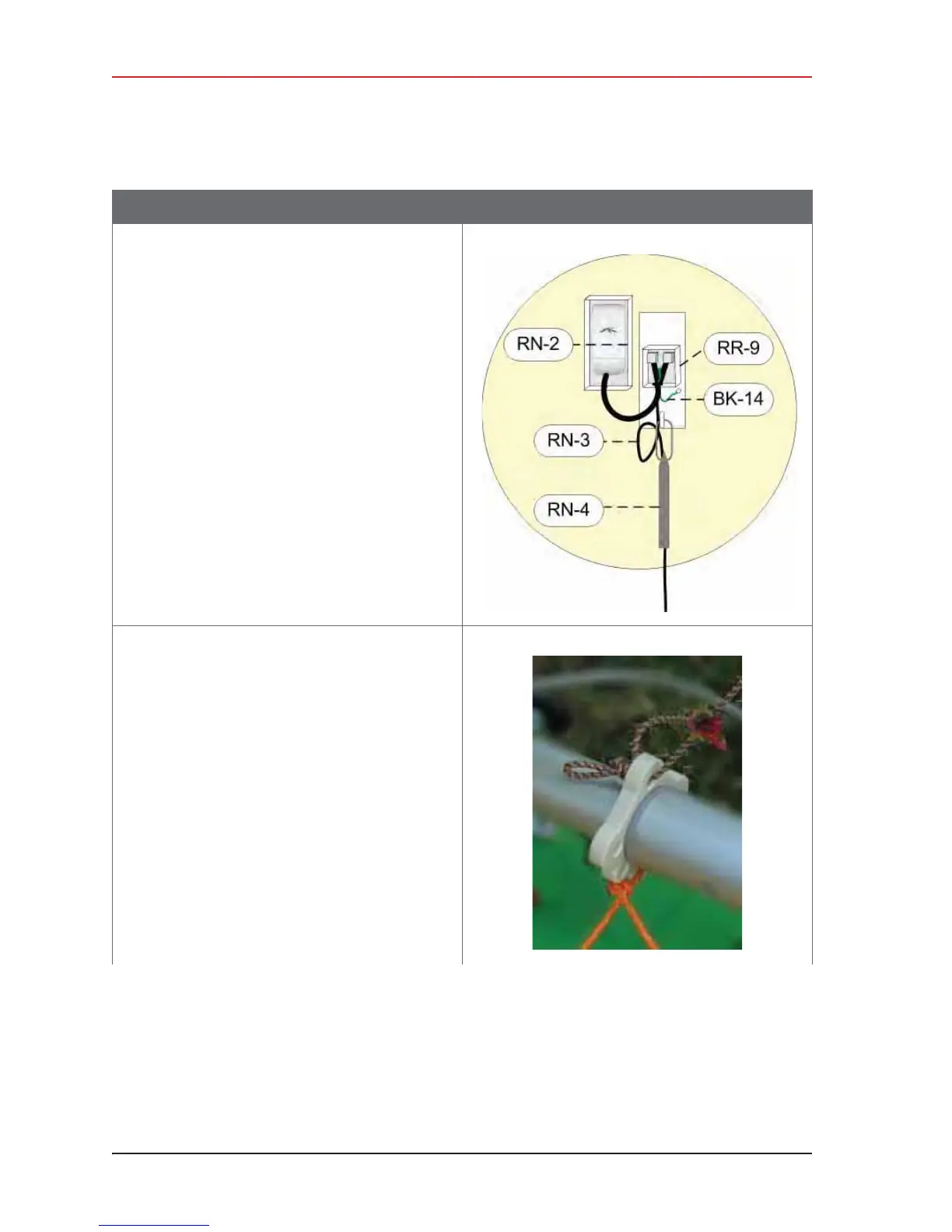
Ɣ NanoStation radio installation:
Ź Open the surge protector case [R-9].
Ź Remove the grommet from the case.
Ź Thread the Ethernet cable [RN-3],
through the grommet with the short
Ethernet cable (that is attached to the
redound the ground wire [BK-14]. Place
the grommet back in the case.
Ź Plug the Ethernet cable into the shielded
RJ45 jacks. It does not matter which
cable goes to which jack; the unit
provides bidirectional protection.
Ź Close the surge protector case.
Ź Attache the strain relief [RN-4] to the D-
ring on the bracket.
Ź Loop the Ethernet Cable [RN-3] through
the strain relief [RN-4].
12 Attach the guy lines to the mast collar.
NOTE: Use a taut-line-hitch knot for best results (see
“G. Rope Knot” on page 188).
Table 3–10 How to Set Up the Backhaul
Step Image



 To Next Page