Troubleshooting
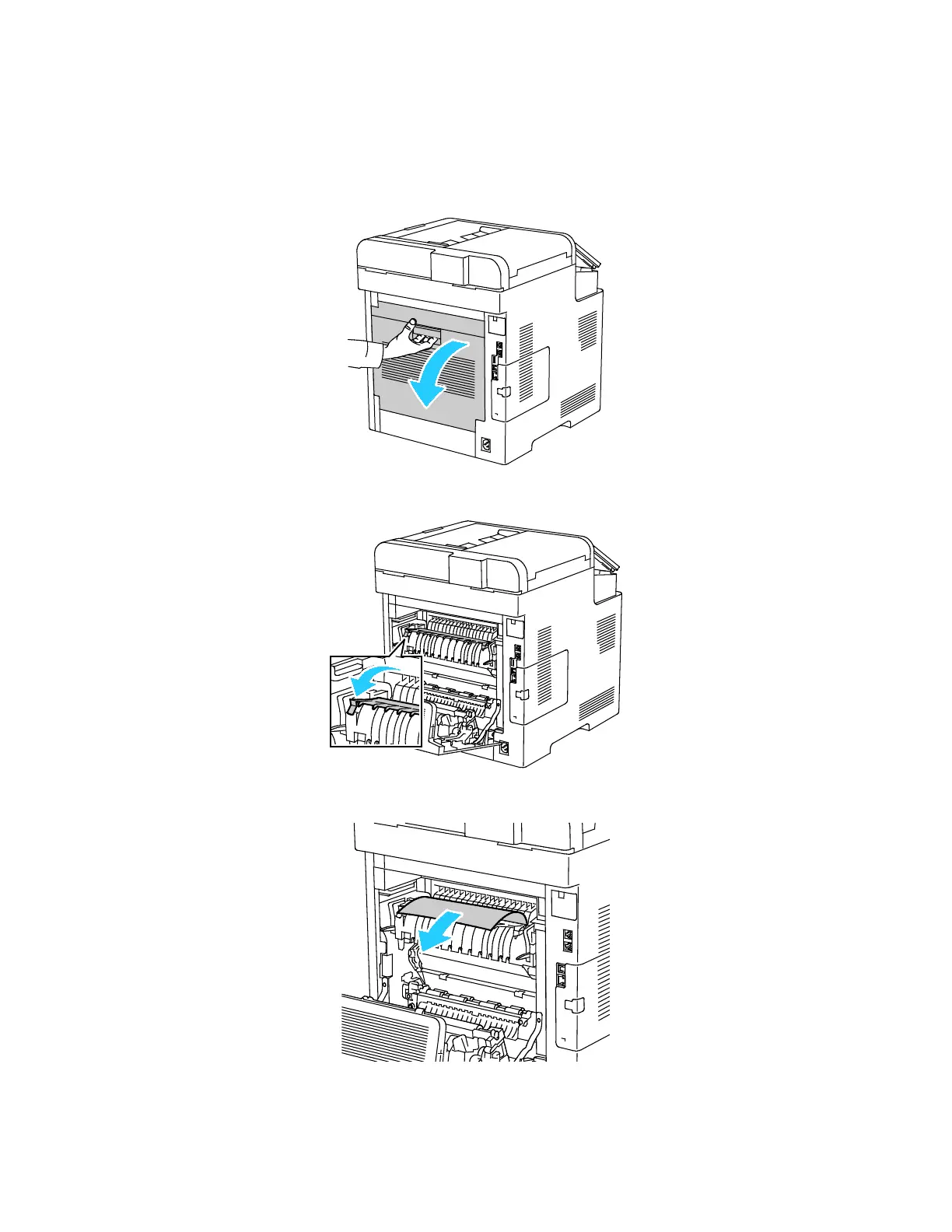
Clearing Paper Jams from the Fuser Area
To resolve the error displayed on the control panel, clear all paper from the paper path.
1. Lift the rear door release and pull open the door.
2. To open the paper guide on the top of the fuser, lift the paper guide tab.
3. Remove any jammed paper from the back of the printer.
208 Xerox
®
WorkCentre
®
6515 Color Multifunction Printer
User Guide



 To Next Page
 Loading...