Paper and Media
Loading Paper in Trays 1 and 2
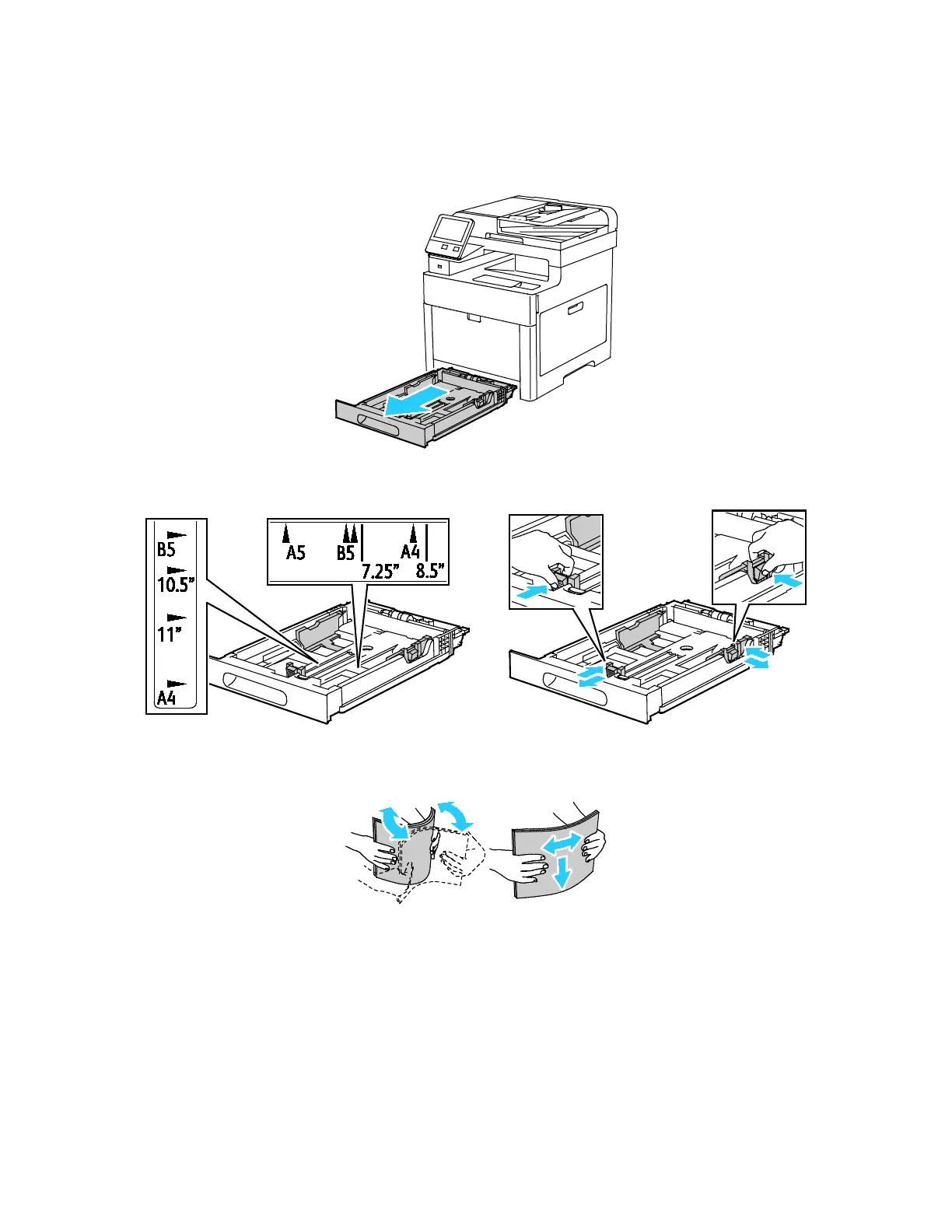
1. To remove the tray from the printer, pull out the tray until it stops, lift the front of the tray slightly,
then pull it out.
2. Adjust the paper length and width guides to fit the paper size.
3. Flex the sheets back and forth and fan them, then align the edges of the stack on a level surface.
This procedure separates any sheets that are stuck together and reduces the possibility of jams.
Xerox
®
WorkCentre
®
6515 Color Multifunction Printer 77
User Guide










 To Next Page