Paper and Media
Loading Paper
This section includes:
• Loading Paper in the Bypass Tray................................................................................................................................... 72
• Configuring Trays 1 or 2 for the Paper Length ......................................................................................................... 75
• Loading Paper in Trays 1 and 2 ....................................................................................................................................... 77
• Setting the Tray Mode ......................................................................................................................................................... 80
Loading Paper in the Bypass Tray
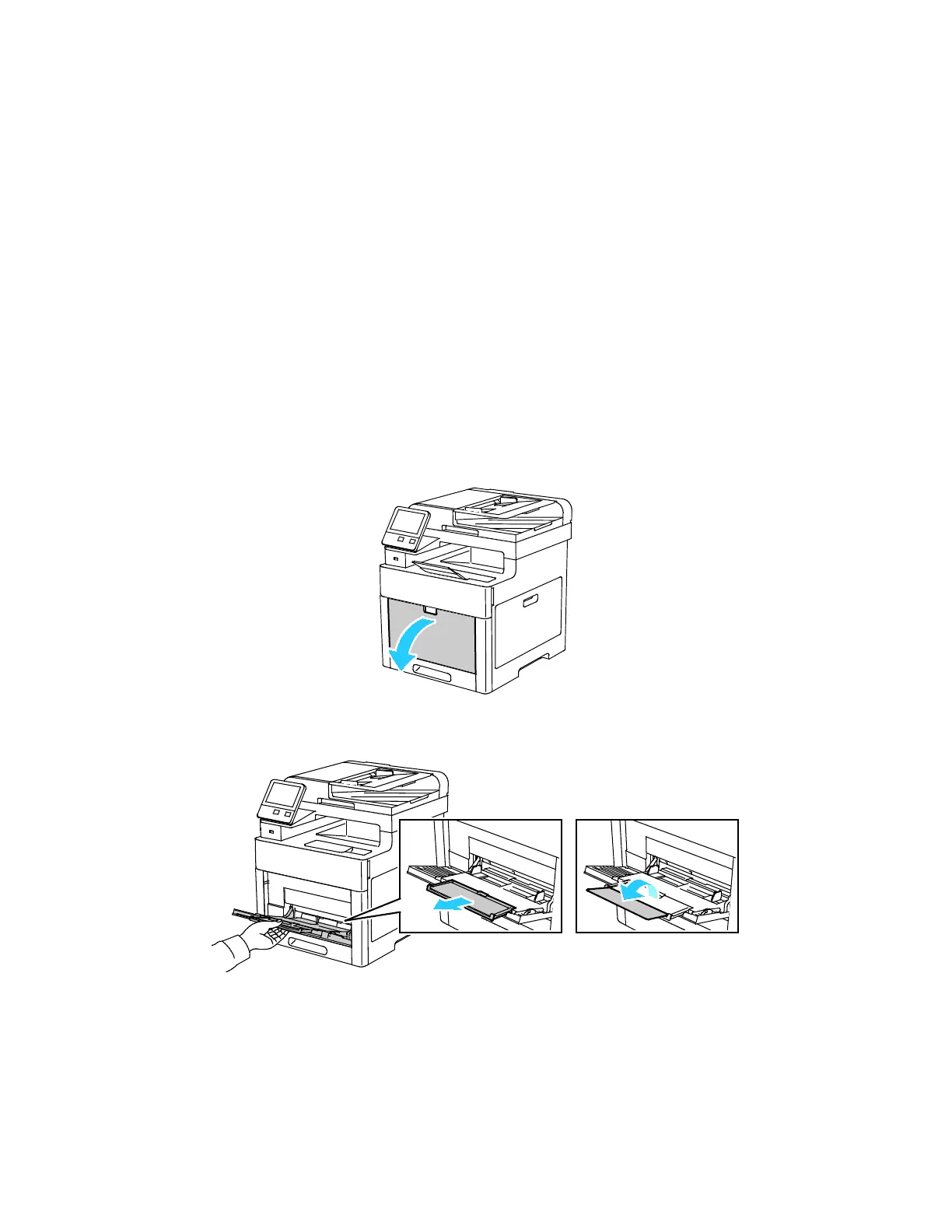
1. Open the bypass tray. If the bypass tray is loaded with paper already, remove any paper that is a
different size or type.
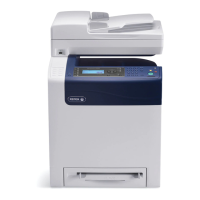
2. Pull out the extension tray for larger sizes.
72 Xerox
®
WorkCentre
®
6515 Color Multifunction Printer
User Guide










 To Next Page