XT2640OperatingManual 13July2016 Page185of187
4.
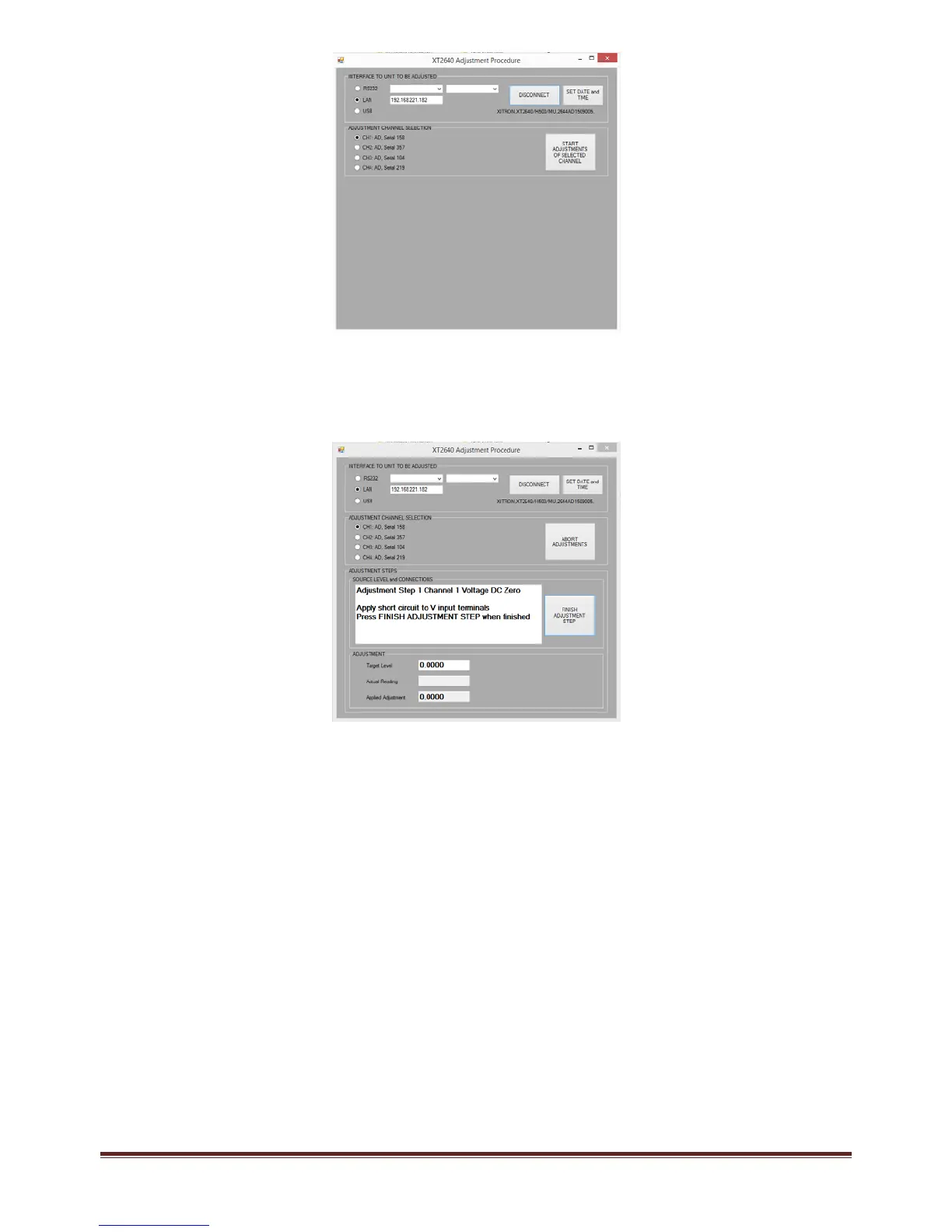
Duringeachstepintheadjustmentprocedurethesameactionsareneeded(notallstepsmaybepresentandthesource
requiredineachstepvariesdependingonthechanneltypeandoptionbeingadjusted)‐
a.
NotetheexpectedinputtotheterminalsasnotedintheSOURCELEVELandCONNECTIONSwindowandapplythe
sourceasrequested.EnsurethatonlytheexpectedconnectionsaremadetotheXT2640,thereshouldbenoother
connectionsduringanystepintheprocedure.
b.
Whentherequestedinputhasbeenprovided,presstheSTARTADJUSTMENTSTEPbutton.
c.
Forthezeroadjustmentsteps(steps1,2and3):theADJUSTMENTareashowsthetargetlevel(alwayszero),theactual
XT2640reading,andtheappliedadjustment.Theseareeachinvoltsorampsunitsdependingonthezerobeing
adjusted.Adjustmentisautomaticforthesesteps,soyoushouldjustpresstheFINISHADJUSTMENTSTEPbuttonfor
eachwhenyouaresatisfiedthatthezerohasbeenfullyadjusted.
i.
Whereashortcircuitisrequestedtobeapplied,youshouldalsogroundtheshortcircuit.
ii.
Whereanopencircuitisrequestedtobeapplied,allterminalsshouldhavenoconnections.
iii.
ParticularlyfortheLOrangeXoptionDCzeroadjustment(step3fortheXoption)theremaybethermally
inducedvoltagesontheshortcircuitbeingused.Forstep3oftheXcurrentoptionadjustmentitis
recommendedtowaitatleast1minuteforanythermalstohavedissipatedbeforepressingtheFINISH
ADJUSTMENTSTEPbutton.
iv.
YoushouldbeawareoftheXT2640specificationsforthechannelandstepbeingadjusted.Usingthiswill
assistyouindeterminingifyouaresatisfiedwiththeadjustmentornot.Insomestepsthelastdigitisnot
trimmedtobeexactlycorrect.
d.
Forthescalingadjustmentsteps(steps4onwards):theADJUSTMENTareashowsthetargetlevel(whichmaybe
overwrittenifdesired),theactualXT2640reading(bothinVoltsorAmpsasapplicable),theappliedadjustment(in
percent)andallowsyoutoeitheradjusttheXT2640manuallyorautomatically.Ifapplyingtheadjustmentmanually
thenyoucanchangethesizeofeachstepwiththeCOARSE,MEDIUMandFINEradiobuttonsandthetargetvalueisnot
used.Ifapplyingtheadjustmentautomaticallythentheusermustensurethatthecorrecttargetvalueisenteredand
thesourceisfullysettledbeforecheckingtheAUTOADJUSTcheckbox.Whenyouaresatisfiedwiththeadjustment
presstheFINISHADJUSTMENTSTEPbuttontoproceedtothenextstep.
i.
YoushouldbeawareoftheXT2640specificationsforthechannelandstepbeingadjusted.Usingthiswill
assistyouindeterminingifyouaresatisfiedwiththeadjustmentornot.Ifyouadjustthereadingdownto
thelastdigittheninsomecircumstancesthiswillyieldunnecessarilylongadjustmenttimesandinsome
stepsthelastdigitcannotbetrimmedtobeexactlycorrect.



 To Next Page