XT2640OperatingManual 13July2016 Page53of187
Briefly,thisisperformedby–
1.
InsertthedriveintothefrontpanelUSBportandwaitforittobeREADY.
2.
Displaythescreentoberecorded.
3.
PresstheDRIVEINFOareaofthescreen,thescreenshowsthefileexport/importscreen.
4.
PresstheSCREENIMAGEbutton.Thescreenchangestoallowingyoutoenterafilename.
5.
Enterthedesiredfilename(theextensionisautomaticallyprovided).
6.
Ifthefilealreadyexiststhenyouarepromptedtorespondifyouwishtooverwriteitornot.
7.
Thefileisthenwritten.
12.6 VIEWINGCUSTOMNUMERICALMEASUREMENTS–THE CUSTOMDATA
SCREEN
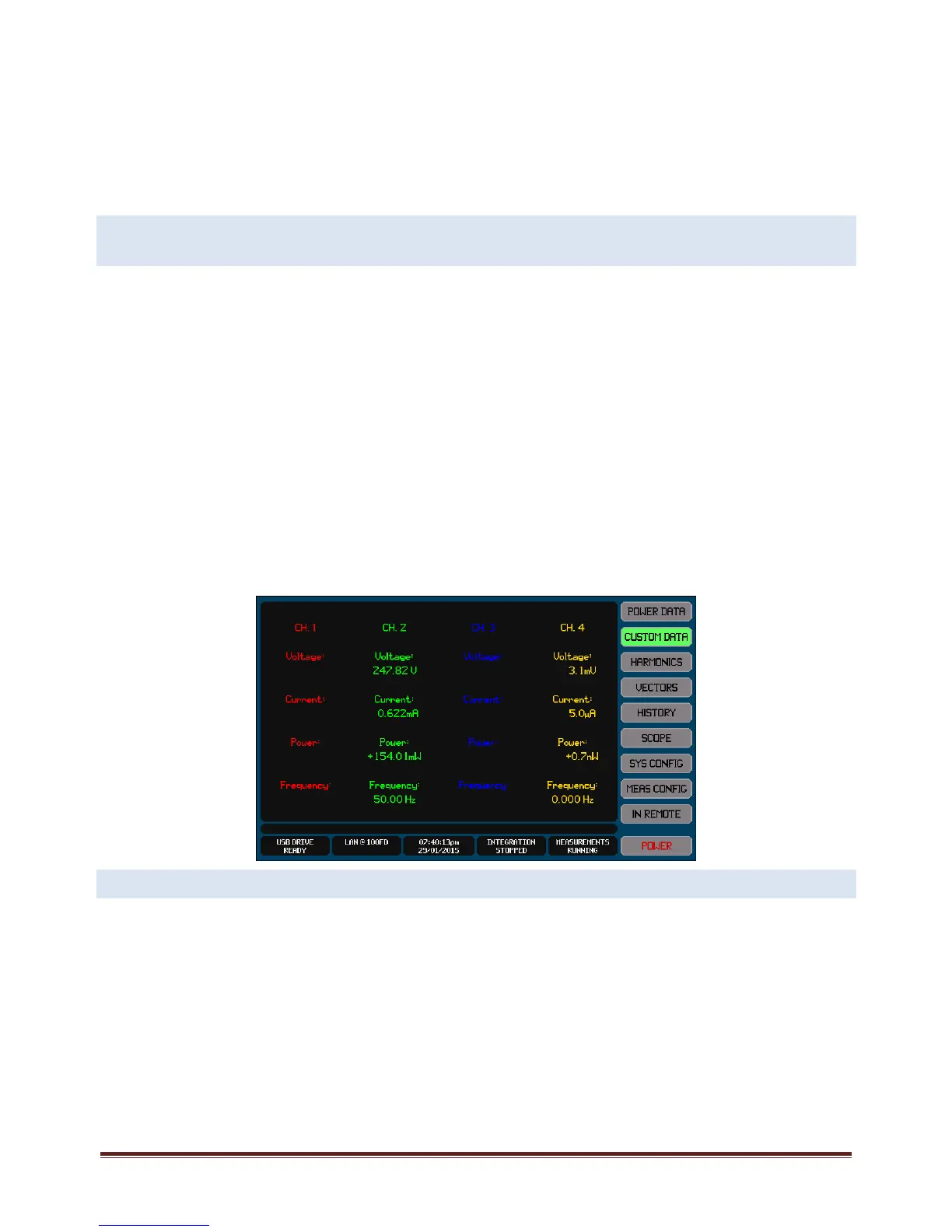
TheCUSTOMDATAScreengivesyouaccesstouser‐formattednumericmeasurementresultswhichareentirelyselectedanddefined
byyou.
AnynumericmeasurementresultobtainablewithintheXT2640canbedisplayedinavarietyofscreenpositionswithavarietyof
fontsizesandcolorsandoptionallywithtextassociatedwithit.
TheCUSTOMDATAScreencanbeselectedforviewfromanyoftheMainDataScreensbypressingtheCUSTOMDATAbutton.A
simpleexamplecustomdatascreenisshownbelow.
DefiningtheCUSTOMDATAscreenrequiresoneofthefollowing–
Usingthesuppliedapplicationtocreatethedesiredscreenandthensendingthecreatedcustomscreendefinitiontothe
XT2640viaaninterface.
Or,exportingthebinarycustomscreendefinitionfromaXT2640whichalreadyhasthedesiredcustomscreendefinition
andthenimportingthisfileintoanotherXT2640usingaUSBdrive.
Or,importingfromanASCIIfileonaUSBdrivewhichhasbeengeneratedbyyouusingatexteditor(orExcel).Seesection
21.6.3fordetailsregardingthis.
Note:
ACUSTOMDATAscreenonlyneedstobedefinedonce.Itisstoredinternallyinanon‐volatilemanner.
YoucanhavemanybinarycustomscreendefinitionsonasingleUSBdriveandyoucanswitchbetweencustomscreensby
importingthedesiredcustomscreen.
12.7 VIEWINGHARMONICSMEASUREMENTS–THEHARMONICSSCREEN
TheHARMONICSScreengivesyouaccesstographicallyformattedbarchartsofchannelvoltage,current,powerandinter‐phase
voltageharmonicsandascrollablenumericallistingofthatdata.
TheHARMONICSScreencanbeselectedforviewfromanyoftheMainDataScreensbypressingtheHARMONICSbutton.



 To Next Page