XT2640OperatingManual 13July2016 Page75of187
15 INTEGRATINGDATA
TheXT2640canprovideintegratedresults,forexampleAHr,WHr,VAHretc..Thissectiondescribeshowtoconfigureintegration
andhowtostartandstopintegration.
ItisassumedinthissectionthatyouareconversantwiththegeneraloperatingmethodsusedintheXT2640asdescribedinsection
12.
IntegrateddatameasurementresultscanbeviewedusingthePOWERDATAscreensasdescribedinsection12.5.1.4(forindividual
channelresults)or12.5.2.3(forVPAtotalresults).
Note:
Youdonothavetobeviewingintegrateddatafordatatobeintegrated.
Integratedresultsdonotonlyprovidethetotalintegrateddatabutalsocanprovideyouwithbought,sold,chargeand
dischargeintegrateddataasfollows‐
BoughtintegrateddataincludesonlydatawhilethechannelorVPAhaspositiveWattsandisonlyavailablein
VPAswhicharenotconfiguredforDCONLYCOUPLING.
SoldintegrateddataincludesonlydatawhilethechannelorVPAhasnegativeWattsandisonlyavailableinVPAs
whicharenotconfiguredforDCONLYCOUPLING.
ChargeintegrateddataincludesonlydatawhilethechannelorVPAhaspositiveDCAmpsandisonlyavailablein
VPAswhichareconfiguredforDCONLYCOUPLING.
DischargeintegrateddataincludesonlydatawhilethechannelorVPAhasnegativeDCAmpsandisonlyavailable
inVPAswhichareconfiguredforDCONLYCOUPLING.
15.1 CONFIGURINGINTEGRATION
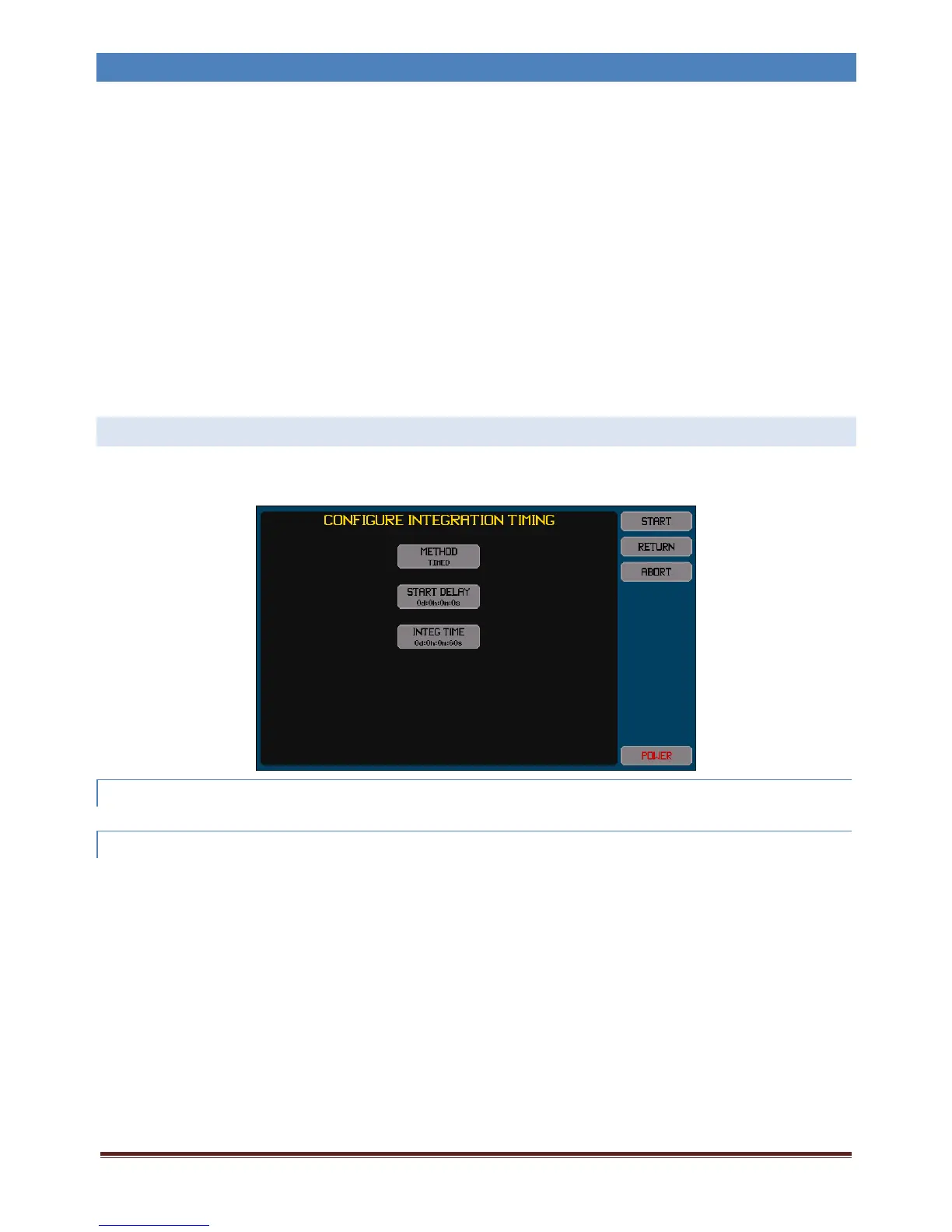
YoumayconfigureformanuallycontrolledintegrationorforautomaticallytimecontrolledintegrationbypressingtheIntegration
Infoareawhennotperformingintegration.
TheSTARTbuttononthisscreenmakesanychangesimmediatelyactiveandstartsintegration.
15.1.1 SELECTINGTOPERFORMMANUALLYTIMEDINTEGRATION
IfitisdesiredtomanuallycontrolstartingandstoppingintegrationthenselectMANUALastheMETHODsettingonthisscreen.
15.1.2 SELECTINGTOPERFORMANAUTOMATICALLYTIMEDINTEGRATION
IfitisdesiredtoautomaticallycontrolthetimingandstoppingofintegrationthenselectTIMEDastheMETHODsettingonthis
screen.
Whenconfiguredinthismanner,aftermanuallystartingtheintegrationsequencetheconfigureddelayperiodisperformedafter
whichtheautomaticallytimedintegrationisperformed.
Note:
Thedelaycanbeconfiguredtoazerotime.
Youcanstillstopintegrationmanuallyatanytime.
YoucanconfigurethedelaytimeusingtheSTARTDELAYbuttonandthedesiredruntimeusingtheINTEGTIMEbutton.Theseare
bothconfiguredinthesamegeneralmanner‐
InthedataentryscreensfortheSTARTDELAYandINTEGTIMEsettingstherearefourentries,oneforeachunitofdays,
hours,minutesandseconds.
Thescreenalwaysstartswiththedaysdataselected;youcanjumptoanyofthefourtimeunitsdirectlybypressingthe
respectivetimeentryarea.
Youcanenteranumericbetween0and99intoanyofthefourscreens.Theactualtimeusedisthetotaltimecreatedby
combiningallfourdatawiththeirrespectiveunits.



 To Next Page