XT2640OperatingManual 13July2016 Page51of187
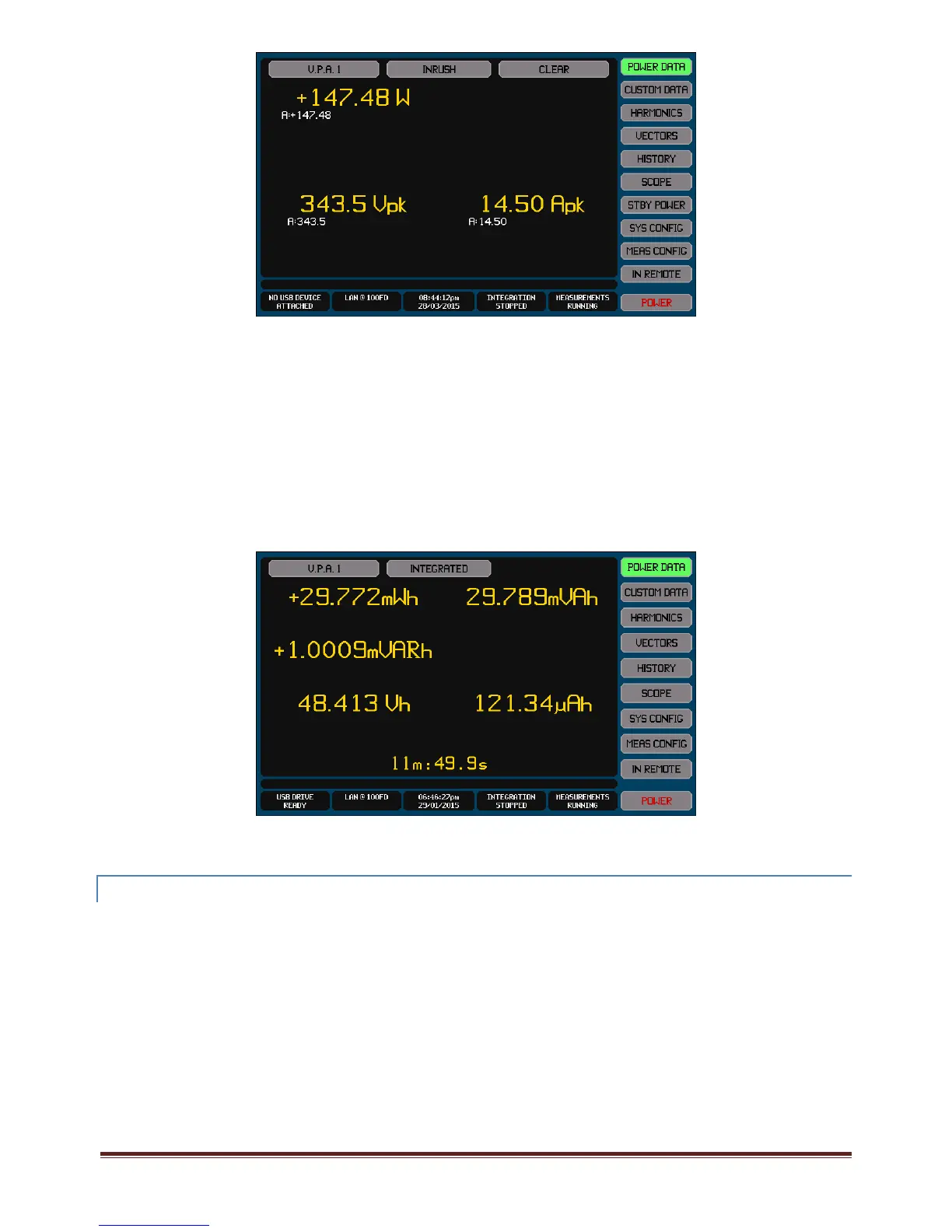
Seesection14forfulldetailsregardingusingthisscreentomakeInrushmeasurements.
12.5.2.3 INTEGRATEDDATA
ThisisviewedbyselectingtheINTEGRATED,INTEGAVG,BOUGHTPOWER,SOLDPOWER,CHARGEorDISCHARGEselectionsinthe
DataSelectButton.
INTEGAVGistheINTEGRATEDdatadividedbytheintegrationtime,soyieldstheaveragedataovertheentireintegration
period.
BOUGHTPOWERisdataintegratedonlywhiletheWattsreadingispositive.
SOLDPOWERisdataintegratedonlywhiletheWattsreadingisnegative.
CHARGEisdataintegratedonlywhiletheDCAmpsreadingispositive.
DISCHARGEisdataintegratedonlywhiletheDCAmpsreadingisnegative.
Thisscreenshowstheintegratedmeasured(orintegratedaveragemeasured)meanVolts,meanAmps,totalWatts,totalVA,total
VAR(andtotalPFforintegratedaverage)andtheintegrationtime.
IfnointegrationhasbeenperformedthenNODATAisdisplayed.Integrationcanbeconfigured,startedorstoppedbypressingthe
IntegrateInfoareainthebottomofanymaindatascreen.Seesection15forfulldetails.Integrationresultsarealwaysclearedwhen
integrationisstarted.
12.5.3 VIEWINGEFFICIENCYANDPOWERLOSSMEASUREMENT RESULTS
TheresultsforefficiencyandpowerlosscanbeselectedonthePOWERDATAscreenbypressingtheSourceSelectButtonandthen
selectingEFFICIENCY.ThisselectionisonlyavailableifatleastoneVPAisconfiguredtobeincludedintheIN,MIDDLEorOUT
groups.



 To Next Page