XT2640OperatingManual 13July2016 Page28of187
10 POWERINGTHEXT2640
10.1 TURNINGPOWERON
TheXT2640isconfigurableregardingwhenitpowerson;wheninitiallyshippedfromXiTRONtheXT2640isconfiguredforpower
on/offtobesolelycontrolledbythetouchpanel.IfthisconfigurationsettinghasbeenchangedthentheXT2640maypoweron
almostimmediatelywhenmainsisinitiallyappliedwithoutanyotheruseraction.
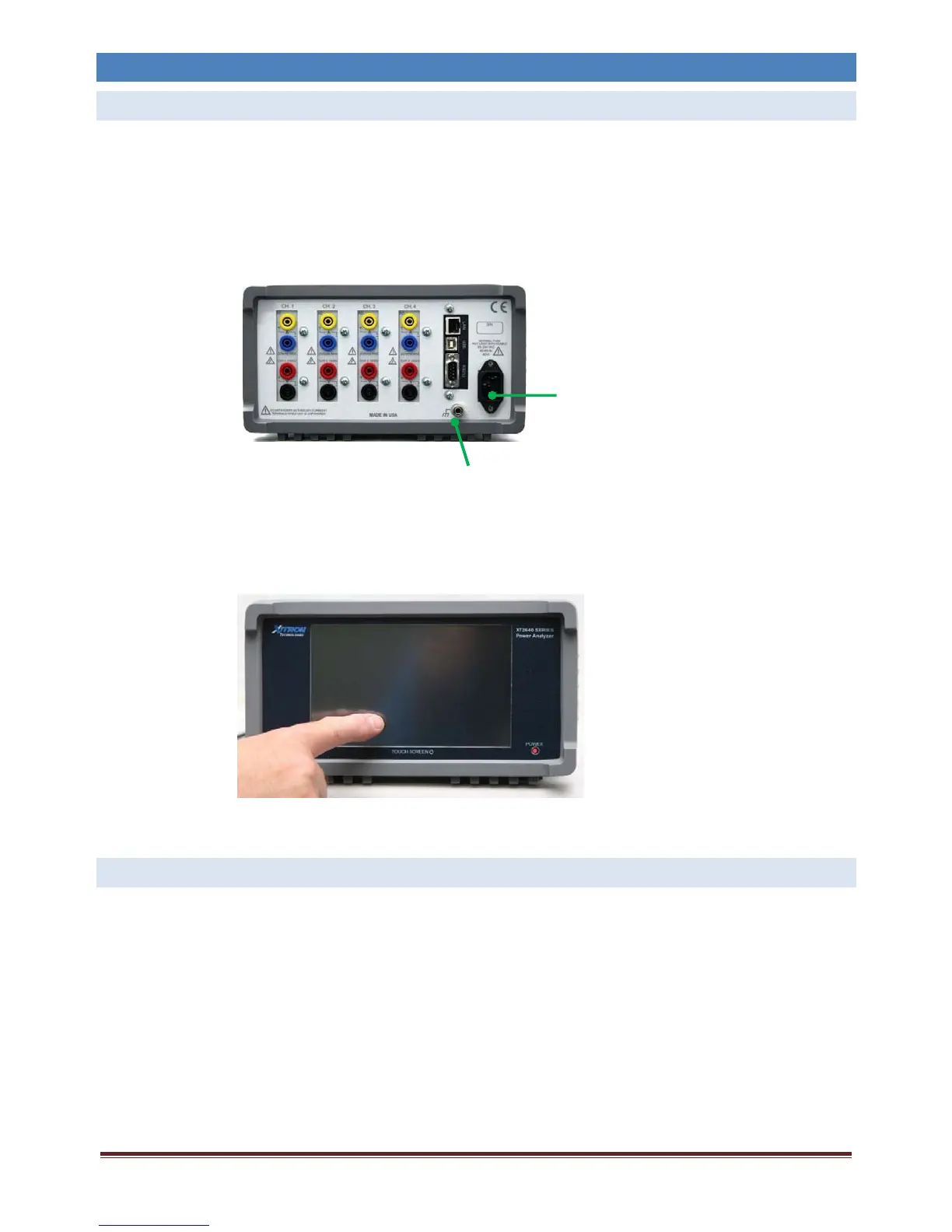
1. ConnectthepowerentryconnectorontherearpaneloftheXT2640toasuitablesourceofACmainspowerwithinthe
specificationsoftheXT2640(seesection25.3).
SAFETYWARNING:TheXT2640mustbeconnectedusingapowercablewithacontinuousgroundconnectionandmust
bepluggedintoasourceofpowerwhichprovidesasafetyground.IfasafetygroundisnotpresentthentheXT2640
chassismustbe
safetygroundedbyyoupriortoapplyingmainsorsignalstotheXT2640usingtherearpanelchassis
groundterminal.
2. WheninitiallypoweredthefrontpanelPOWERindicatorLEDwillbeilluminatedRED.
3. Eitherusingthetipofafinger,orusingastylusdesignedforusewithatouchpanel,pressandholdanywhereonthetouchpanel
foratleast½second.Donotuseexcessiveforce,thePOWERindicatorLEDbrightenswhenthepanelisdetectedasbeing
touched.DONOTUSEAPENORASCREWDRIVERORASIMILARIMPLEMENTWITHSHARPCORNERSASITMAYDAMAGE
THETOUCHPANEL.
4. TheXT2640willnowpoweronandyoumayreleasethetouchpanel–
ThefrontpanelPOWERindicatorLEDwillchangetoGREENandtheLCDscreenwillshowaninitialwelcominggraphicfor
about2secondsandthentheXT2640willstartnormaloperation.
10.2 TURNINGPOWEROFF
Unlessitisunavoidable,donotpowerdowntheXT2640byremovingthesourceofmainspowertoit.
ItisrecommendedthatallsignalsberemovedfromtheXT2640priortopoweringdown.
PressandholdthePOWERbuttoninthelowerrightcorneroftheXT2640screen.Thisbuttonmustbepressedforatleast¾second
topowerdowntheunit.Ifanychannelhascurrentflowingwhichisoveritscapabilitytowithstandwhenpowereddownthenthe
XT2640willnotpowerdownandthePOWERbuttonwillbecoloredredwhileitispressed.
TheXT2640maydelaypoweringdownifitstillhasunsaveddata,duringthisdelayamessageisdisplayedonthescreen,this
typicallyislessthanasecond.
IftheXT2640hasbeenconfiguredtobealwayspoweredthentheXT2640willalmostimmediatelypowerbackon.
XT2640POWERENTRY
CHASSISGROUNDING



 To Next Page