XT2640OperatingManual 13July2016 Page41of187
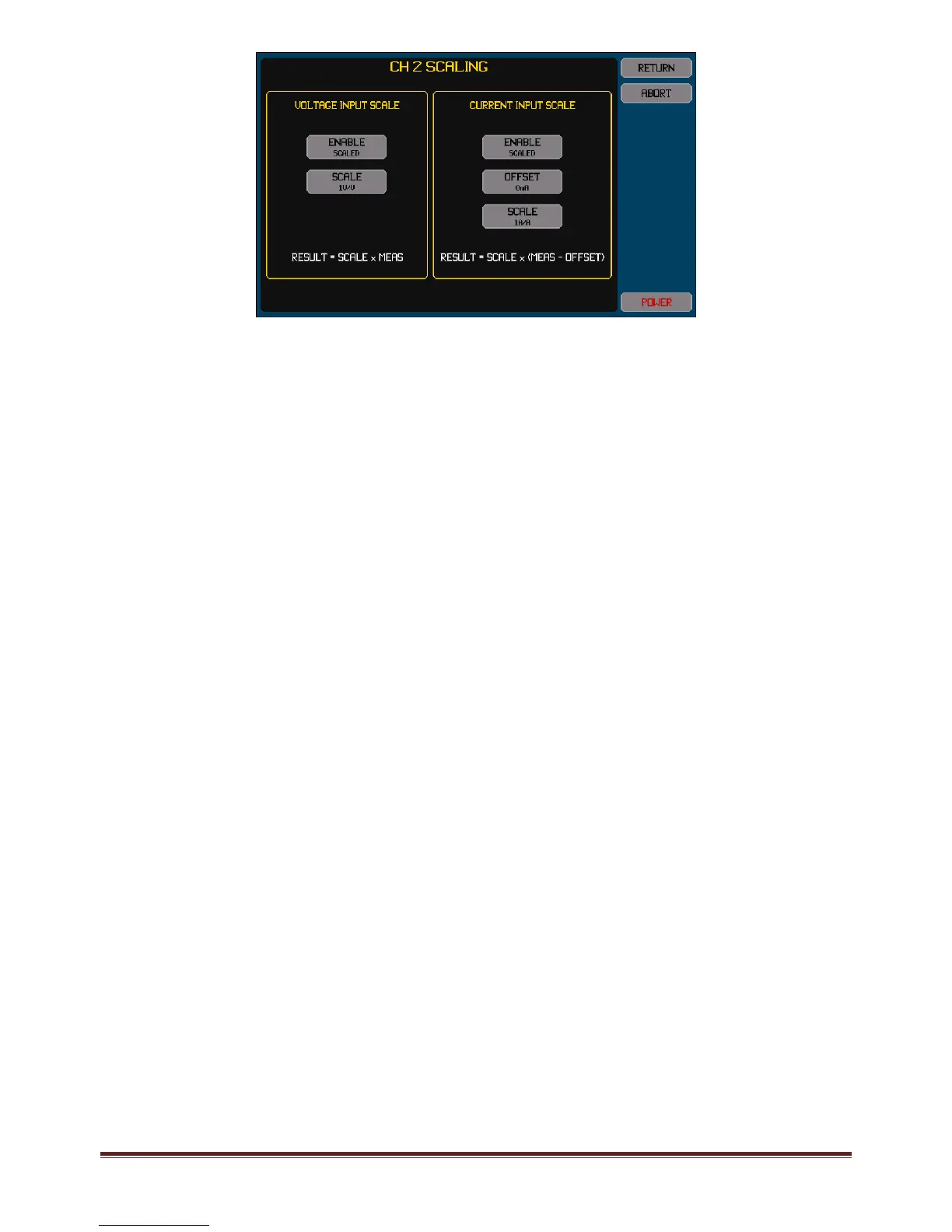
ChangesmadeinthisscreenarenotusedformeasurementsuntiltheunderlyingMEASCONFIGscreenisnavigatedawayfrom.
Note:
Ifscalingisdisabledforvoltageand/orcurrent,thescalefactorsandoffsetremainsavedintheXT2640forlaterreuse.
IfthechannelissubsequentlyselectedinanotherVPA(ordisabledbynotselectingitinanyVPA)thenthechannelscaling
andoffsetsettingsstaywiththechannel.
Voltagescalefactorsbetween0.001and1000000maybeentered.
Currentscalefactorsbetween0.000001and1000000maybeentered.
Currentoffsetsmaybeentereduptothemaximummeasurableforthecurrentinputoptionandaretheoffsetattheoutput
ofthetransducer(asshownonthescreen).
ThecurrentoffsetisappliedasaDCoffsettocurrentmeasurements.Youshouldnotattempttouseitasamethodtooffset
anunwantedACsignalcontent.
12.4.2.1.3 Settingth eCurrentRangeforChannels
PressinganyofthechannelARANGEbuttonsallowsyoutoconfigurethatchannelforthedesiredcurrentrangeselection.
PressingtheARANGEbuttonnexttotheALLbuttonsetsallselectedchannelstothesamecurrentrangeselection.
SettingsofHI,LOandAUTOmaybeavailabledependingonthecurrentoptionineachchannel.
Note:
IfsetforAUTOthenthetextintheARANGEbuttonalsoindicatesthepresentrangebeingused(LOorHI).
ChannelshavingtheHcurrentinputoptionhavenoARANGEbutton.
ChannelshavingtheXcurrentinputoptiondonotallowanAUTOrangeselection.
Recommendations:
InmostapplicationsyoushouldselectthesamecurrentrangeforallchannelsinaVPA.
WhenconfiguringachannelwiththeDcurrentinputoptiontheuseoftheAUTOsettingisrecommendedformost
applications,howeveriftheloadhasrapidlyandwidelychangingcurrentoriftheuserisgoingtotriggeronaninrush
current,thentheHIrangeshouldbeselected.
WhenconfiguringachannelwiththeXcurrentinputoptionyoushouldchoosetherangegivingthebestcompatibilitywith
thetypeoftransducerbeingused.Generally,forA:VtypetransducersthiswillbetheHIrangeandforexternalshuntsthis
willbetheLOrange.
12.4.2.2 CONFIGURINGTH EMEASUREMENTSMADEINTHE SELECTE DVPA
ThisisperformedbyusingthebuttonsintheMEASUREarea.Someofthesettingsinthisareaareinterdependent,youshouldstart
withtheuppermostsettingandworkdownwardsonthescreen(alllowersettingsareforcedtobeconsistentwithhighersettingsas
needed).
Note:
Dependingonconfigurationandtheinstalledchannelssomebuttonsmaynotbepresentormaynotallowmodificationof
thesetting.
12.4.2.2.1 Settingth eLowFrequencyLimitandMeasur ementPeriod
TheLF/PERIODbuttonallowsyoutoselectthelowfrequencylimitandmeasurementperiodfortheselectedVPAifMEASMODEis
notEN61000‐3‐2orEN61000‐3‐12.
SettingsofVLF,LF,10Hz/0.3s,20Hz/0.1s,45Hz/20ms,150Hz/10msand500Hz/2msareavailable.Additionally,settingsselectinga
lowernumberedVPAareavailablewhenMEASMODEissetforMULTIVPAorSYNCVPAandyouareconfiguringVPA2orVPA3.
Note:
The500Hz/2mssettingisonlyavailablewhentheVPAisconfiguredwithWtypechannels.
Thissettingsetsthenominalmeasurementperiod;theactualmeasurementperiodwillbeautomaticallyadjustedduring
operationtobethenearestintegernumberoffundamentalsignalcyclesasneeded.



 To Next Page