B95W
Description
76 / 306
5
05_Beschreibung_en.fm - V1.0 - 1.8.17
11
Submenu
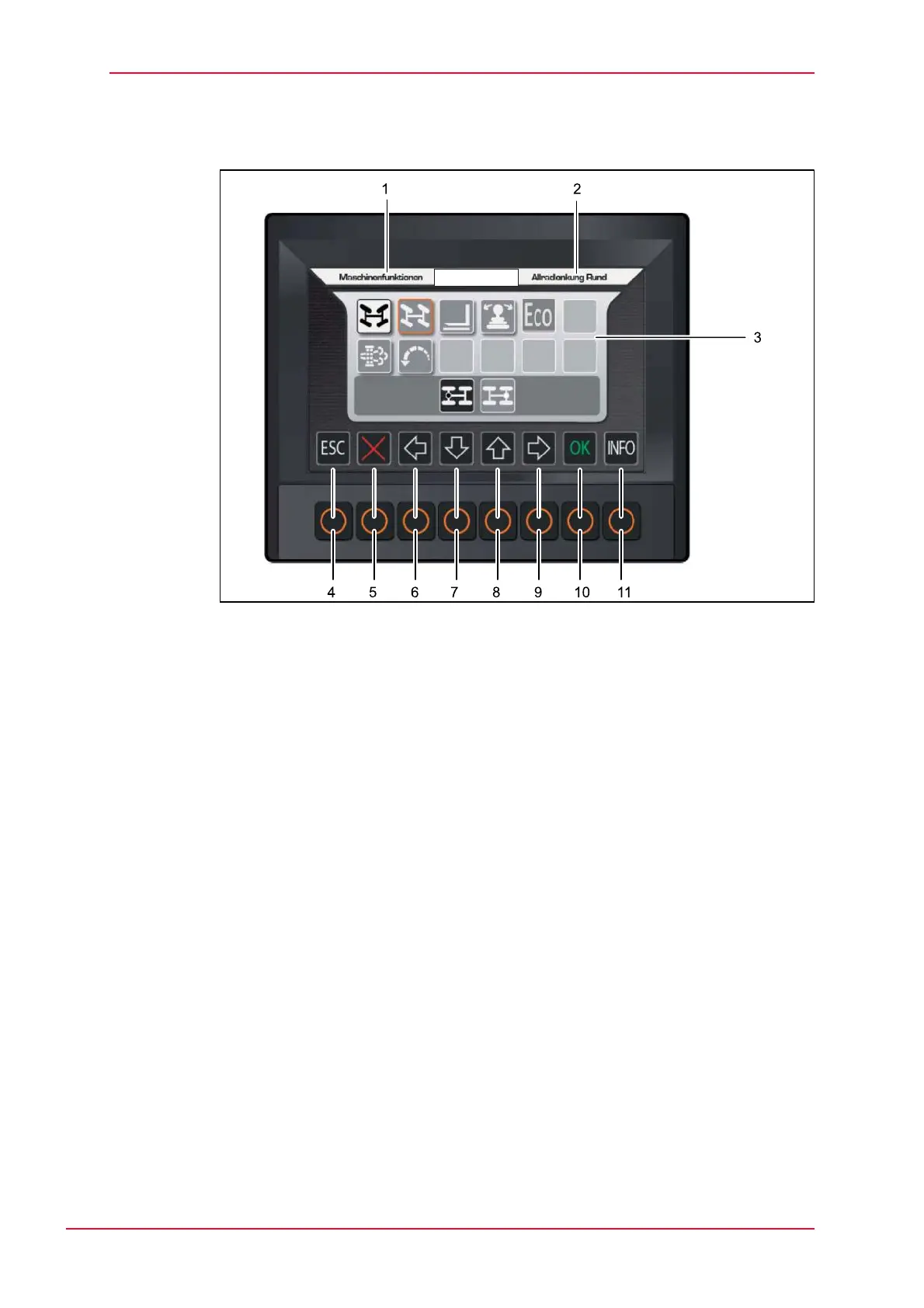
Fig. 5-20 Display view sub-menu
1 Name of the activated sub-menu
2 Description of the function activated
3 Sub-menu screen
Function buttons:
4 ESC (back)
5 Delete
6 Cursor to the left
7 Cursor to the bottom
or
Decrease value of variables
8 Cursor to the top
or
Increase value of variables
9 Cursor to the right
10 Saving
11 Information provided
When the submenu is opened, the cursor always appears at the top left.
The function required is selected with the cursor keys and then confirmed by
pressing OK.
Descriptions of the individual functions are as follows.



 To Next Page