B95W
Description
92 / 306
5
05_Beschreibung_en.fm - V1.0 - 1.8.17
11
Submenu
diagnostics/
service
Activate by selecting menu
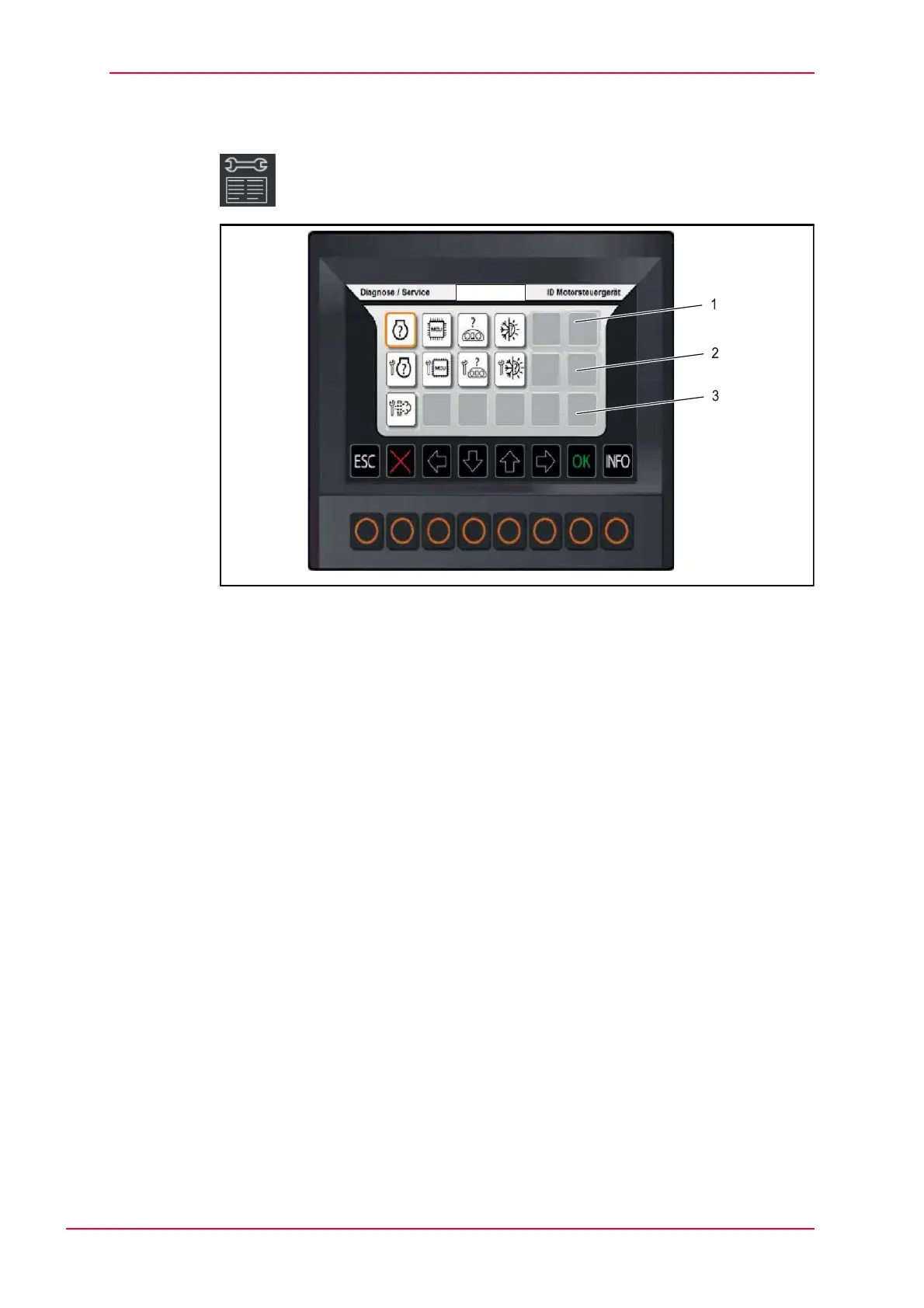
Fig. 5-27 Submenu diagnostics/service
1 DiagIDs display
2 Service display
3 Sensor quick information
The hardware and software status of the sensors is evaluated.
Select OK in the ‘diagIDs’ (1) submenu to bring up the selected sensor.
Select OK in the ‘service display’ (2) submenu to activate the corresponding
sensors.
Sensor (3) quick information.



 To Next Page