The Main Screen Interface
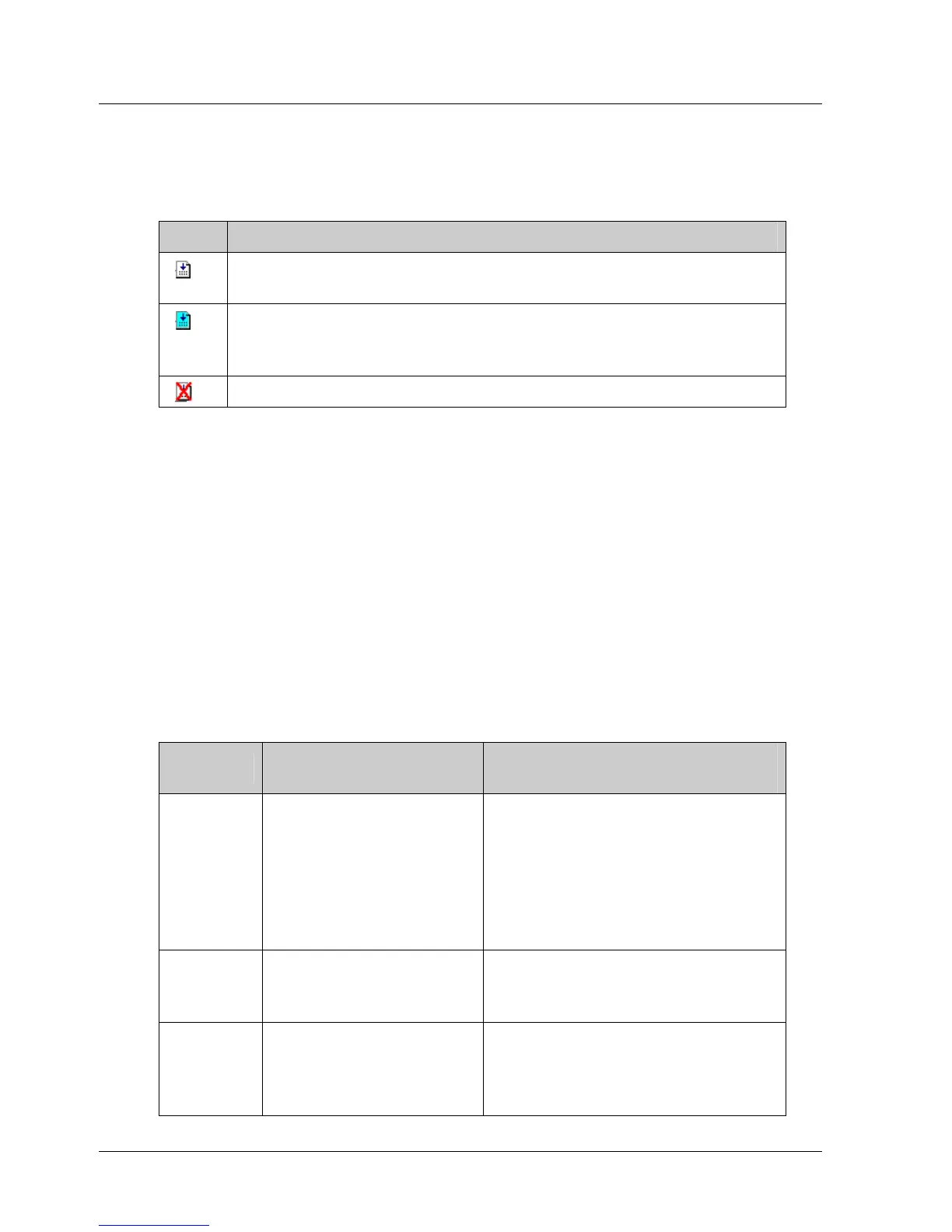
The icon next to each command indicates its current status. The availability
or unavailability of a command depends on the current working mode. Table
9 below lists the three command tab icons.
Table 9: Command Tab Icons
Icon Description
Available command. This command can be used in the
current working mode.
Currently selected command. When a command is selected
its description is displayed in the Description area under the
command list.
Command is not available in the currently selected mode.
¾ To select a command:
1. Double-click on the command name. The appropriate command dialog
box is displayed.
See section
4.4.1, Writing a Program, for details on how to insert
commands into the program.
2. Click on a command name to see a short description of the command in
the Description pane, or see Chapter
5, Command Reference, for a more
detailed description.
3.5.2.2. Command Groups
The Command Groups are listed in the table below.
Table 10: Command Groups
Group Description
Included Commands
(examples)
ECAM Controls the motor
motion according to a
profile that is
dependent on the
position of a master
axis or on time
elapsed.
ECAM_ENGAGE;
ECAM_DISENGAGE;
ECAM_VIRTUAL_AXIS
Encoder
Latching
Controls the latching
and registration
process.
LATCHING_TRIGGER,
REGISTRATION_DISTANCE
Home Moves the motor to
search for the
(system) home
position.
HARD_HOME, HOME_C,
HOME_SW, HOME_SW_C,
SET_ZERO_POSITION
16 XtraWare User Manual



 To Next Page