Operating the XtraDrive Using XtraWare
Case 2: In 1 changes during motion
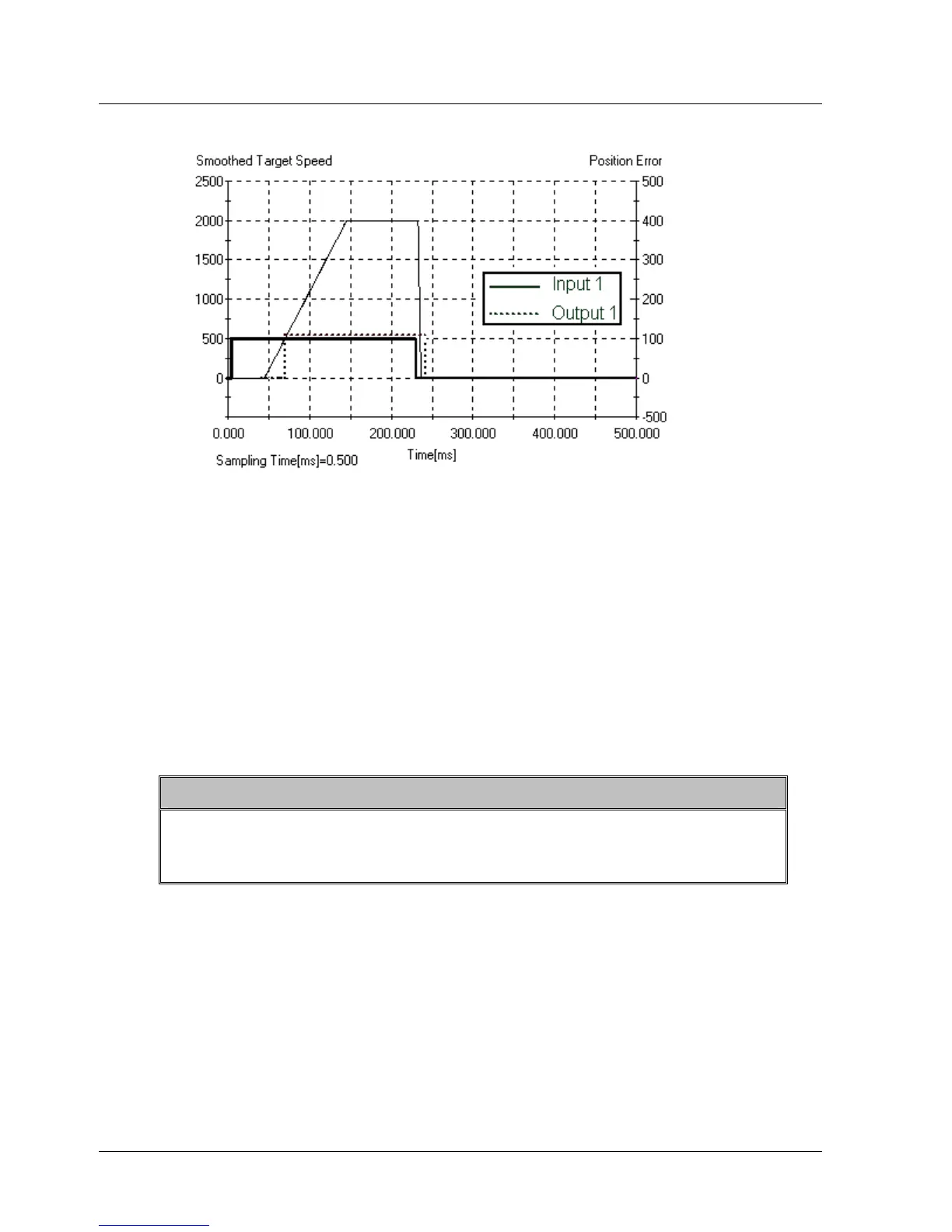
Figure 57: Interrupt Example – Output Chart Case 2
From the chart:
♦ The motor started moving after In 1 became true.
♦ As the motor target speed reached 400, output 1 was set to ON as
interrupt 0 was invoked as a result of its condition
(Target_velocity>=400) being met.
♦ In 1 became false.
♦ The motor was stopped at the emergency deceleration by the interrupt
service routine for interrupt 1.
♦ The program jumped to label 2.
♦ Output 1 was set OFF.
Note:
If both interrupts occur simultaneously, the interrupt of priority 0 will
be handled as in case 1, and then the interrupt of priority 1 will be
handled as in case 2. The program will then return to label 2.
84 XtraWare User Manual



 To Next Page