Directions for Use
91
Operation Manual
2.5.5.2 Move to 3D image starting position
Press the reset switch from the control panel. Arm unit and movable sensor move to 3D
image position automatically. The movable sensor moves to the selected 3D image mode
position automatically.
* Caution
• Remove the head support before pressing the reset switch from the control panel.
Pressing the reset switch with the head support attached may cause damage to the
equipment or injury to the patient.
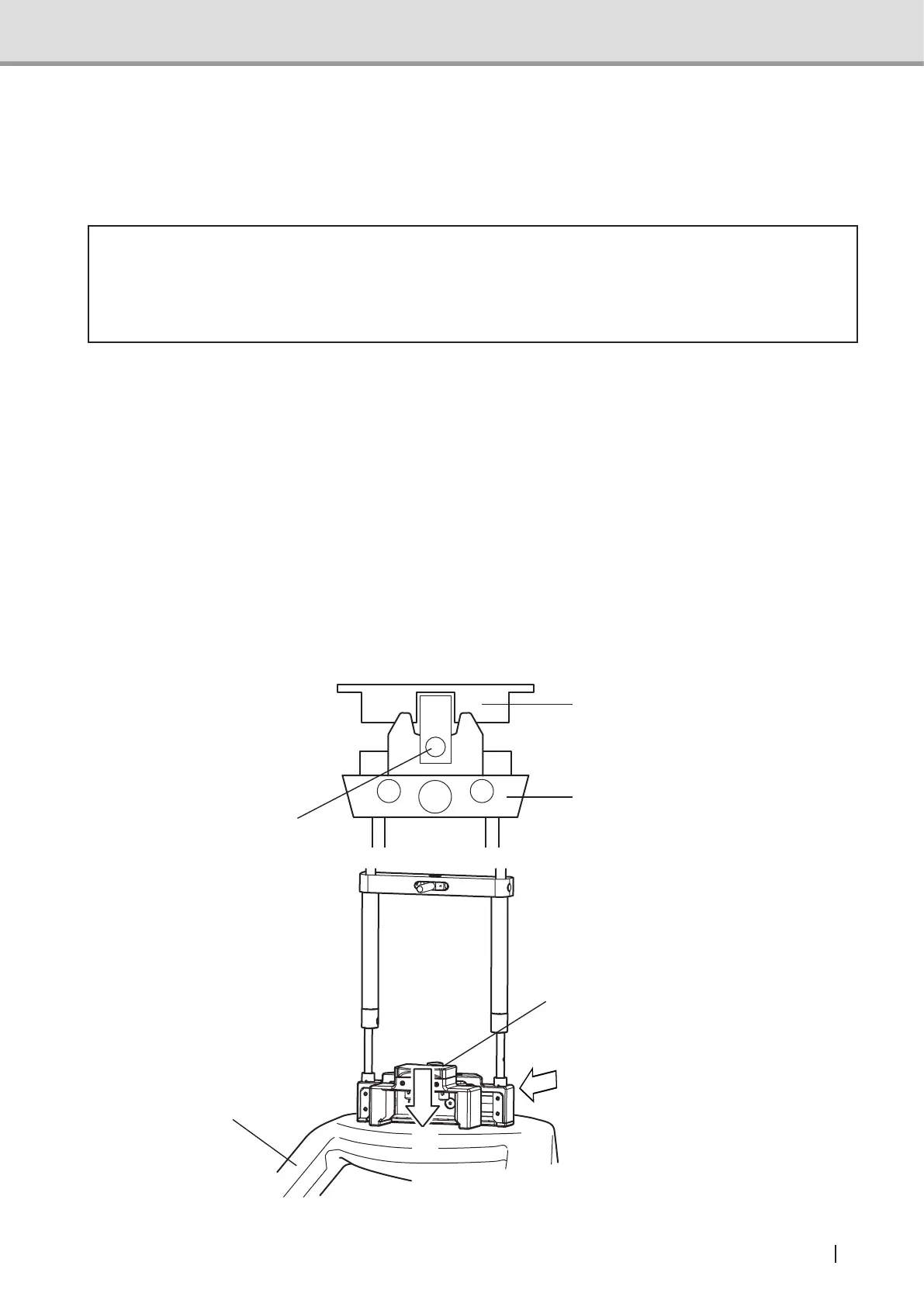
2.5.5.3 Attachingtheheadxatorfor3Dimageacquisition
1 Move the forehead support detachable mechanism of the head support unit forward.
Hold the
head xatorfor for 3D image acquisition with both hands. Insert (*1) part into
the forehead support mounting hole in a direction toward the column.
2 Mount the head xator for 3D image acquisition to the chin rest base in a direction
toward the column.
3 Lower the head xator forxtureleverofthehead xator for 3D image acquisition to
xit.Makesurethebottomofthe
head xator for 3D image acquisition touches the chin
rest cover.
chin rest cover
(*1)
bottom of the head xator
Head support unit
Head xator for 3D image
acquisition
2
3



 To Next Page