Directions for Use
97
Operation Manual
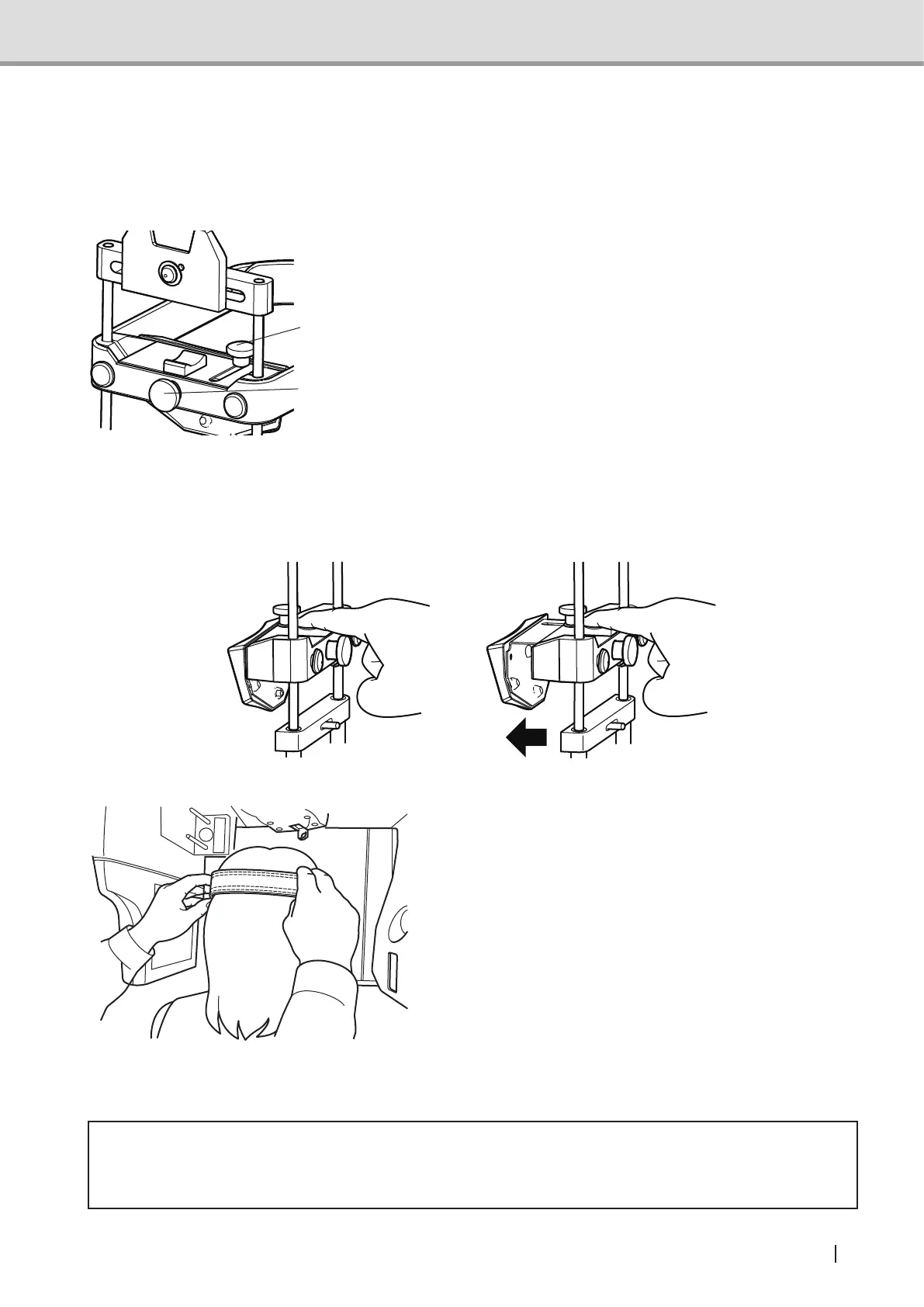
2.5.5.11 Adjusting forehead support
Adjusttheverticalandhorizontalpositionoftheforeheadsupportoftheheadxatorfor3D
imageacquisitionsothatittsthepatient'sforehead.
Adjusting vertical position
The forehead support can slide vertically if
theup-downslidexingknobisloosened.
Position the forehead support at the height
of the patient's head, and tighten the up-
downslidexingknob.
Adjusting horizontal position
Theforeheadsupportcanslidehorizontally(front-back)iftheup-downslidexingknobis
loosened. Position the forehead support to suit the patient's forehead, and tighten the front-
backslidexingknob.
2.5.5.12 Fixing the patient's head
Position the patient's forehead at the
forehead support, and stabilize the patient's
head by using the head band. At that time,
ask the patient not to lean on the head
xatorfor3Dimageacquisition.
Note : In 3D image acquisition, the distance between the patient's occipital and sensor part
arenarrowerthaninpanoramicimageacquisition.Whenxingthepatient'shead,
position the patient so that his/her occipital does not interfere with the sensor part.
* Caution
• Whenexcessiveloadisappliedontheheadxatorfor3Dimageacquisition,thebite
plate may get dislocated and the subject part may move out of the acquisition range.
Front-back slide
xingknob
Up-down slide
xingknob



 To Next Page