ZCube-21 User Guide
DOC-USR-0253-01
______________________________________________________________________________________
Z3 Technology, LLC ♦ 100 N 8
th
ST, STE 250 ♦ Lincoln, NE 68508-1369 USA ♦ +1.402.323.0702
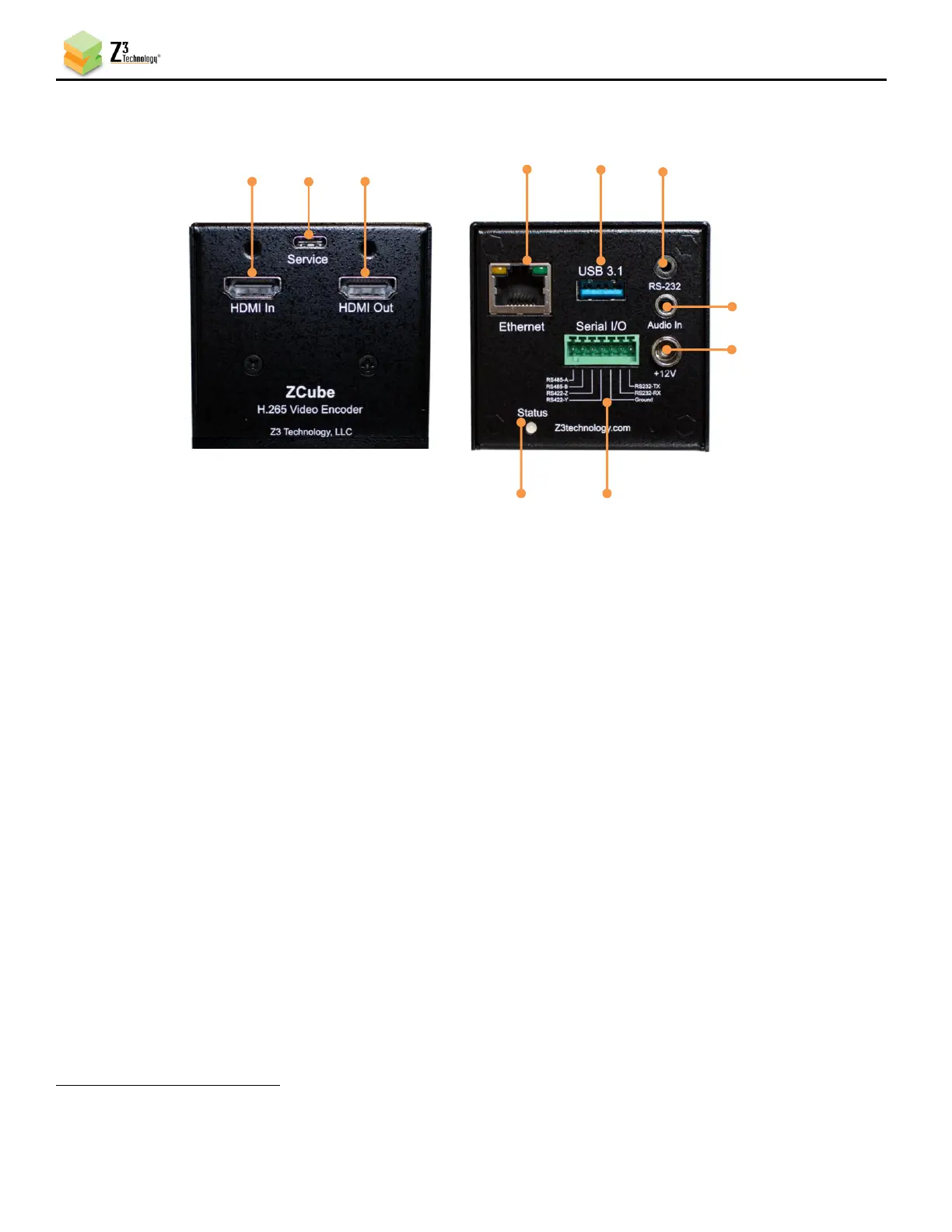
: used as the system console, debug, or system control via serial port
The default is the system console at 115200, N81.
7: Audio In
8: 12V Power (optional)
9: Status/Power LED
10: Serial I/O terminals: provides access to the RS485/RS422* serial port and the RS232 serial port.
This can be used as RS485 or RS422*, as configured at the Term tab in the GUI.
• To use in RS422 mode connect the four RS422* wires A, B, X and Y as indicated.
• To use in RS485 mode connect the two RS485 wires A and B as indicated, and leave
terminals X and Y unconnected.
• Terminals RS232-TX and RS232-RX provide access to the RS232 port.
*RS422 is not currently supported.



 To Next Page