ZCube-21 User Guide
DOC-USR-0253-01
______________________________________________________________________________________
Z3 Technology, LLC ♦ 100 N 8
th
ST, STE 250 ♦ Lincoln, NE 68508-1369 USA ♦ +1.402.323.0702
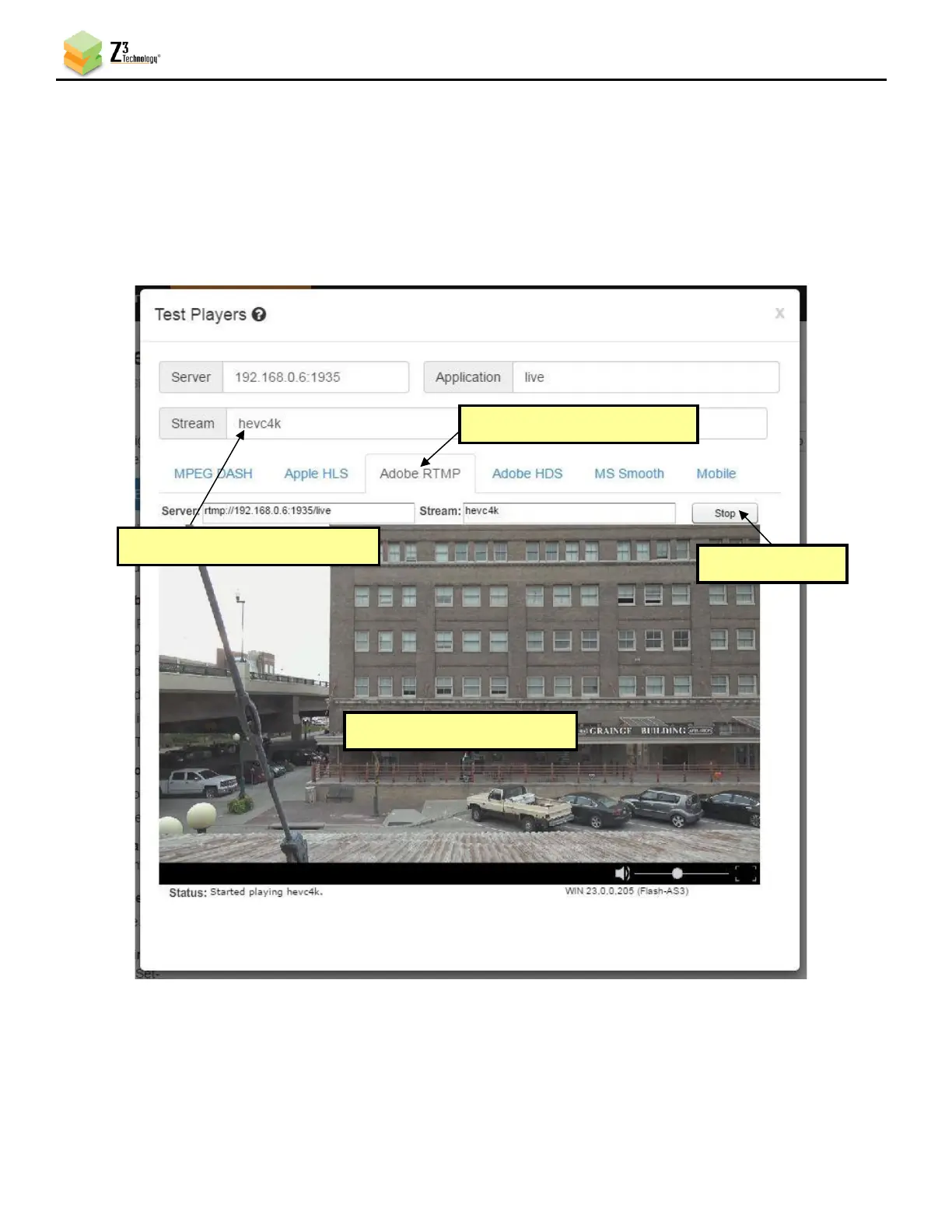
(14) The Test Players popup screen will appear. Select the Adobe RTMP tab.
(15) Enter the Stream name you listed as the Dest Address in the ZCube-21 user interface. For this
example, enter hevc4k.
(16) Click Start. You will see your camera’s video streaming to the Wowza server.
Figure 16 Viewing Streamed Content on Wowza Test Player
(4) Audio and Video appear
(1) Select “Adobe RTMP” tab
(2) Type “hevc4k” for Stream



 To Next Page