ZCube-21 User Guide
DOC-USR-0253-01
______________________________________________________________________________________
Z3 Technology, LLC ♦ 100 N 8
th
ST, STE 250 ♦ Lincoln, NE 68508-1369 USA ♦ +1.402.323.0702
(3) A pop-up window appears with a message that the settings were saved successfully.
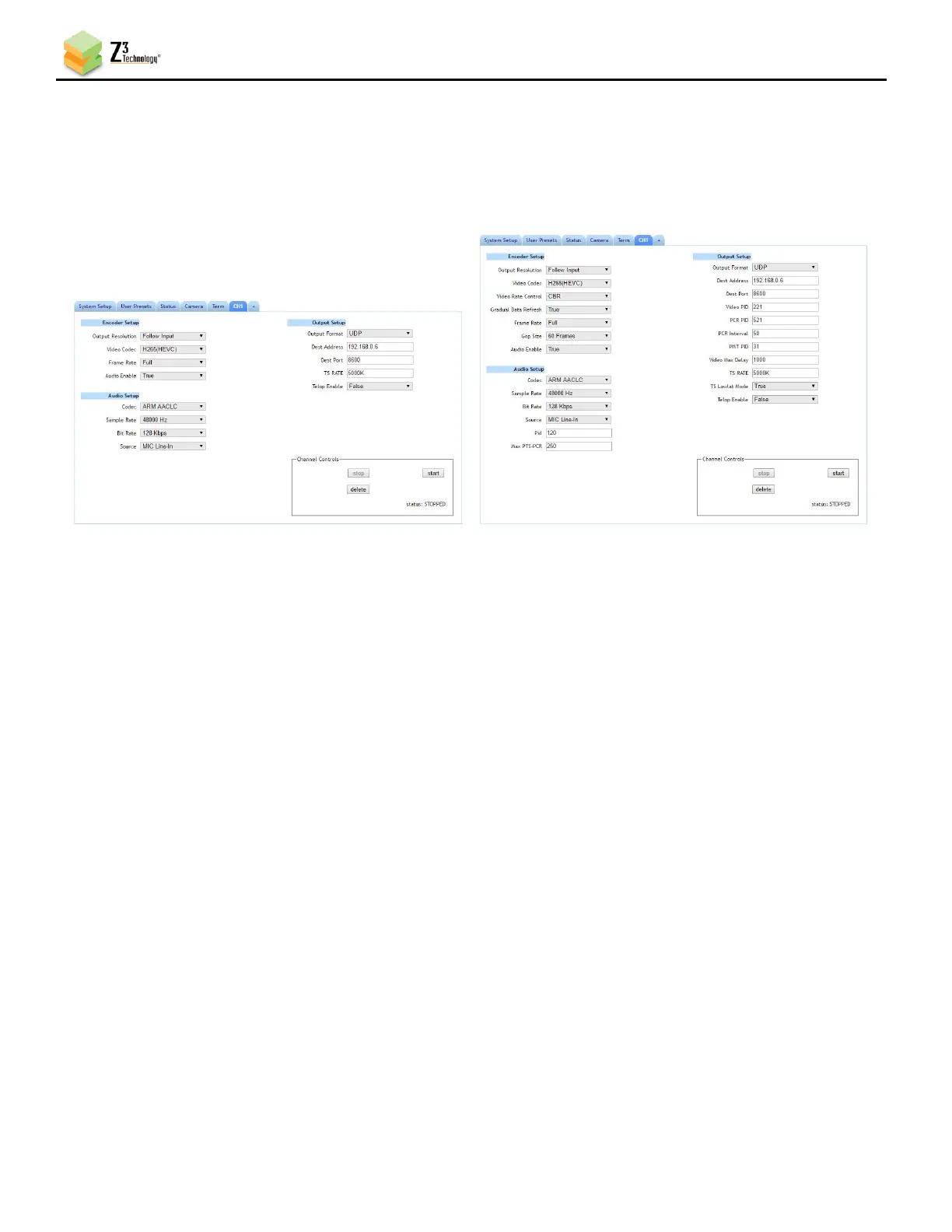
(4) Return to your channel tab to set additional encoding configuration parameters for your stream.
See Section 9.5, The CH1 Tab (Channel 1), for more information on the advanced settings available
for each streaming output.
(5) You can return to the use of limited settings by un-checking the Advanced Settings box in the
System Setup tab and saving that to the preset.
7.3 Overlay Timestamp
This feature is currently not supported.
The ZCube-21 supports the overlay of a system timestamp on the video stream. This is done via the Text
Overlay feature on the encoder tab.
(1) Click on the CH1 tab and stop the stream with the Stop button, if necessary.
(2) On the right side of the page select True in the Text Overlay Enable dropdown.
(3) The Overlay Text box will appear. Add {ts} to the text box and click the Start button.
(4) The date and time will be overlayed on the video stream in YYYY-MM-DD HH:MM:SS format.
Note: To use a different timestamp format add strftime characters in the tag. For example, for timestamp format of
YYYY/MM HH:MM:SS use “{ts%Y/%m %H:%M:%S}”



 To Next Page