ZCube-21 User Guide
DOC-USR-0253-01
______________________________________________________________________________________
Z3 Technology, LLC ♦ 100 N 8
th
ST, STE 250 ♦ Lincoln, NE 68508-1369 USA ♦ +1.402.323.0702
5.3.2 Run VLC to View RTSP Stream
Note: Verify your PC is set up to handle decode of H.265 content at 4K resolutions. See Section 8.1, “PC
Configuration for 4K HEVC/H.265 Decode”, for more information.
(1) Open the VLC media player on your PC.
(2) Select the Media menu.
(3) Select Open Network Stream.
(4) Enter “rtsp:// IP_Address/z3-#.sdp” for the network URL.
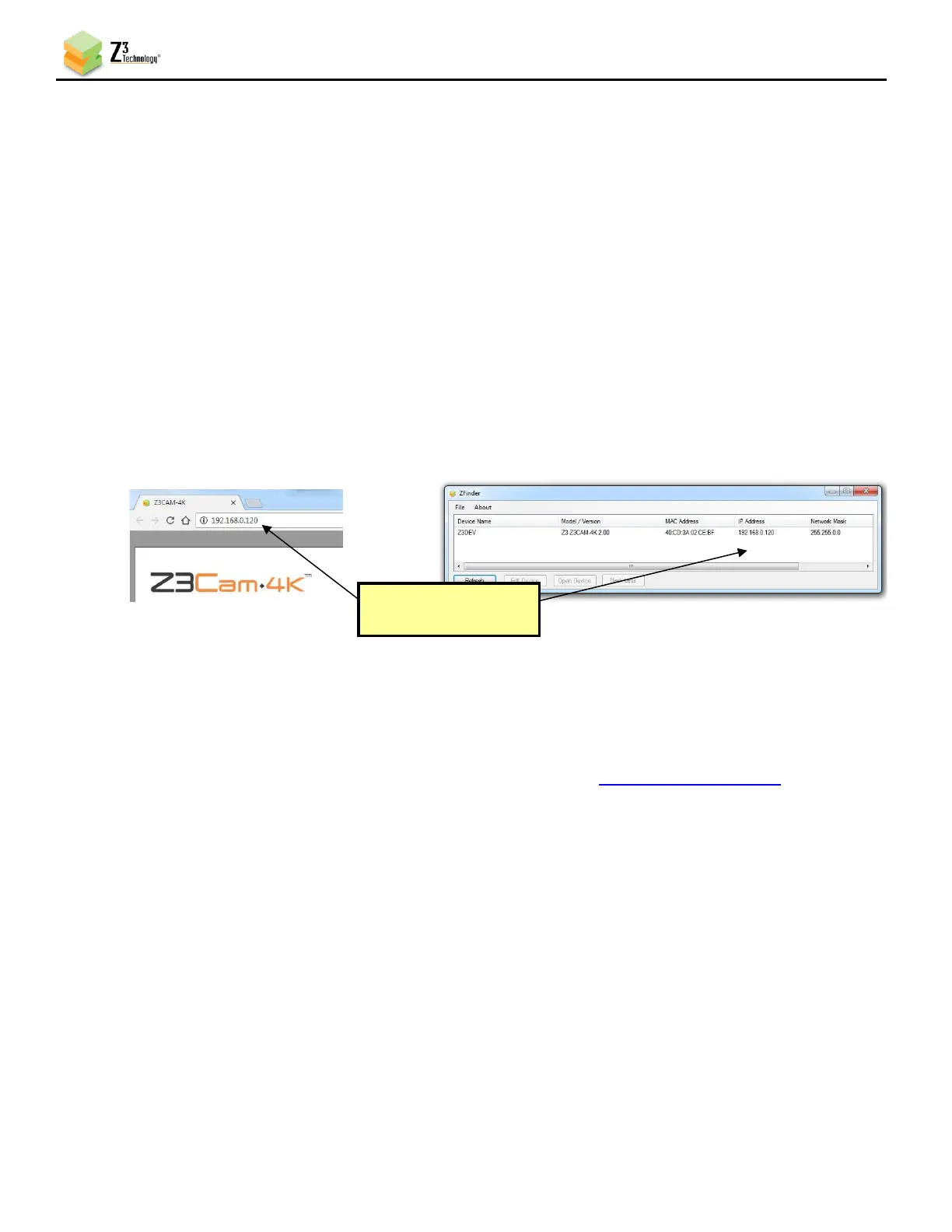
a. IP_Address will be the IP address of your ZCube-21. If your camera is set to DHCP (This is
the default setting when it is first received.), you can find this in ZFinder or the web
browser with your user interface open. If you have set your encoder to a static IP address,
this should match the Local IP Address field in the System Setup tab. In the example
pictured, the encoder was assigned 192.168.0.120 at start up.
b. z3-# corresponds to the number of the channel tab of the user interface. For example, if
the CH1 tab is used, “z3-1” is entered.
c. In this example, the full network URL would be “rtsp://192.168.0.120/z3-1.sdp”.



 To Next Page