ZCube-21 User Guide
DOC-USR-0253-01
______________________________________________________________________________________
Z3 Technology, LLC ♦ 100 N 8
th
ST, STE 250 ♦ Lincoln, NE 68508-1369 USA ♦ +1.402.323.0702
Note: VLC does not support RTMP. The test player within Wowza Streaming Engine™ is recommended.
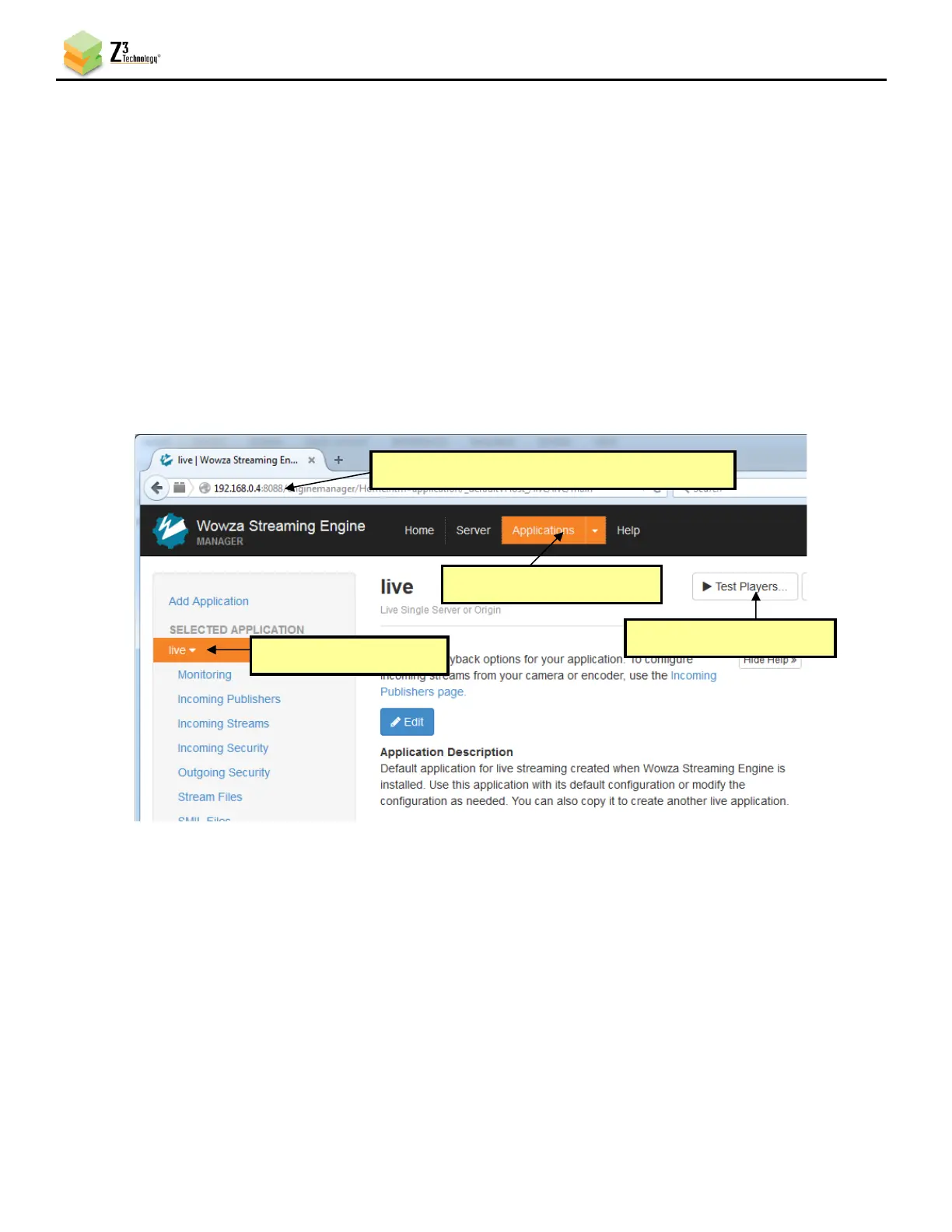
(9) Go to any PC that is on the same network as the Wowza server and open a web browser. Type in the
IP address of the Wowza server with the port 8088 (in this example, “192.168.0.6:8088”). This will
bring up the Wowza Streaming Engine™ home page.
(10) Log in with your valid user name and password.
(11) At the top of the screen, click on Applications.
(12) Select live on the left side of the screen.
(13) Click Test Players in the top right-hand corner.



 To Next Page