EasyManua.ls Logo

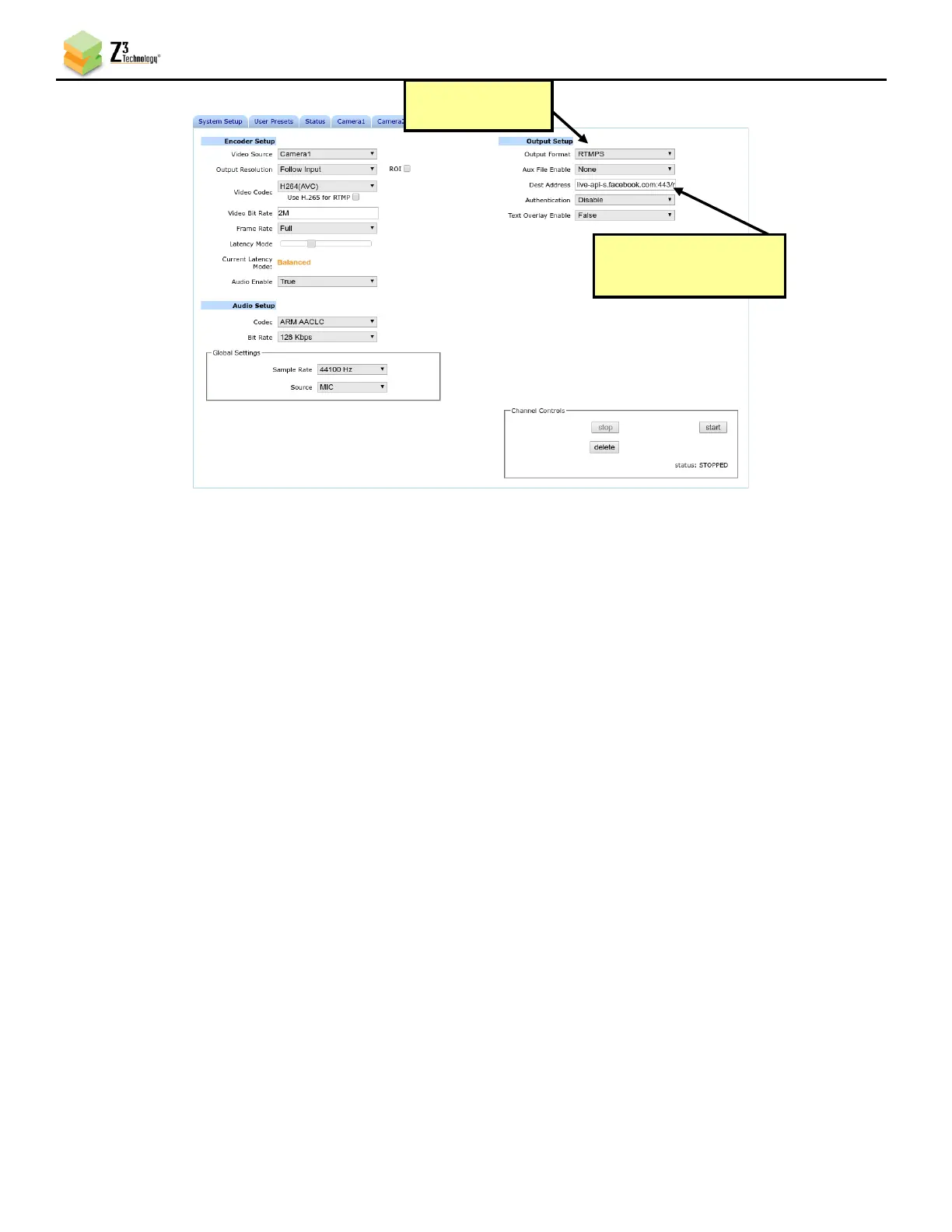
Z3 Technology ZCube-21 - Figure 21 Facebook Live Stream Encoder Settings

Z3 Technology ZCube-21
67 pages
Print Icon
To Next Page IconTo Next Page
To Previous Page IconTo Previous Page
Loading...
ZCube-21 User Guide
DOC-USR-0253-01
______________________________________________________________________________________
Z3 Technology, LLC 100 N 8
th
ST, STE 250 Lincoln, NE 68508-1369 USA +1.402.323.0702
27
Figure 21 Facebook Live Stream Encoder Settings
(6) Click Start or Start All to begin encoding stream.
(7) Return to the Facebook Live Video Setting dialog box to ensure your stream is previewing properly.
Add a message to the video stream, if desired, and click Go Live at the bottom. Your Stream is now
active!
Enter Server URL and
Stream Key
Set to “RTMP”

Table of Contents

Related product manuals