ZCube-21 User Guide
DOC-USR-0253-01
______________________________________________________________________________________
Z3 Technology, LLC ♦ 100 N 8
th
ST, STE 250 ♦ Lincoln, NE 68508-1369 USA ♦ +1.402.323.0702
5.4.2 RTMP Camera Streaming to YouTube Live
(1) If you have not already done so, verify you have set up a YouTube live account and access your
YouTube live dashboard. (As of the date of this document, the dashboard URL is:
https://www.youtube.com/live_dashboard).
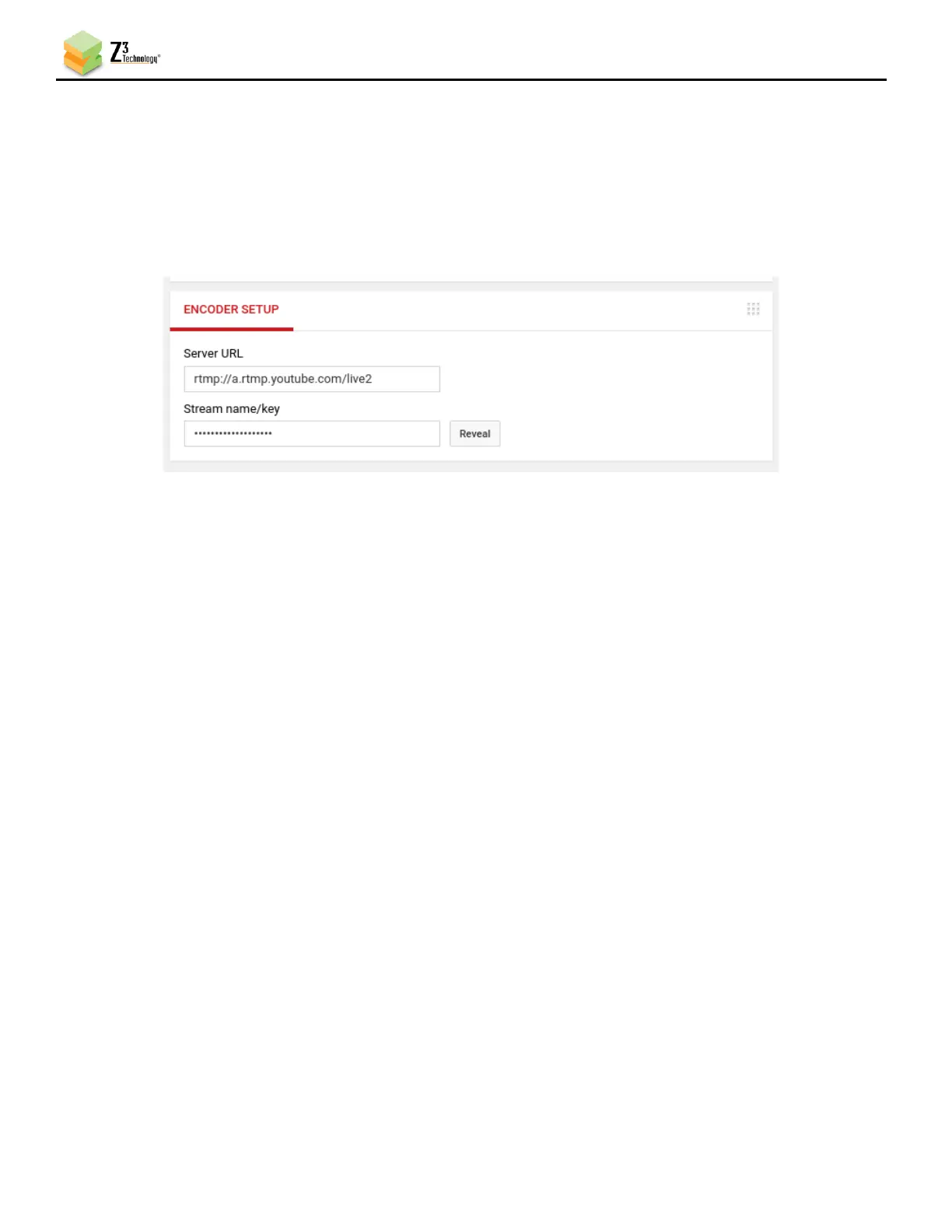
(2) Under Encoder Setup, locate your Server URL and Stream name/key.
(3) Return to the encoder user interface CH1 tab and, if necessary, click on the Stop button in the
Channel Controls section of the user interface CH1 tab or the Stop All button in the lower right
corner of the screen of any tab.
(4) Verify the Output Resolution is set to 2560x1440. If a lower resolution output is desired, select
this in the dropdown menu and resizing will occur.
Note: As of the date of this document, 1440p is the maximum resolution supported by YouTube for live
streaming. Consult YouTube’s online Live streaming guide for supported resolutions.
(5) Set the Video Codec to H264(AVC) for RTMP streaming.
(6) Under Output Setup, select RTMP in the Output Format dropdown menu.
(7) Set Dest Address to “Server_URL/Stream_Key”.
a. Server_URL will be the value specified in your YouTube Live dashboard. Omit the RTMP
protocol “rtmp://” and enter “a.rtmp.youtube.com/live2”.
b. Stream_Key will be the value specified in your YouTube Live dashboard.
(8) It is recommended to set Video Rate Control to CBR.
(9) It is recommended to set GOP Size to:
a. 120 Frames – 240 Frames for 60 fps content.
b. 60 Frames – 120 Frames for 30 fps content.



 To Next Page