ZCube-21 User Guide
DOC-USR-0253-01
______________________________________________________________________________________
Z3 Technology, LLC ♦ 100 N 8
th
ST, STE 250 ♦ Lincoln, NE 68508-1369 USA ♦ +1.402.323.0702
8.1.4 VLC Media Player
(1) Install VLC media player v3.0.4 or later if necessary.
(2) Navigate to the Tools menu and select Preferences.
(3) In the Simple Preferences window, find the Show settings section in the bottom left corner of the
window and select the check box next to All.
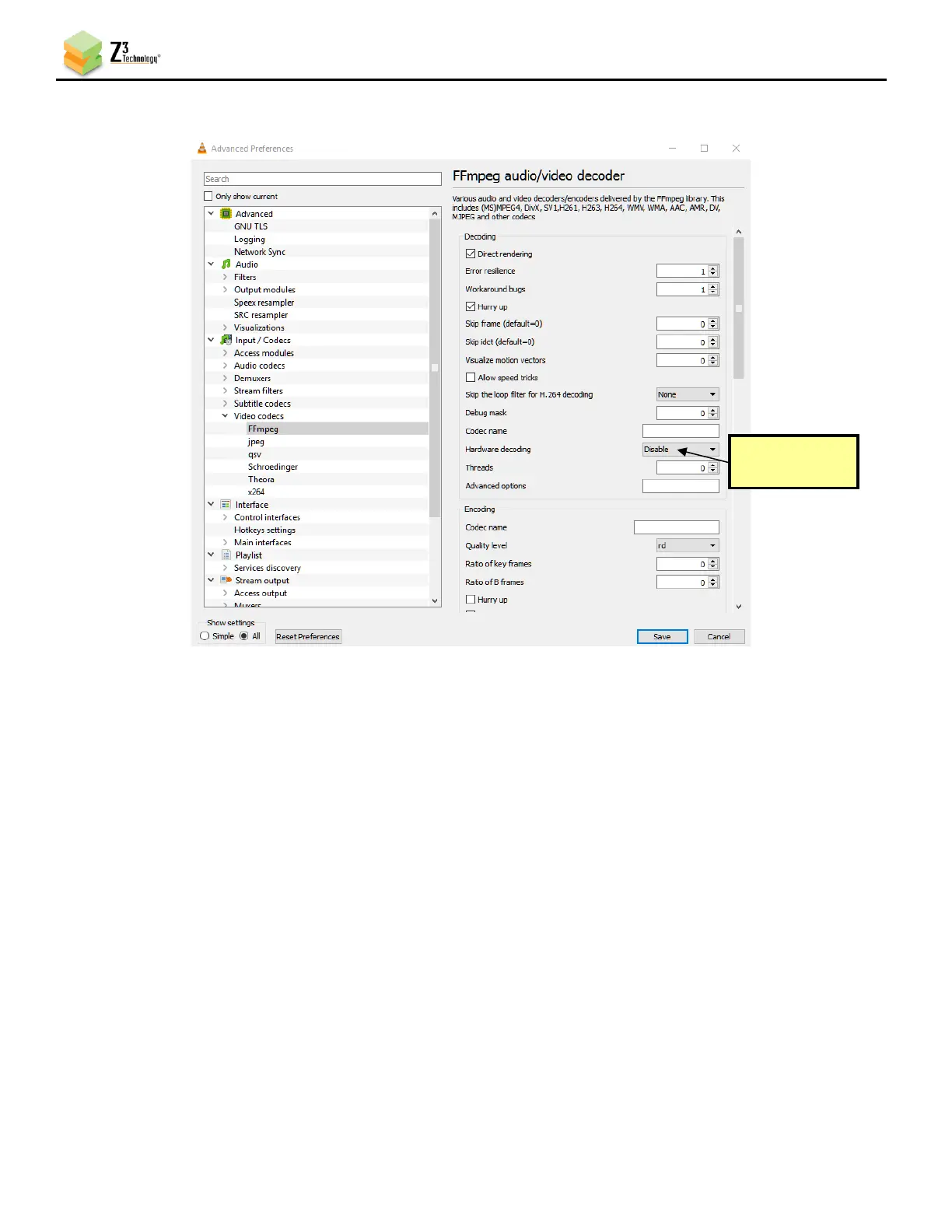
(4) In the Advanced Preferences window that appears, navigate to Video codecs on the left-hand
column and select FFmpeg.
(5) Select Disable in the Hardware decoding dropdown menu.



 To Next Page