EasyManua.ls Logo

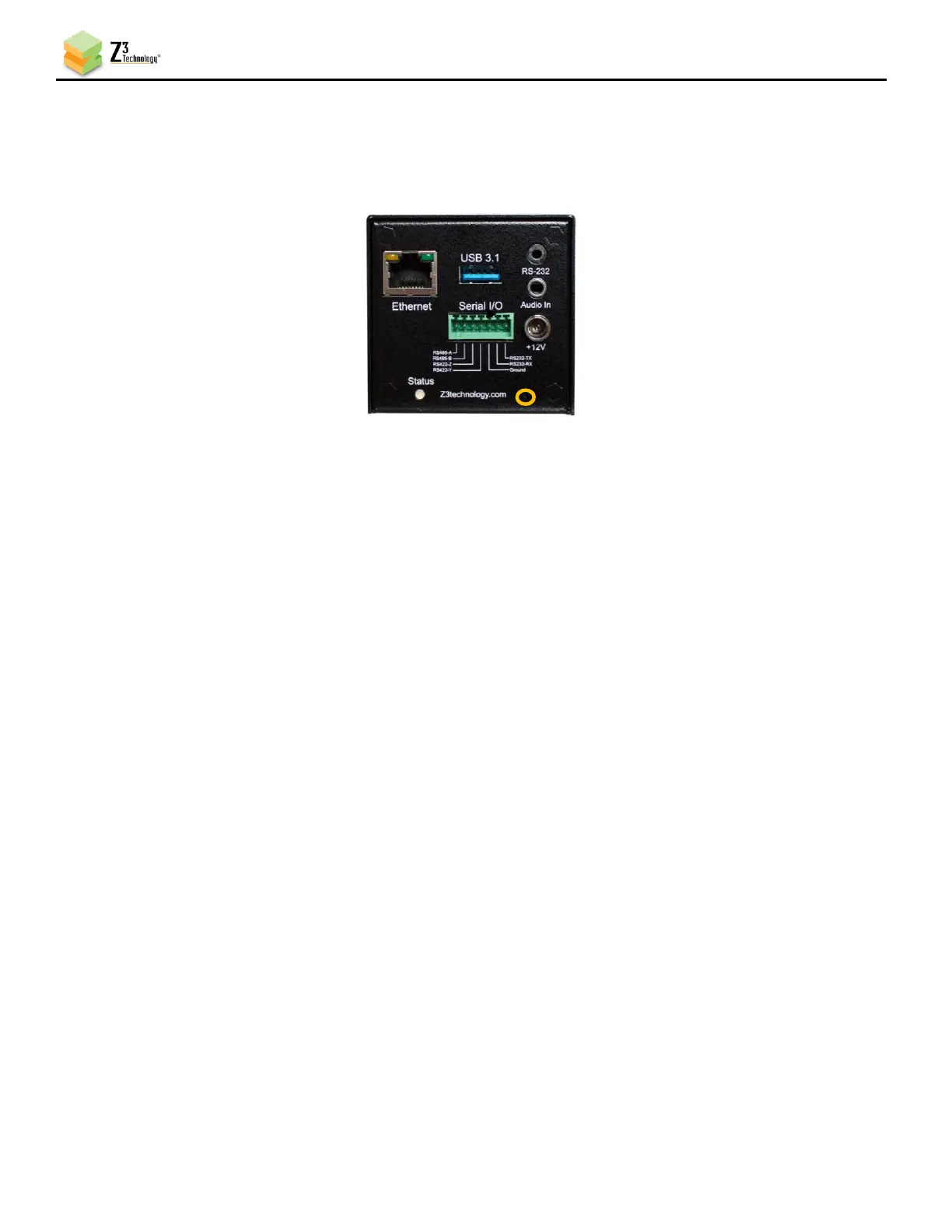
Z3 Technology ZCube-21 - Factory Reset; Figure 41 Pinhole Reset

Z3 Technology ZCube-21
67 pages
Print Icon
To Next Page IconTo Next Page
To Previous Page IconTo Previous Page
Loading...
ZCube-21 User Guide
DOC-USR-0253-01
______________________________________________________________________________________
Z3 Technology, LLC 100 N 8
th
ST, STE 250 Lincoln, NE 68508-1369 USA +1.402.323.0702
43
7.6 Factory Reset
The ZCube-21 can be reset to its original factory settings using the pinhole reset on the lower right of the
rear interface panel of the unit.
Figure 41 Pinhole Reset
(1) Allow the encoder to boot completely.
(2) Use a pin or straightened paperclip to press and hold the recessed pinhole reset switch until status
light flashes yellow.
(3) Power cycle encoder. Once the boot sequence has completed the encoder will return to its original
factory settings.

Table of Contents

Related product manuals