ZCube-21 User Guide
DOC-USR-0253-01
______________________________________________________________________________________
Z3 Technology, LLC ♦ 100 N 8
th
ST, STE 250 ♦ Lincoln, NE 68508-1369 USA ♦ +1.402.323.0702
5.6 Record to USB
The ZCube-21 supports writing encoded video to a storage device connected to the USB port in .ts file
format.
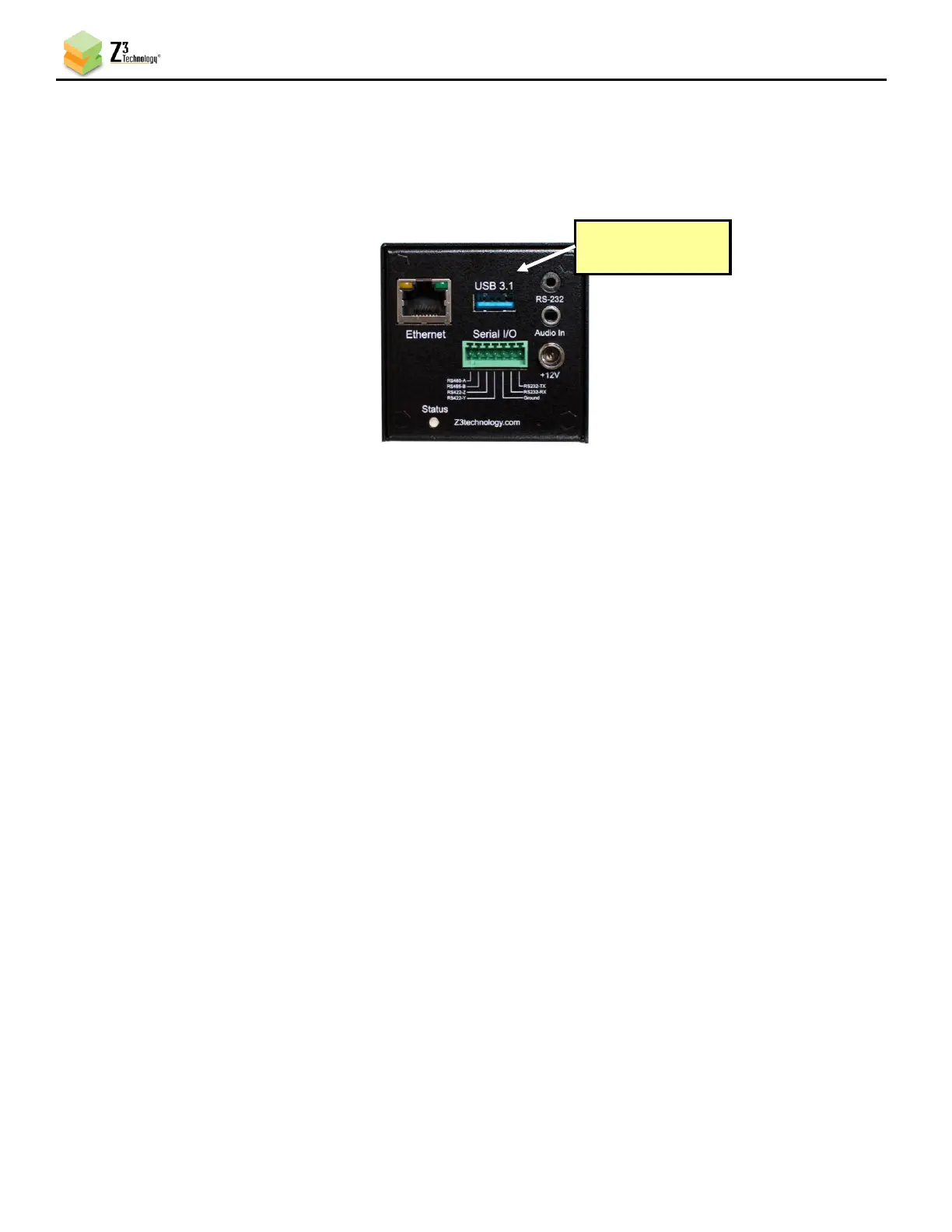
(1) Connect a USB flash drive or other USB storage device to USB on the back of the encoder.
Note: The USB drive must be formatted in either FAT32, VFAT, EXT3, or EXT4 format.
(2) Return to the user interface, and if necessary, click on the Stop button in the Channel Controls
section of the user interface CH1 tab or the Stop All button in the lower right corner of the screen
of any tab.
(3) Verify the Output Resolution is set to Follow Input to output a 4K stream. If a lower resolution
output is desired, select this in the dropdown menu and resizing will occur.
(4) Select the Video Codec you would like to use for your video encoding.
(5) Under Output Setup, select TSFILE from the Output Format dropdown menu.
(6) Click on the Output Device field to select your USB storage location. This will automatically
populate if a USB is detected.
(7) In the File Prefix textbox, enter the desired prefix for your .ts file name.
a. When saved, a number will be automatically generated and added to the end of the file
prefix, starting with zero. If subsequent recordings are made to the same USB, existing files
with the same prefix will be detected and the new recordings will auto-increment to the
next number.
b. For example, if the prefix MOV1_ is provided. This will result in a file entitled MOV1_0.ts
on the USB. Subsequent recordings will be entitled MOV1_1.ts, MOV1_2.ts, etc.
c. The default prefix provided is MOV1_%F_%T_ which will pull the current date, in
year/month/day format, and time, in 24-hour notation, into the file name.



 To Next Page