ZCube-21 User Guide
DOC-USR-0253-01
______________________________________________________________________________________
Z3 Technology, LLC ♦ 100 N 8
th
ST, STE 250 ♦ Lincoln, NE 68508-1369 USA ♦ +1.402.323.0702
APPENDIX A: Finding the IP Address of Your Computer
To find the IP address of your computer when it is set to DHCP:
(1) Open the Windows Start Menu/Start Screen and type cmd or Command Prompt.
(2) Open the command prompt.
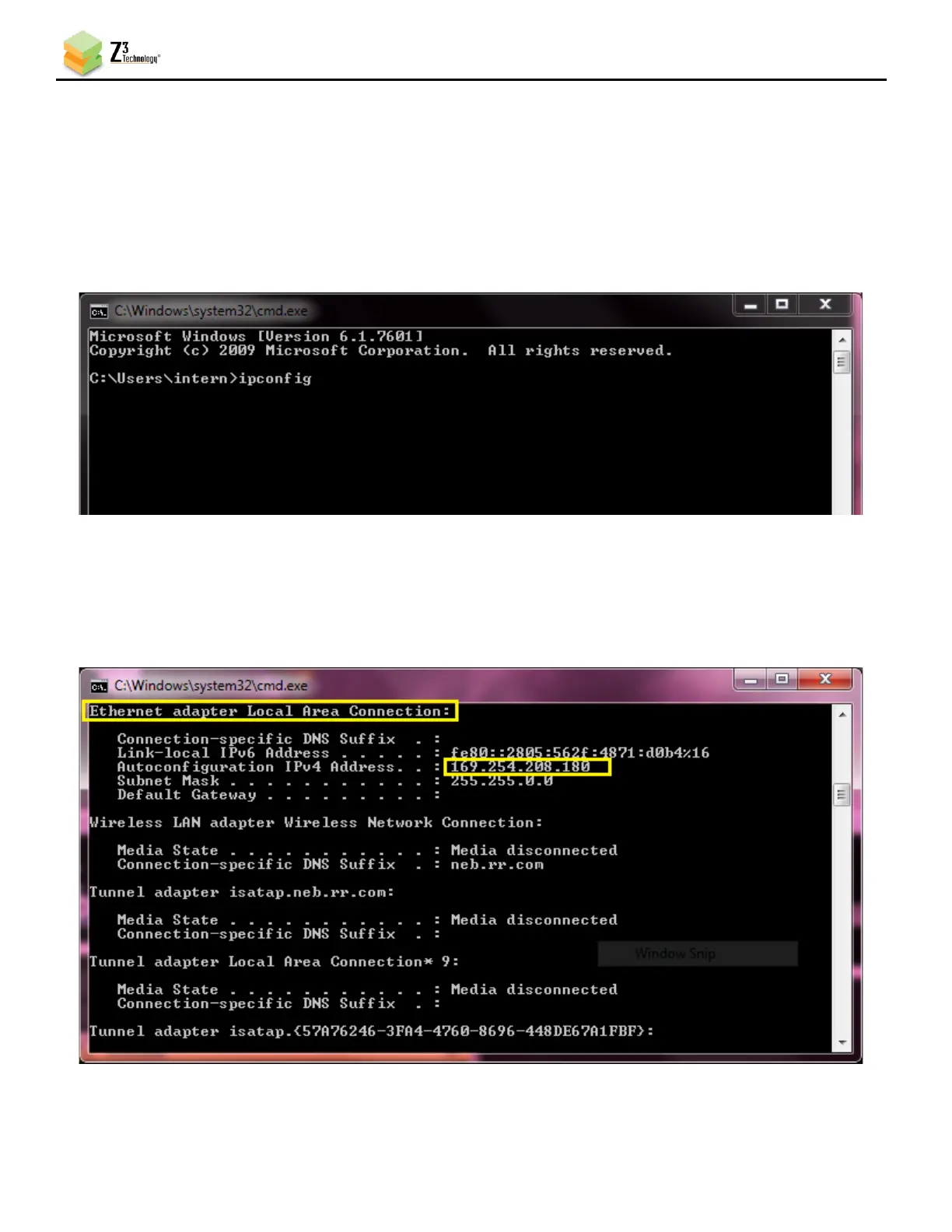
(3) Type ipconfig and press the Enter key.
Figure 47 Using the Command Prompt to Determine Your PC’s IP Address
(4) The IP address of your computer can be found in the section labeled either Ethernet or Ethernet
adapter Local Area Connection. The IP address will display as 169.254.x.x where x is any one-to-
three-digit number.
Figure 48 Locating Your Computer’s IP Address



 To Next Page