ZCube-21 User Guide
DOC-USR-0253-01
______________________________________________________________________________________
Z3 Technology, LLC ♦ 100 N 8
th
ST, STE 250 ♦ Lincoln, NE 68508-1369 USA ♦ +1.402.323.0702
5.8 HDMI Pass-Through
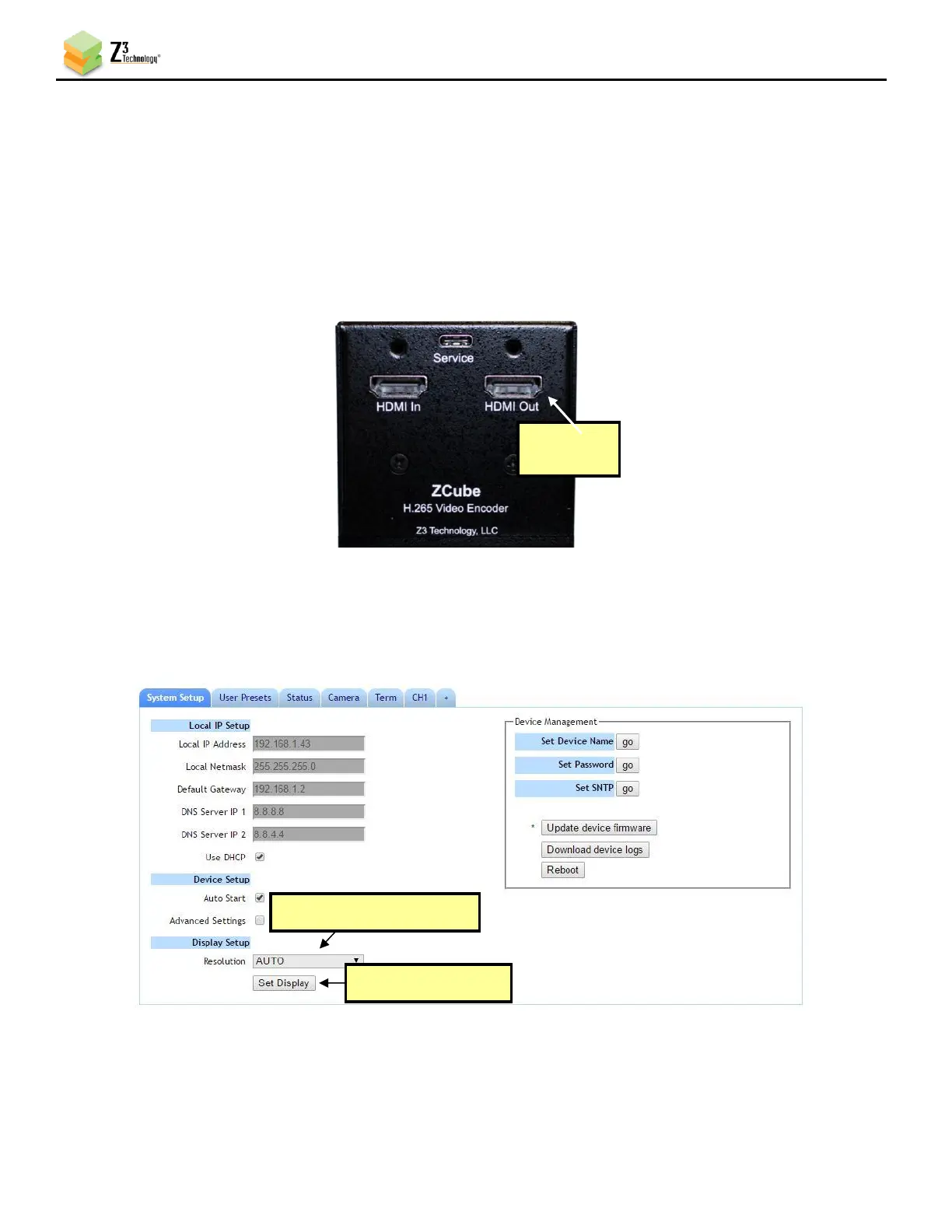
The ZCube-21 allows for the currently encoded content to be passed through to the HDMI output while the
unit is streaming. This allows the camera content to be viewed on a TV or other display monitor.
(1) To view this pass-through content, verify the unit is currently encoding. The channel status will
show RUNNING in the bottom right corner of the user interface.
(2) Connect a HDMI video cable from HDMI Out on the ZCube-21 to a TV or display monitor.
(3) The output resolution can be adjusted in real time. In the System Setup tab, select the desired
option from the Resolution dropdown menu under the Display Setup section.
(4) Click the Set Display button for changes to take effect.



 To Next Page