ZCube-21 User Guide
DOC-USR-0253-01
______________________________________________________________________________________
Z3 Technology, LLC ♦ 100 N 8
th
ST, STE 250 ♦ Lincoln, NE 68508-1369 USA ♦ +1.402.323.0702
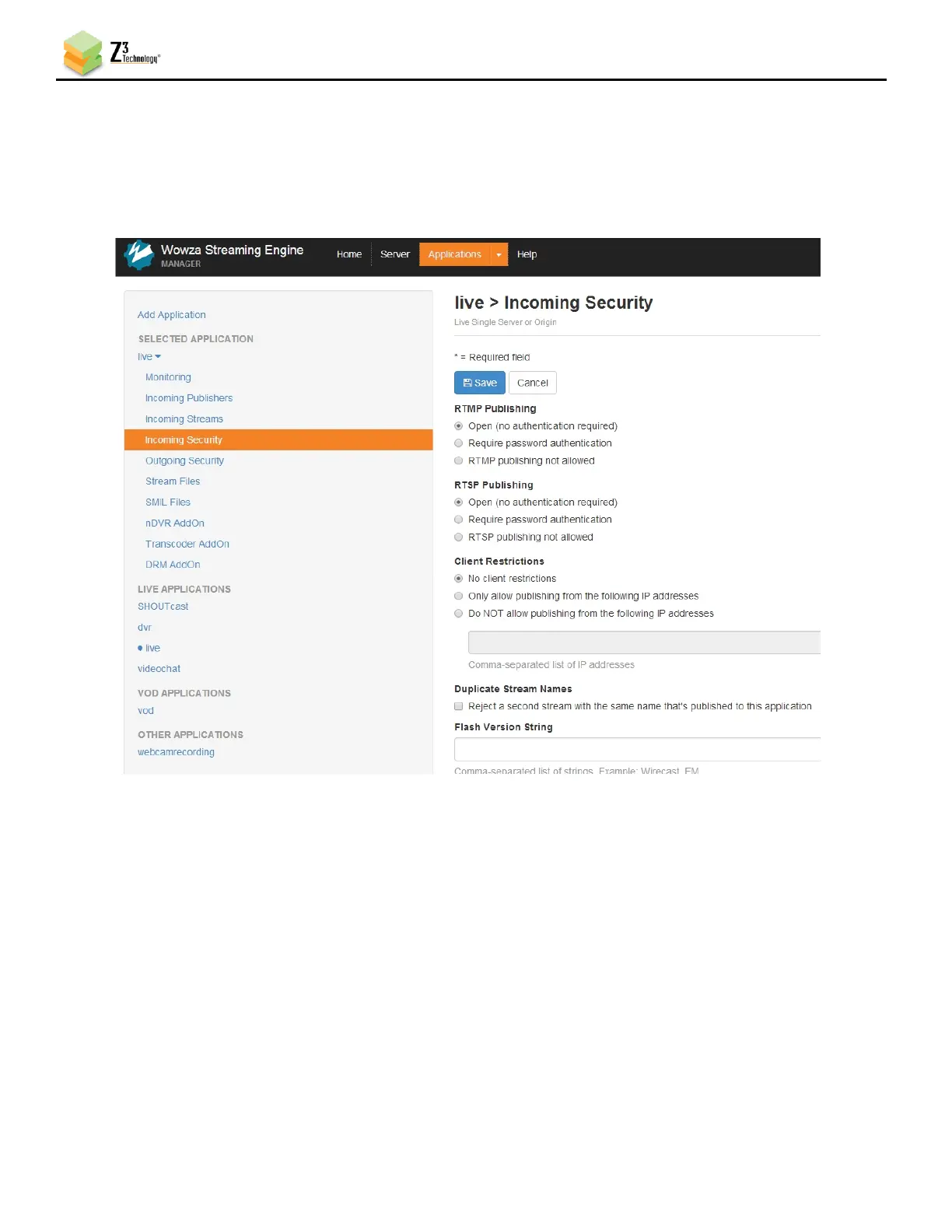
(7) On the left column, click on live and then Incoming Security.
(8) Click Edit and then verify RTMP Publishing and RTSP Publishing are both set to Open.
(9) Verify Client Restrictions is set to No client restrictions.
(10) Click on Save.
The Wowza server is now configured to work with your Z3 Technology product.
Note: You can also select Require password authentication under RTMP Publishing. In this case, Authentication
on the Encoder tab needs to be enabled and a valid Wowza user name and password need to be entered to
successfully access Wowza.
If you are unable to see RTMP streaming to Wowza working correctly, please verify the Firewall on
your PC with the Wowza server is turned off.



 To Next Page