Section D Graphic Display
D-37
D5.9 Generaltab
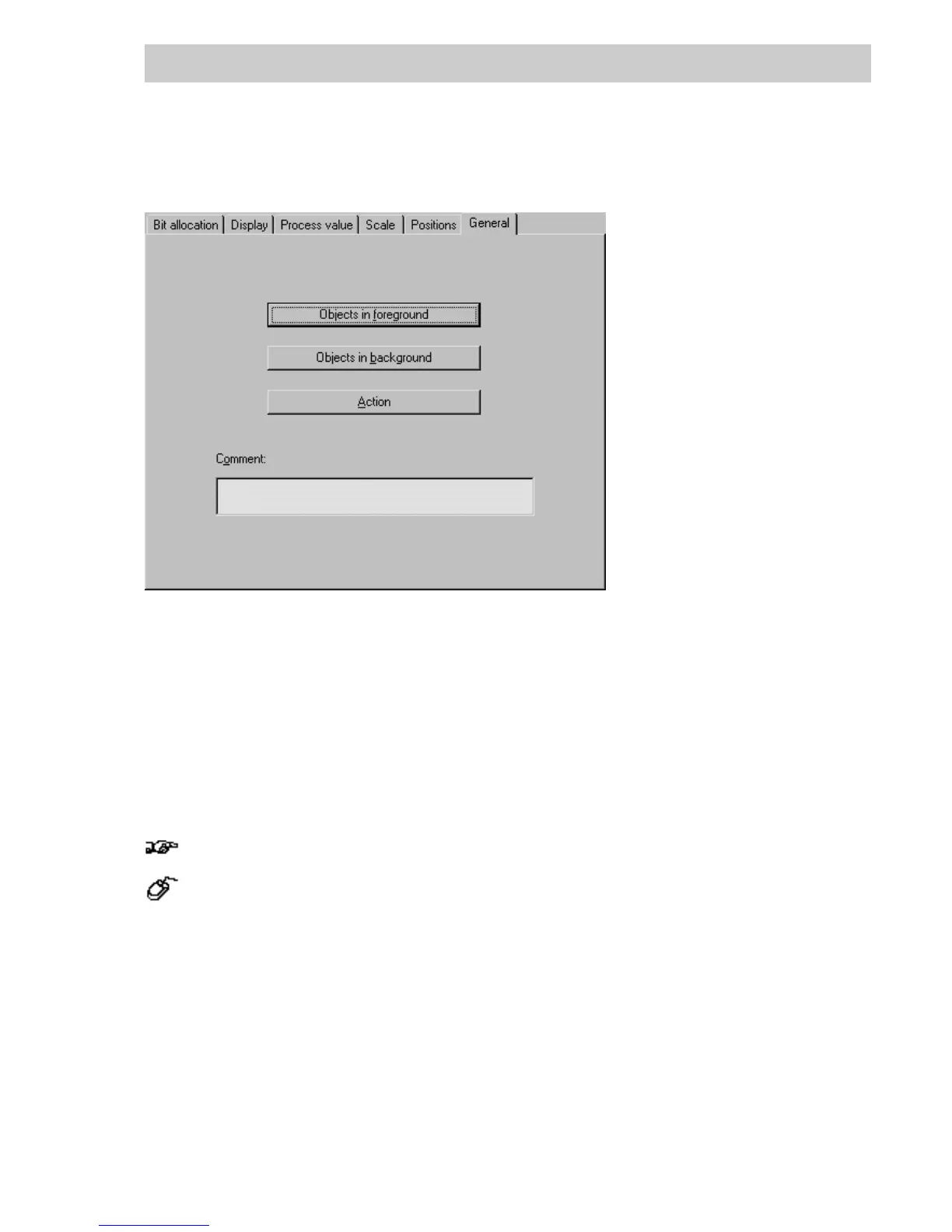
OBJ. IN FOREGROUND/
O
BJ. IN BACKGROUND Overlapping of static and dynamic graphic objects.
Static graphic objects can be placed in front of or behind dynamic objects.
After pressing one of these two buttons, the corresponding graphic level
is activated. Static graphic objects can be selected or created at that
level. Return to parameter definition is carried out via the menu item Edit /
Return to object. After completion of parameter definition, the edited
graphic objects are grouped, connected with each other (share a common
frame).
Grouped graphic objects can be ungrouped as follows:
→Select dynamic object → Animate → Reedit,
→Select O
BJECTS IN FOREGROUND or OBJECTS IN BACKGROUND, graphic level is activated,
→Click on an unoccupied area (no item should be selected),
→ Edit → Return to object....
The connection between the dynamic and static objects is removed.
A
CTION When a dynamic graphic object is selected in DigiVis, an action such as a
display change, calling up a tag allocation faceplate, operation of a
variable or acknowledgment of a message can be made to occur. See
following chapter for details on how such an action is configured.
Comment Free-form text can be entered to describe the graphic object (max. 33
characters).
tu0904us.bmp



 To Next Page